Invoice Workflow – Efficient Processes Step by Step

Requirements in accounting are rising rapidly in 2026: New laws such as the e-invoicing mandate and digital standards are putting companies under pressure. A modern invoice workflow is more important than ever to save time, avoid errors, and reliably meet legal requirements.
In this guide, you’ll get a clear step-by-step blueprint for efficient invoice processes – from capture to automated archiving. You’ll learn how to create transparency with digital solutions, ensure compliance, and make your invoice workflow future-proof.
Whether you’re a finance leader, accountant, SME, or a company with a high invoice volume: Here you’ll learn how to speed up processes and stay ahead of the competition.
What is an invoice workflow? Basics and importance
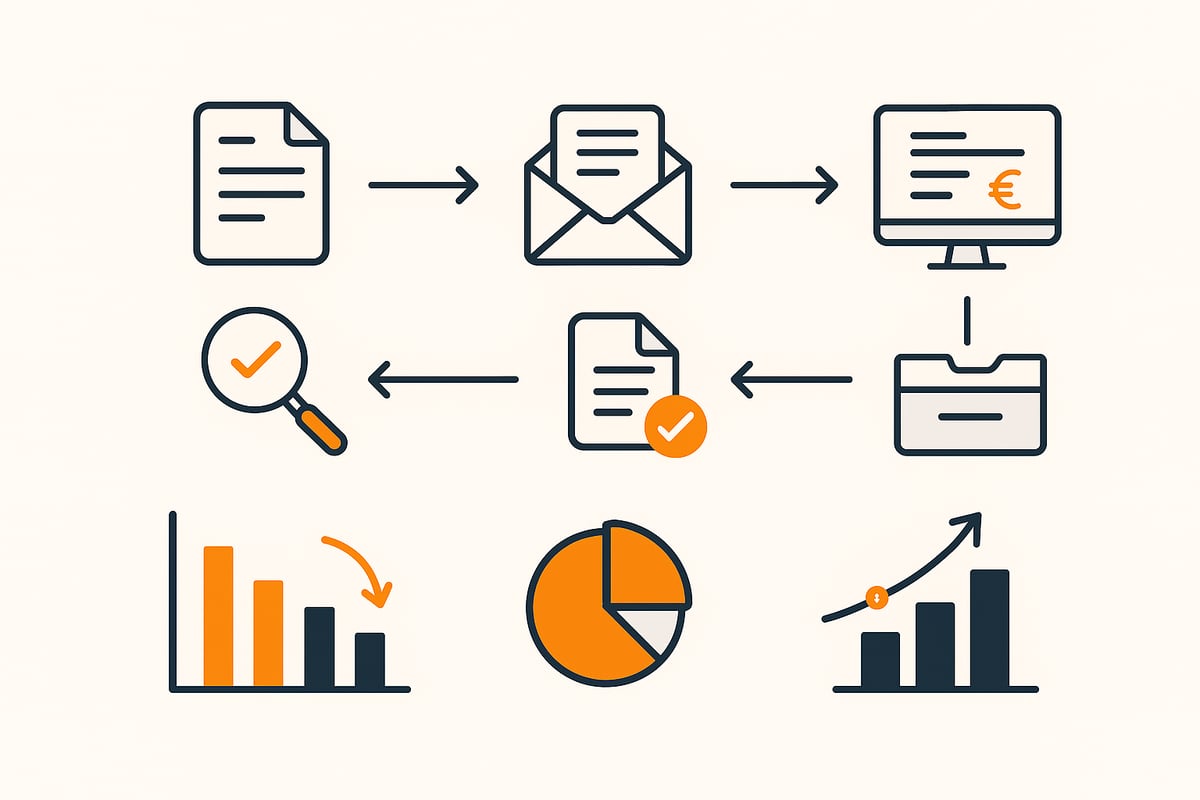
An invoice workflow describes all the steps an invoice goes through in a company, from capture to legally compliant archiving. The process typically includes receipt capture, substantive and formal review, approval, account assignment, and posting. In analog processes, many steps are manual, while digital workflows enable automated recognition, checks, and handovers. The invoice workflow is just as relevant for small businesses as for large corporations, as it creates efficiency and transparency. Practical examples show that digitization brings enormous advantages, especially for the mid-market. For a deeper insight into how automated processes optimize workflows in finance, it’s worth taking a look at Automated invoice workflows in the finance area.
Definition and flow of an invoice workflow
The invoice workflow maps the entire lifecycle of an invoice. Typical steps include receipt capture, substantive and formal review, multi-level approval, account assignment, posting, and finally archiving. Analog processes involve many media breaks and manual tasks. Digital workflows, on the other hand, automate and accelerate the steps. SMEs benefit particularly from a clear structure, while large enterprises often integrate complex approval structures into their workflow.
Challenges in the traditional invoice workflow
Classic paper-based approaches create numerous problems in the invoice workflow. Common challenges include:
-
Media breaks between paper, email, and IT systems
-
Manual sources of error during data entry
-
Long throughput times due to physical handling
-
Lack of transparency about processing status
-
Risk of data loss and compliance violations
Studies show that digitizing the invoicing process can save up to 70 percent of the time. This gives companies more control and security.
Why efficient workflows are indispensable in 2026
From 2025, the e-invoicing mandate applies in Germany, making the digital invoice workflow a necessity. EU directives and GoBD also require legally compliant processes and digital archiving. Competitive pressure is growing; digital processes save costs and enable the use of early payment discounts (Skonto). A modern workflow ensures scalability, future readiness, and compliance with all legal requirements. Companies that switch now secure crucial advantages and avoid risks.
Step-by-step: The modern invoice workflow 2026
A modern invoice workflow is far more than a digital substitute for paper processes. It combines intelligent automation with clear procedures to ensure maximum efficiency, transparency, and legal certainty. Anyone who wants to future-proof their invoicing processes in 2026 benefits from a structured approach – from invoice receipt to analysis.
1. Invoice receipt and digitization
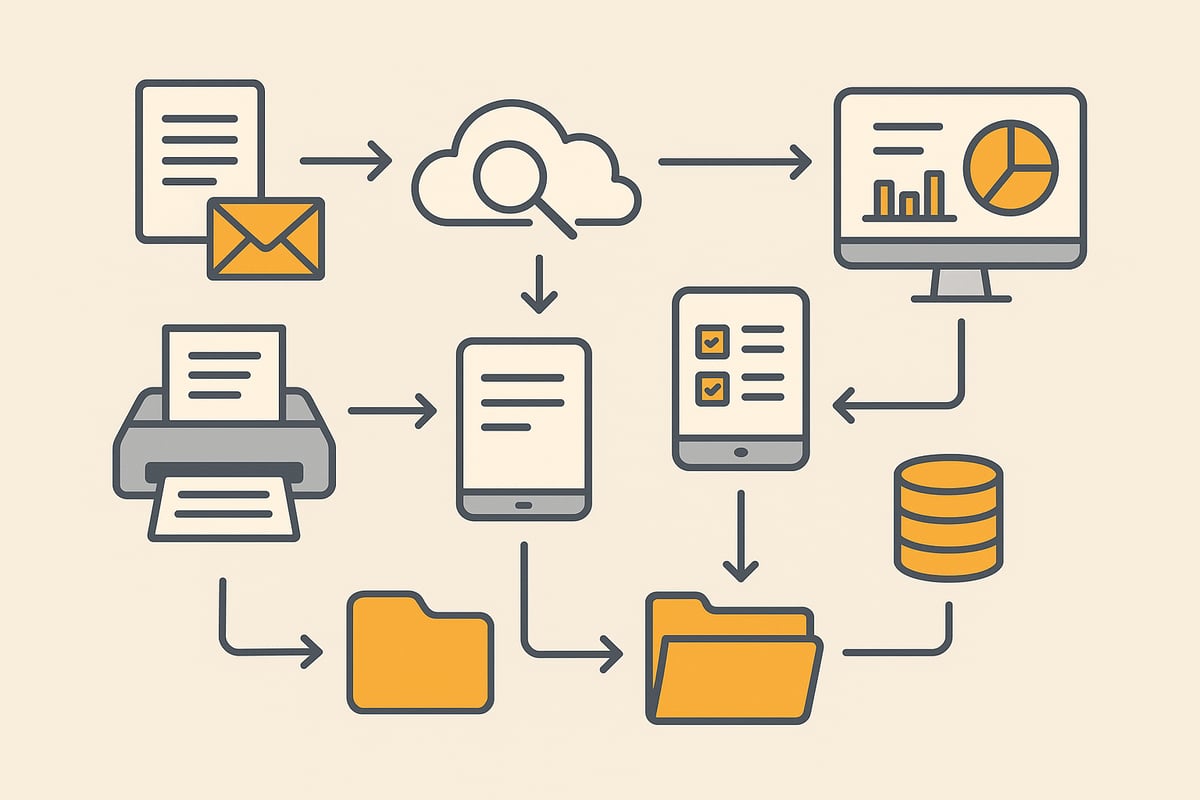
The first step in the workflow is flexible invoice receipt via various channels. Companies receive invoices on paper, by email, or as structured e-invoices (e.g., ZUGFeRD, XRechnung). Modern systems automatically recognize and capture incoming documents.
Typical tools:
-
Scanners for paper invoices
-
Email import for PDF invoices
-
Supplier web portals
Key data such as invoice number, date, or amounts are read automatically. Sources of error are minimized as manual entry is eliminated. Solutions like Invoice automation with filehub enable fully automated processing and ensure a smooth start to the workflow.
2. Review and approval processes
In the second step, each invoice in the invoice workflow is reviewed both substantively and formally. Automated workflows support the four-eyes principle and ensure that no invoice goes unchecked. Multi-level approval structures ensure that, for example, larger amounts are approved by multiple people.
Benefits:
-
Mobile approval via app or web interface
-
Transparent status of every invoice at any time
-
Automatic notifications for pending approvals
This shortens throughput times and avoids errors caused by missing approvals. Traceability is guaranteed at all times.
3. Account assignment and posting
After approval, account assignment and posting take place. Invoices are automatically assigned to the correct cost centers and general ledger accounts. Integration with accounting software (such as SAP or Sage) enables direct handover of all relevant data.
Process steps:
-
Automatic preliminary entry in the ERP system
-
Use of master data for correct assignment
-
Validation and reconciliation to prevent errors
This reduces manual effort and lowers the error rate. Even processing large volumes of invoices remains clear and efficient.
4. Audit-proof archiving and compliance
A modern invoice workflow meets all legal requirements for archiving. Digital document management systems (DMS) store invoices in an audit-proof manner in their original format. Access controls and permissions management protect sensitive data.
Key aspects:
-
GoBD and GDPR compliance
-
Automatic archiving after processing
-
Fast findability at any time
This ensures compliance and minimizes the risk of data loss or manipulation. Companies save time during audits and meet all requirements of the tax authorities.
5. Monitoring, analysis, and optimization
Finally, a structured workflow offers comprehensive options for analysis and process optimization. Dashboards visualize throughput times, bottlenecks, and sources of error. Automatic dunning and cash discount monitoring prevent missed payments.
Typical features:
-
Workflow analytics with real-time data
-
CIP (continuous improvement process) through ongoing process improvements
-
Use case: Automated processing of 70,000 invoices annually
Through monitoring and reporting, weaknesses are identified early and processes are continuously improved. This keeps the invoice workflow efficient and future-proof even as volumes rise.
Benefits of digitization and automation in the invoice workflow
Digitization is revolutionizing the importance of workflows and offers companies numerous advantages. Processes become not only faster but also more transparent and secure. This is a decisive competitive advantage, especially for companies with a high invoice volume.
Time and cost savings through digital processes
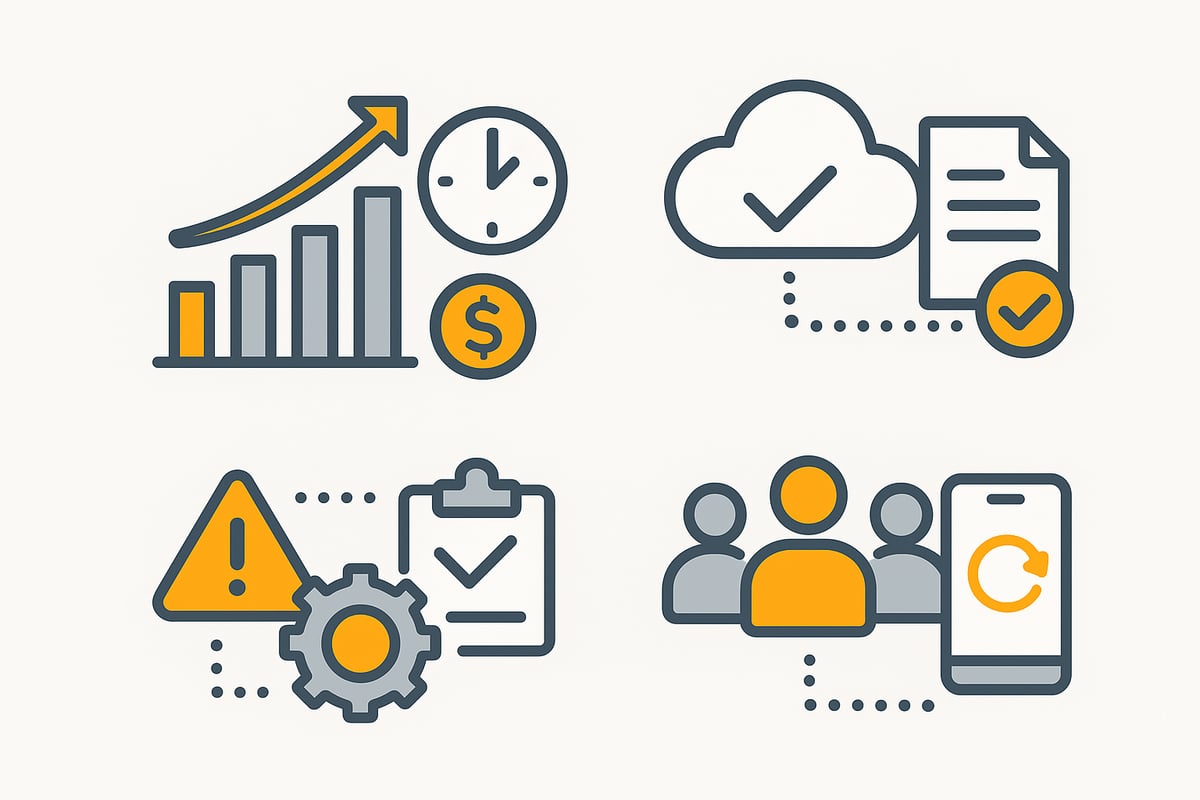
A digital invoice workflow results in significantly shorter throughput times. Routine tasks such as scanning, filing, and forwarding invoices are eliminated. According to studies, companies in the textile trade save up to 50 percent of processing time.
Paper-based filing, long walking distances, or manual sorting are a thing of the past. As invoice volumes increase, staffing remains constant because digital systems scale. Automatic straight-through postings and dunning add further efficiency.
Those who rely on a modern workflow benefit from sustainable cost savings. Above all, larger companies can free up considerable resources through automation.
Error reduction and transparency
Digital solutions minimize transmission and entry errors that used to arise from manual inputs. Every step in the invoice workflow is documented transparently. This creates comprehensive audit trails and high transparency.
All stakeholders can see the status of each invoice in real time. This significantly reduces queries and the effort of searching. One user reports: “Unnecessary searching for invoices virtually no longer happens.” The digitization of workflows thus improves not only the error rate but also collaboration within the team.
Clear processes and traceable approvals increase process reliability for everyone involved.
Compliance and legal certainty
With a digital invoice workflow, legal requirements such as GoBD and GDPR can be reliably met. Automatic archiving in the original format protects against data loss or manipulation. Every edit is logged in an audit-proof manner.
Modern software is particularly worthwhile for companies with high compliance demands. A GoBD-compliant accounting automation ensures that all legal standards are met. This reduces risks during audits and provides greater security in day-to-day operations.
Meeting retention periods and protecting sensitive data are significantly simplified by digital processes.
Flexibility and location-independent work
A digital invoice workflow enables invoices to be processed from anywhere. Whether in the office, working from home, or on the go – access via tablet, smartphone, or laptop is possible at any time.
Cloud solutions foster collaboration in decentralized teams. Mobile approval processes speed up decisions and ensure greater agility in day-to-day business. Different systems and applications can be integrated seamlessly.
Companies that adopt a flexible workflow are optimally prepared for the future and can react quickly to changes.
Current laws, standards, and trends 2026
Anyone who wants to future-proof an invoice workflow must address current legal requirements, technical standards, and new trends. In 2026, accounting faces far-reaching changes. Companies benefit when they react early and adapt their processes.
Legal requirements: e-invoicing mandate and GoBD
From 2025, the e-invoicing mandate applies in Germany for all B2B transactions and public administration. This means that invoices will only be accepted in structured, machine-readable formats such as ZUGFeRD or XRechnung. The invoice workflow must therefore be fully digital and aligned with GoBD.
The GoBD stipulate that all invoices must be archived in their original format in an audit-proof manner. Companies must ensure that their workflow documents all processing steps without gaps. Those who ignore these requirements risk fines and tax disadvantages. Detailed information on the e-invoicing mandate from 2025 will help you establish a legally compliant invoice workflow.
Technological developments and standards
Modern technologies shape 2026. ZUGFeRD and XRechnung are set as standard formats for electronic invoices. The integration of AI solutions ensures automated data extraction and validation. Cloud-based workflow platforms offer flexibility, scalability, and location-independent access.
APIs and interfaces are essential to design invoice workflows seamlessly together with ERP and DMS systems. Companies benefit from automated validation mechanisms and can continuously optimize their processes. Those who rely on modern technologies remain high-performing even as invoice volumes grow.
Future trends: automation, AI, and self-service
The invoice workflow of the future is characterized by automation and artificial intelligence. Straight-through postings (dark postings) – fully automatic postings without manual intervention – are becoming standard. Self-service portals allow suppliers to submit invoices directly and digitally.
AI-supported systems detect anomalies and prevent fraud. Predictive analytics helps with liquidity management and early identification of bottlenecks. Low-code and no-code platforms allow workflows to be adapted flexibly and without programming knowledge. This gives companies maximum efficiency and sustainable competitiveness.
Practical example: How to successfully implement an efficient invoice workflow
The introduction of a modern invoice workflow is a decisive step for companies to speed up processes and minimize errors. But how does implementation work in practice? A clear roadmap that considers both technical and human factors is crucial.
Success factors and best practices
A successful workflow always begins with a clear definition of all process steps. Responsibilities must be clearly assigned so that everyone on the team knows what to do. Choosing appropriate software that integrates seamlessly into existing systems is another key factor.
Regular training ensures that all employees are on board and use new tools optimally. An iterative approach is recommended: Start with a pilot project and gradually introduce the individual process steps. Set measurable goals, such as time savings or error rates, to document progress.
-
Clear process definition and responsibilities
-
Selection of integrated software solutions
-
Iterative rollout and pilot projects
Challenges and solution approaches
Typical hurdles when introducing an invoice workflow include resistance within the team and technical complexity. Interface issues can arise especially during system integration. The hybrid operation of paper and digital also poses challenges for many companies.
A structured change management process helps create acceptance. Pay attention to data protection and GDPR compliance to avoid legal risks. An example from practice: Stiftung Liebenau was able to reduce processing time by 70 percent by digitizing its invoice workflow.
-
Acceptance issues and change management
-
Technical integration and interfaces
-
Data security and compliance
filehub: Automated invoice workflows without programming
With filehub, invoice workflows can be automated without programming knowledge. The platform offers an intuitive no-code interface for creating customized workflows. Particularly practical is the integration with accounting software, so invoices can be imported, reviewed, and archived directly from various sources.
filehub relies on hosting in Germany and meets the highest requirements for data security and GDPR. Companies benefit from automatic downloading, AI-based checks, and audit-proof archiving. The solution is suitable for companies of any size that want to design their workflows efficiently and compliantly.
-
No-code workflow creation
-
Integration with ERP, DMS, and web portals
-
High data security and compliance
Selecting and implementing the right workflow solution
Selecting and implementing a suitable solution for the invoice workflow is crucial for sustainable efficiency and compliance. Companies should take a methodical approach to avoid mistakes and get the most out of digital processes.
Criteria for selecting invoice workflow software
The following criteria are critical when choosing software for the invoice workflow:
-
Integration with ERP, DMS, and email systems
-
User-friendliness and flexible customization
-
Degree of automation including AI features
-
Scalability as volumes increase
-
Data protection and GoBD compliance
A comparison of different solutions can help you find the right software:
|
Criterion |
Importance |
Example |
|---|---|---|
|
Integration |
High |
SAP, Microsoft D365 |
|
Automation |
Very high |
AI validation |
|
Scalability |
High |
Cloud solutions |
In particular, the technical requirements for e-invoices play a central role in future readiness. You can find more in the analysis of the technical requirements for e-invoices.
Tips for successful implementation
A successful implementation of the invoice workflow works best with clear steps:
-
Involve stakeholders early
-
Phased implementation and pilot phases
-
Ensure employee training and support
-
Monitoring and optimization during ongoing operations
Successful companies rely on an iterative approach. References from practice, for example from d.velop or SAP, show how important continuous adjustment and communication are.
A checklist for getting started:
-
Clarify objectives and responsibilities
-
Test system integration
-
Gather user feedback
-
Review processes regularly
Cost-benefit analysis and ROI consideration
A thorough cost-benefit analysis is essential for the invoice workflow. Compare the investment costs with potential savings in time, staff, and errors.
Key aspects:
-
Faster payback through efficiency gains
-
Funding opportunities such as BAFA or EU programs
-
Long-term competitive advantages through digital processes
Statistics show that up to 50 percent time savings and 70 percent faster processing are possible. For a legally sound calculation, it’s worth looking at the GoBD requirements for e-invoices.
An ROI table:
|
Factor |
Before digitization |
After digitization |
|---|---|---|
|
Processing time |
10 days |
3 days |
|
Error rate |
12% |
2% |
|
Cash discount utilization |
30% |
80% |
A modern invoice workflow pays off quickly while strengthening compliance.
You’ve seen how a modern invoice workflow not only saves time but also creates transparency and prepares you for upcoming legal requirements. With a flexible, GDPR-compliant solution like filehub, you can automate all steps – from capture to archiving – without any programming knowledge, reducing sources of error and boosting team productivity. Want to find out what that could look like for you in practice? Then just try filehub for yourself – try filehub.one for free now and experience how efficient invoice processes can be in 2026.


