ZUGFeRD Invoice Guide – Everything Important at a Glance

The digital invoicing world is on the verge of a major transformation. From 2025, new rules will apply – are you already ready for the ZUGFeRD invoice? Companies, freelancers, and public contracting authorities must now prepare for new requirements.
The ZUGFeRD invoice opens up opportunities: processes become more efficient, sources of error are minimized, and legal requirements are reliably met. Those who get informed early can make the transition smooth and benefit from a clear structure.
In this guide, we cover everything important about the ZUGFeRD invoice. From the basics, benefits, and differences to XRechnung to technical tips and best practices – here you’ll find all the answers for 2026.
What is a ZUGFeRD invoice?
The ZUGFeRD invoice is a key concept when it comes to the digitization of invoicing in Germany. But what exactly is behind this standard, and why is it so relevant for companies and public contracting authorities? This section gives you a comprehensive overview.
Definition and background
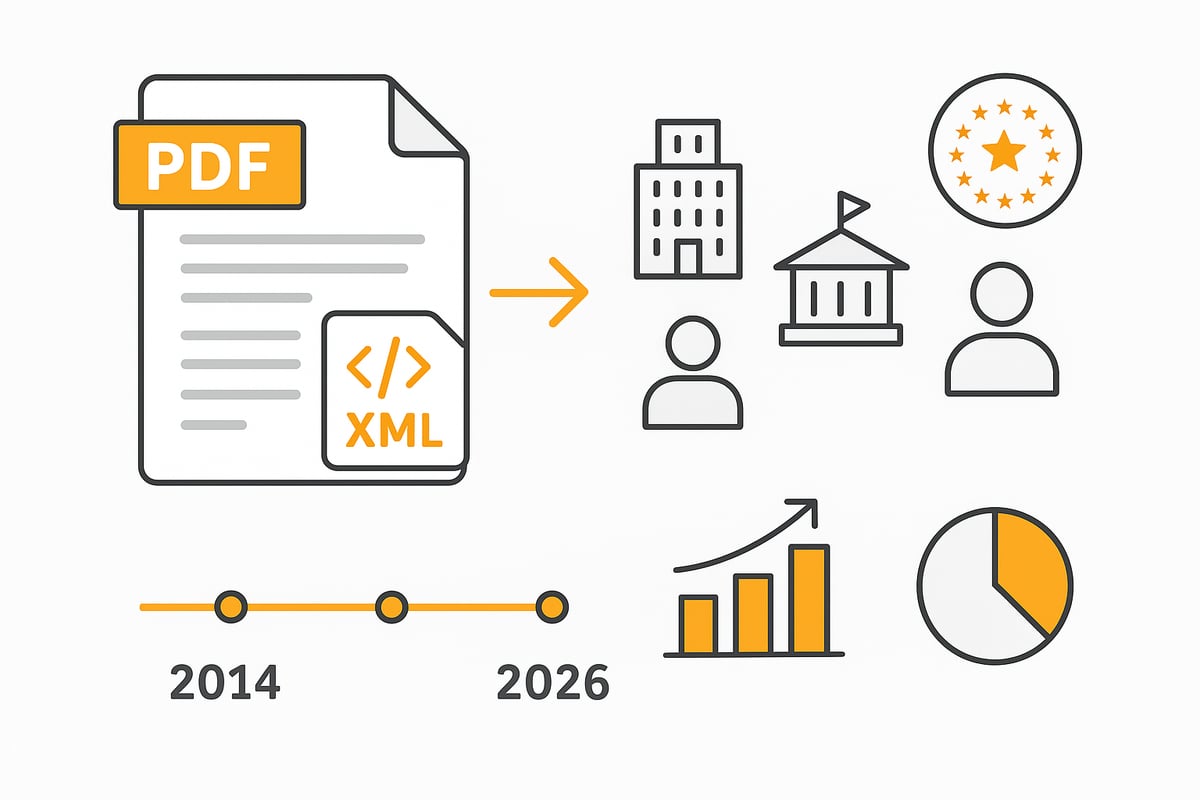
ZUGFeRD stands for “Central User Guide of the Forum for Electronic Invoicing Germany.” The standard has been developed since 2014 by the Forum elektronische Rechnung Deutschland (FeRD). The goal: to standardize and simplify electronic invoicing in Germany.
At its core, the ZUGFeRD invoice is a so-called hybrid format. It combines a PDF/A-3 document that is human-readable with an embedded XML file that machines can read. This fundamentally distinguishes the ZUGFeRD invoice from traditional paper or simple PDF invoices.
This format is suitable for B2B, B2G, and even B2C applications. While the PDF provides the familiar view for humans, the XML component enables automated processing by software. A typical example: The recipient sees the PDF, while the accounting system reads the XML data directly.
Structure and technical characteristics
The technical structure of the ZUGFeRD invoice is based on two main components: the PDF/A-3 as a container and an embedded XML file built according to the European standard EN 16931. The PDF serves as the visual document, while the XML file contains the structured invoice data for machine processing.
Important mandatory information such as invoice number, date, amounts, or tax number is clearly stored within the XML file. As a result, ERP and accounting systems can automatically read and process the data. Compatibility with common software solutions is a major advantage of the ZUGFeRD invoice.
There are different profiles used depending on the use case: Basic, Comfort, Extended, and the special XRechnung profile. Public sample files help to understand the structure and to build your own invoices correctly. This makes integration into existing processes much easier.
Current versions and developments through 2026
Since the first release, the ZUGFeRD invoice has been continuously developed. Starting with version 1.0 up to the current variants such as 2.1.1, which have been EN 16931-compliant since 2020. This compliance is particularly relevant for communication with public authorities and in an international context.
With the XRechnung profile, the ZUGFeRD invoice has been fully compatible with the legal requirements for public administration since version 2.1.1. Factur-X, the French standard, is based on a similar approach. Further adjustments are expected in the future, for example due to new EU requirements or technical innovations.
For those who want to dive deeper, the official specification of ZUGFeRD 2.1.1 with XRechnung profile provides a detailed overview of the current requirements and technical details. This keeps the ZUGFeRD invoice a central building block for digital transformation through 2026.
Legal basis and requirements 2026
The legal framework for the ZUGFeRD invoice is fundamentally changing by 2026. Companies, freelancers, and public contracting authorities face new challenges as electronic invoicing becomes mandatory. Those who get informed in time can avoid mistakes and make optimal use of the benefits of digitization.
Legal requirements in Germany and the EU
The ZUGFeRD invoice is governed by clear legal requirements. Since 2020, e-invoicing has been mandatory for the public sector (B2G); beginning in 2025 and 2026, it will be gradually extended to the B2B sector. The basis is EU Directive 2014/55/EU, which, together with standard EN 16931 for electronic invoices, sets uniform standards.
The federal and state governments are harmonizing their requirements; nevertheless, there are regional differences, for example regarding transmission channels and portals. For the ZUGFeRD invoice, electronic signatures and audit-proof archiving are mandatory. Companies must observe deadlines for the transition, use transitional arrangements, and prepare for sanctions if they do not switch in time. Public authorities can reject non-compliant invoices, which can lead to payment delays.
Mandatory fields and format requirements
For the ZUGFeRD invoice, EN 16931 prescribes numerous mandatory fields. These include invoice number, issue date, delivery date, tax number, amounts, bank details, and description of services. These data must be correctly and completely stored in both the PDF/A-3 and in the embedded XML file.
The format follows clear specifications to ensure readability and integrity. The Leitweg-ID is a central field especially for public contracting entities. Incorrect or incomplete information quickly leads to rejection. Example: If the delivery date is omitted or the XML structure is violated, the ZUGFeRD invoice is considered non-compliant. A detailed comparison of the differences between ZUGFeRD and XRechnung helps to better understand the respective requirements.
Acceptance and rejection by authorities
German authorities will accept only the ZUGFeRD invoice in the XRechnung profile (version 2.1.1 or newer) from 2026. Older versions will be rejected because they are not fully EN 16931-compliant. For suppliers to the public sector this means: Anyone who does not switch in time risks rejections and loss of payments.
Errors in the structure or missing mandatory fields lead to immediate rejection. The requirements are regularly updated, making continuous review of your own processes necessary. Companies should familiarize themselves with the legal framework early on to make their ZUGFeRD invoice future-proof and compliant.
Benefits and challenges of ZUGFeRD
The introduction of the ZUGFeRD invoice brings noticeable changes for companies and public administrations. Those who understand the opportunities and risks can manage the transition in a targeted manner and benefit from the advantages. At the same time, typical pitfalls need to be avoided.
Benefits for companies and authorities
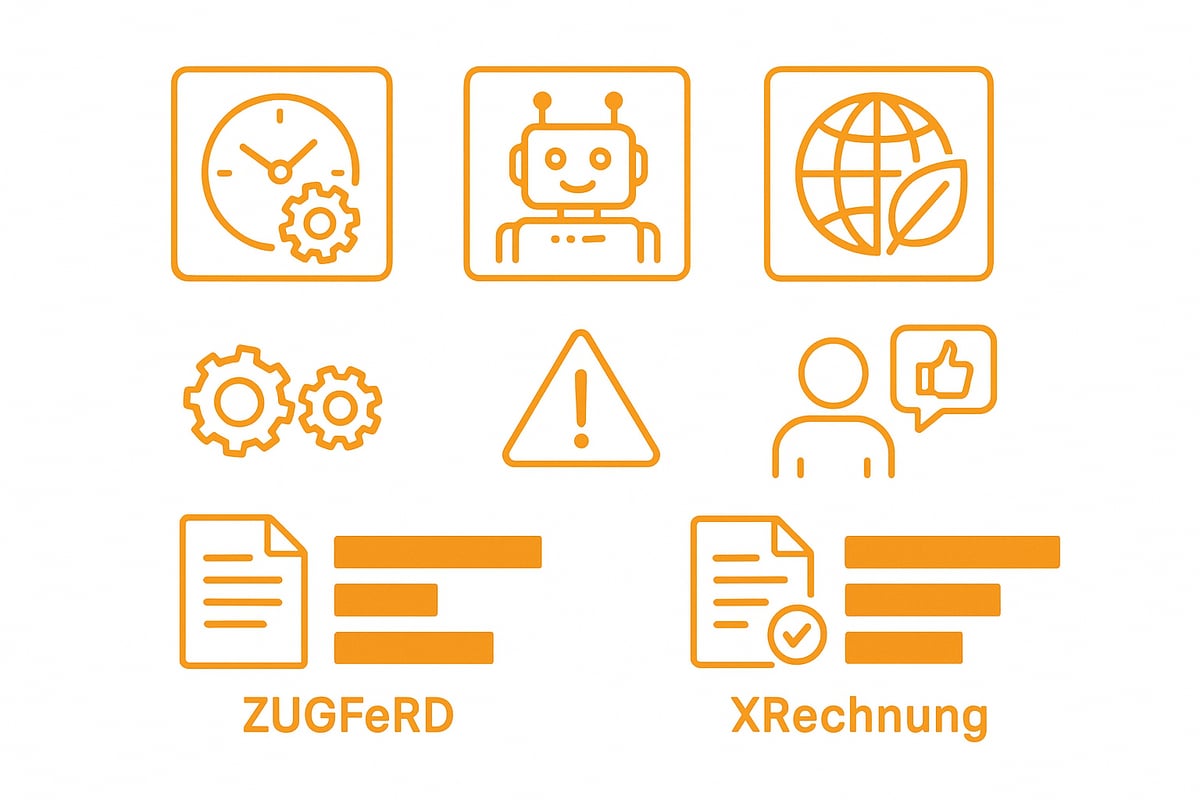
With the ZUGFeRD invoice, invoicing processes can be made more efficient and sources of error minimized. Thanks to the structured XML file, data is automatically captured by accounting and ERP systems, significantly reducing processing time. Paper, storage, and printing costs are eliminated, which not only saves costs but also protects the environment.
Another plus: The ZUGFeRD invoice supports international standards such as Factur-X and UBL. Companies with many international customers therefore benefit from smooth processes. By automating invoice processing, invoices can be checked and paid faster, improving liquidity. An example: Anyone who processes hundreds of invoices per month can save a lot of time with digital workflows.
Authorities also benefit from fast and error-free processing. Compatibility with existing systems makes introduction easier. More on the automation of invoice processing can be found here.
Challenges and common pitfalls
The switch to the ZUGFeRD invoice comes with some hurdles. Technically, existing systems often have to be adapted or extended in order to correctly process the hybrid format of PDF and XML. In particular, older ERP or accounting solutions may require additional interfaces.
Typical sources of error are incomplete XML data or incorrectly populated mandatory fields. This leads to invoices being rejected or requiring rework. The need for training should also not be underestimated: Employees must be familiarized with the new processes and requirements.
Another problem area is acceptance among business partners. While large companies are already using the ZUGFeRD invoice, smaller firms often hesitate. Data protection and IT security, particularly compliance with the GDPR, are additional challenges that should be addressed early in every project.
ZUGFeRD vs. XRechnung: differences and similarities
The ZUGFeRD invoice differs from XRechnung in several respects. ZUGFeRD is a hybrid format consisting of a PDF/A-3 file with embedded XML. XRechnung, on the other hand, is a pure XML file that is mandatory for authorities in the B2G sector.
|
Feature |
ZUGFeRD |
XRechnung |
|---|---|---|
|
Format |
PDF/A 3 + XML |
XML |
|
Usability |
High (PDF readable) |
Low (XML only) |
|
Acceptance |
B2B, B2C, B2G (profile) |
B2G only |
|
Automation |
Fully possible |
Fully possible |
Since ZUGFeRD 2.1.1, the XRechnung profile is included, allowing companies to meet both requirements with a single solution. Nonetheless, compliance with the EN 16931 standard is always crucial for public contracting authorities. The decision between ZUGFeRD and XRechnung depends on your own processes and recipient requirements.
ZUGFeRD invoice in practice: creation, delivery, and processing
Introducing the ZUGFeRD invoice into day-to-day business brings many advantages but also requires a structured approach. To help you master the transition smoothly, here is a practical guide to creating, sending, and processing ZUGFeRD invoices.
Step by step: creating a ZUGFeRD invoice
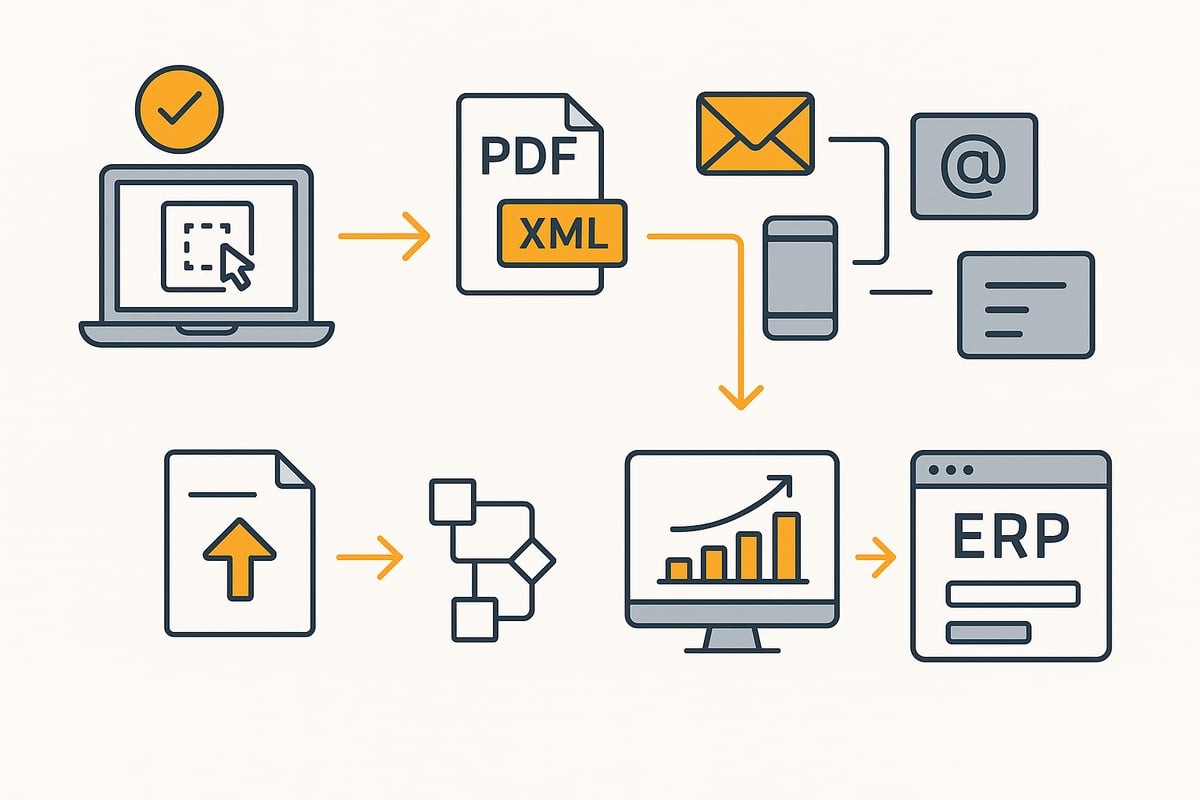
The first step toward successfully using the ZUGFeRD invoice is selecting suitable software. Many ERP and accounting solutions such as SAP, DATEV, or Lexware already natively support creation. Alternatively, there are specialized tools you can use to generate ZUGFeRD invoices manually or automatically.
It is important that all mandatory fields according to EN 16931 are filled in correctly. These include invoice number, date, amounts, tax number, and delivery date. After entering the data, select the appropriate ZUGFeRD profile (e.g., Basic, Comfort, Extended, or the XRechnung profile).
The software generates a PDF/A-3 document into which the structured XML file is embedded. Before sending, you should validate the XML structure with a validator to avoid errors. Depending on your use case, you can create ZUGFeRD invoices individually or automatically in large batches.
-
Select suitable software
-
Enter mandatory information
-
Define the appropriate profile
-
Generate PDF/A-3 with embedded XML
-
Validate with a validator
This ensures that your ZUGFeRD invoice meets the legal requirements.
Delivery options and transmission channels
When sending a ZUGFeRD invoice, you have various digital options. Most commonly, the invoice is sent by email as an attachment. For public contracting authorities, however, portals such as Peppol, De-Mail, or special submission platforms are required.
The selection of the transmission channel depends on the recipient. While companies generally prefer email, authorities often require the use of a portal. It is important that the integrity and security of the ZUGFeRD invoice are ensured during transmission. Make sure the file is not altered and all attachments are complete.
International delivery is also simplified via Peppol, as this network is recognized across borders. Check in advance what the recipient requires. When switching to the ZUGFeRD invoice, it is advisable to document the sending processes and test them regularly.
Overview of delivery channels:
-
Email with PDF/A-3 attachment
-
Peppol network
-
De-Mail
-
Web upload/submission portal
This ensures smooth and secure transmission of your ZUGFeRD invoice.
Processing and integration into workflows
After sending, automated processing of the ZUGFeRD invoice begins. Modern accounting and ERP systems detect the embedded XML file and transfer the invoice data directly into the digital workflow. This saves time and minimizes errors in data entry.
Integration can be automated or semi-automated depending on the system. Particularly helpful are solutions that automatically detect, download, and process incoming ZUGFeRD invoices. For example, the page Download invoices automatically offers practical insights into how to design this step efficiently.
Typical benefits:
-
Automatic posting in financial software
-
Workflow-driven approval processes
-
Integration into the DMS for audit-proof archiving
Use testing and validation tools to ensure error-free processing of every ZUGFeRD invoice. This way you benefit from maximum efficiency in accounting.
Best practices and tips for the transition
To ensure a successful changeover to the ZUGFeRD invoice, you should start planning early. Involve all relevant departments and inform your business partners about the new processes. Targeted employee training is essential to minimize sources of errors.
Rely on pilot projects to test the creation and processing of ZUGFeRD invoices on a small scale. Use validation tools to check compliance with all requirements. Document every step and archive invoices in an audit-proof manner in accordance with legal requirements.
Best practices at a glance:
-
Early planning and communication
-
Training for employees
-
Use of test environments
-
Ongoing review of processes
-
Regular software updates
With these measures, you ensure that your ZUGFeRD invoice is introduced smoothly and processed in compliance with the law.
Technical implementation and automation options
The technical implementation of a ZUGFeRD invoice is the key to the successful digitization of invoicing processes. Companies face the challenge of integrating new standards into existing IT landscapes and paving the way for efficient, automated workflows.
Integrating ZUGFeRD into existing systems
Integrating the ZUGFeRD invoice into existing ERP or accounting software is crucial for many companies. It is important that interfaces and APIs are available so that data can flow between systems. Connections to market-leading solutions such as SAP, Microsoft Dynamics, or DATEV are particularly in demand.
Example: With the integration with DATEV Unternehmen online, you can seamlessly integrate ZUGFeRD invoices into your digital accounting system. This reduces manual effort and minimizes sources of error.
Older systems can often be connected with converters or middleware solutions. It is important to install updates regularly and ensure support from the software provider to guarantee compatibility with current ZUGFeRD versions.
Automating invoice workflows
Automation around the ZUGFeRD invoice offers numerous advantages. By using modern tools, invoices can be generated, sent, and posted automatically. This saves time and reduces susceptibility to errors compared to manual processes.
A typical workflow might look like this:
|
Step |
Manual |
Automated (ZUGFeRD) |
|---|---|---|
|
Invoice creation |
Manual entry |
System-generated |
|
Delivery |
Printing, mail, email |
Email, Peppol, portal |
|
Posting |
Manual entry |
Automatic posting |
|
Archiving |
Folders, paper |
Digital, audit-proof |
Particularly practical: With solutions for financial processes, you can digitize the entire invoicing process and design workflows flexibly—without programming skills. This makes the ZUGFeRD invoice a true efficiency driver.
Data security and GDPR compliance
Data security plays a central role when using the ZUGFeRD invoice. Invoice data often contains sensitive information, so encrypted storage and access control are mandatory. It is advisable to store data in German or European data centers to meet GDPR requirements.
Cloud solutions should be at least C5-certified and offer regular backups. The handling of customer data must be clearly regulated and documented. This protects you from data loss and legal risks.
Choose providers that offer transparent privacy policies and reliable support. This keeps the ZUGFeRD invoice on the safe side not only technically but also legally.
Outlook: The future of electronic invoicing with ZUGFeRD
Digitization is fundamentally changing how companies exchange invoices. The ZUGFeRD invoice plays a central role in this and will continue to gain importance by 2026. Those who prepare now with upcoming trends, recommendations, and a clear checklist lay the foundation for a successful transition.
Trends and developments through 2026
The digital invoicing world is evolving rapidly. By 2026, a noticeable push in digitization is expected as legal requirements and innovations drive the use of the ZUGFeRD invoice. More and more companies are relying on automation and modern standards such as Factur-X. The integration of AI-powered tools enables intelligent processing and data extraction.
Standardization is progressing, increasing acceptance across Europe. New versions such as ZUGFeRD 2.4 bring additional functions and adjustments. Those who want to learn more about current developments will find details on new features and adjustments to tax requirements in this post on current developments for ZUGFeRD 2.4.
Recommendations for companies
Companies should set the course now to make optimal use of the advantages of the ZUGFeRD invoice. Early adaptation to the new legal requirements is crucial. Invest in future-proof software solutions and automation to make processes more efficient.
Building internal expertise through continuous training helps to master technological developments confidently. Collaboration with IT and tax advisors ensures a smooth transition. Hands-on experiences and tips from the industry can be found in the report on the E-Invoicing Summit 2025: practical implementation experiences.
Checklist for the successful introduction of ZUGFeRD
A structured approach makes it easier to introduce the ZUGFeRD invoice. With this checklist you are well prepared:
-
Conduct a system and process analysis in the company
-
Select and implement suitable software
-
Train and inform employees
-
Plan a test phase with validation of invoices
-
Ensure communication with business partners and customers
-
Regularly check for updates and changes in legislation
With clear steps and continuous adjustment, you are optimally positioned for the future of electronic invoicing.
You now have a comprehensive overview of how to get started with ZUGFeRD in 2026 in a compliant and efficient way—from the basics and legal requirements to practical tips for implementation. If you really want to automate your processes and save time as well as sources of errors, just try filehub in practice: The platform connects your document workflows, meets the highest data protection standards, and can be used without programming knowledge. See for yourself how easy the switch can be – filehub.one try it for free now.


