Ultimate Guide to Document Processing in 2026
Are you ready to revolutionize the way you handle documents by 2026? The next era of document processing is here, and it’s transforming how businesses work every day.
This guide reveals how you can save time, minimize errors, and ensure compliance with cutting-edge document processing solutions. Discover the latest advancements, from intelligent document processing (IDP) to practical steps for seamless implementation.
We’ll explore real-world examples, the newest technologies, and a future outlook so you stay ahead of the curve. Unlock the full potential of automation and take your document processing to the next level.
What is Document Processing? Definition & Significance 2026
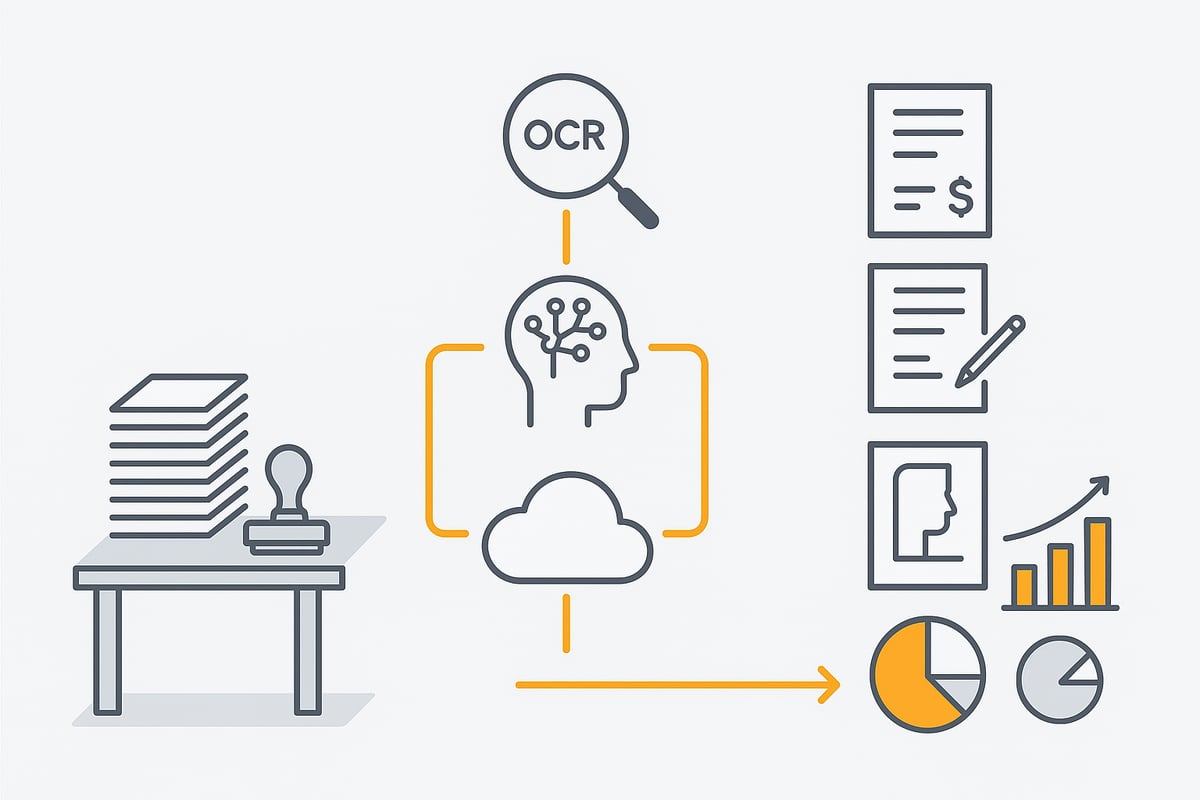
Document processing describes the automatic capture, processing, and management of documents in digital workflows. The shift from manual paper-based processes to modern, AI-supported methods has fundamentally changed efficiency within companies. Today, document processing enables intelligent recognition and extraction of information from invoices, contracts, or forms—even from unstructured or handwritten documents. Technologies such as OCR, machine learning, and natural language processing are used for this.
In contrast to classic document management, which focuses on storage and archiving, document processing specifically automates individual steps within a process. Workflow automation is closely related but goes further by controlling complete processes from capture to approval. For companies, this means fewer errors, faster processing, and improved compliance. Studies show that the share of digital documents is increasing annually, while automation rates are set to reach record levels by 2026.
However, the diversity of data formats, complex legal requirements, and the growing volume of information present challenges. Typical use cases include automated invoice verification, digital contract management, or the processing of HR data. Especially in accounting, document processing—for example, through automated invoice processing—drastically reduces manual work and errors. Digital personnel files or automated mailroom processing are further examples of practical value.
🚀 You've got better things to do.
filehub keeps your Natif.ai documents up to date — automatically, both directions — without you lifting a finger, every time.
The key technologies in document processing 2026
New technologies are changing how companies design document processing efficiently and securely. Automated procedures, intelligent algorithms, and flexible solutions provide entirely new ways to capture, analyze, and process documents.
Artificial Intelligence & Machine Learning
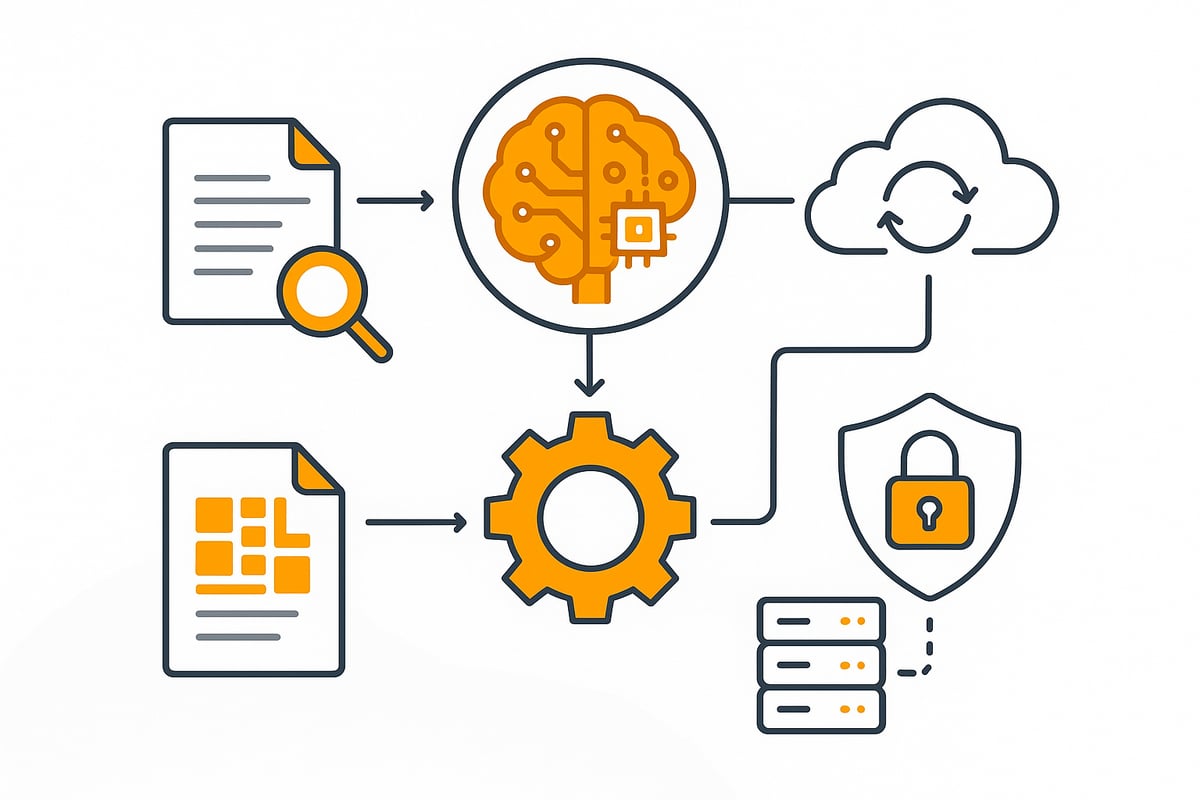
Artificial intelligence is revolutionizing document processing. It recognizes patterns, extracts data, and classifies documents automatically. Machine learning ensures that systems get smarter with every document.
- AI extracts data from invoices and contracts
- Automatic assignment saves time
- Self-learning algorithms improve accuracy
Current AI trends 2026 in document management show that companies can massively increase efficiency with AI-based processing.
Optical Character Recognition (OCR) & Intelligent Character Recognition (ICR)
OCR forms the basis for digital document processing. It converts scanned documents into searchable data. ICR goes a step further and can even recognize handwriting or complex layouts.
- OCR achieves over 98% accuracy on standard documents
- ICR analyzes handwritten notes and forms
- Automated document capture reduces errors
With these technologies, paper documents quickly become digital and are ready for further processing steps.
Natural Language Processing (NLP) & Text Mining
NLP and text mining make document processing even smarter. They analyze and interpret content, recognize relationships, and extract targeted information from contracts, emails, or reports.
- Automatically detect payment terms from contracts
- Email analysis for faster responses
- Search reports for key topics
This creates intelligent workflows that integrate information directly into business processes.
Cloud and On-Premises Solutions
Cloud and on-premises models offer flexibility in document processing. Cloud solutions scale quickly, while on-premises variants provide maximum control.
- Cloud: Ideal for distributed teams and fast integration
- On-premises: Optimal when there are strict data protection requirements
- Hybrid models combine the advantages of both approaches
The choice depends on the company’s requirements and compliance rules.
Security & Data Protection (GDPR)
Security remains a central issue in document processing. Encryption, access control, and GDPR-compliant archiving protect sensitive data.
- Encrypted storage of all documents
- Access rights can be controlled individually
- Compliance monitoring for audit readiness
Only with strong security mechanisms is sustainable digitization possible.
Intelligent Document Processing (IDP): The game changer
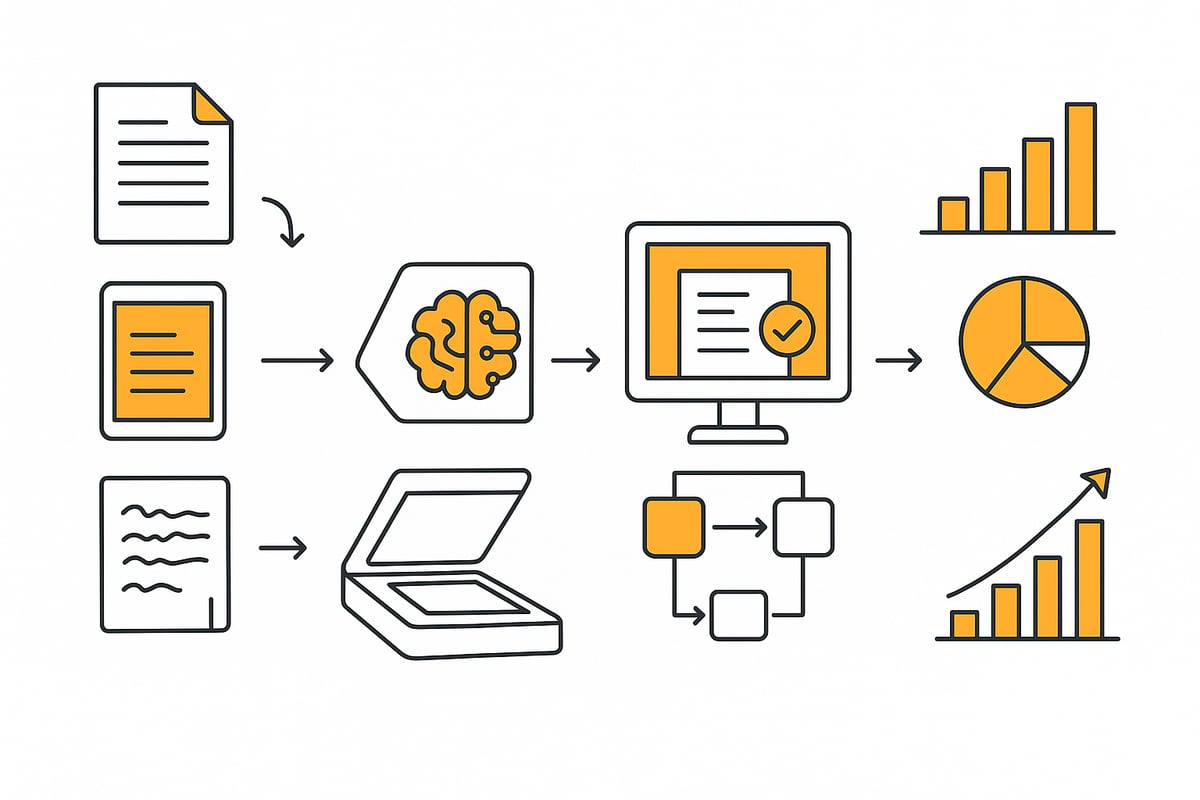
Intelligent Document Processing (IDP) is changing the way companies handle document processing. By bringing together technologies like OCR, AI, NLP, and automation, IDP goes beyond simple digitization. Instead of just scanning and storing files, document processing with IDP means truly understanding, extracting, and routing information automatically.
What is IDP and how does it work?
IDP combines advanced tools to automate document processing. It can handle structured, semi-structured, and unstructured documents. The system reads invoices, contracts, or emails, extracts relevant data, checks for accuracy, and sends information to the right department.
With document processing via IDP, companies can automatically validate data, route tasks, and connect results to ERP or CRM platforms. This holistic approach means less manual effort and smoother operations.
Benefits of IDP solutions
The benefits of intelligent document processing are clear and measurable:
- Manual processing steps are reduced to a minimum
- Processing times drop dramatically, for example, invoice approvals may go from several days to just minutes
- Fewer errors and exceptions occur as validation is automated
- Document processing becomes highly scalable, even with large volumes
These advantages let teams focus on higher-value work rather than repetitive tasks. Companies also gain better compliance and transparency.
Typical IDP use cases
IDP is already transforming key business areas:
- Finance: Automated invoice processing, including data extraction and validation
- Legal: Analyzing contracts for deadlines or risks
- HR and Administration: Digitizing inbound mail, organizing digital personnel files
- Healthcare: Managing medical records and reports
In finance, for example, document processing with IDP can cut the time needed to verify invoices by up to 80 percent. For more on finance-specific solutions, see solutions for financial processes.
Market overview and trends
The IDP market is booming. By 2026, industry analysts predict the global market will exceed six billion dollars. More companies are integrating document processing into ERP and ECM systems, making end-to-end automation possible.
AI models are becoming more precise, and self-learning algorithms mean document processing keeps improving over time. For a detailed market outlook, check the Intelligent Document Processing market forecast through 2034.
IDP is setting new standards for how businesses automate and optimize document processing, making it a true gamechanger.
⏱️ Every hour of manual work is one hour too many.
filehub keeps your Natif.ai documents up to date — automatically, both directions — set it up once, never touch it again.
Step by step: Successfully implementing document processing in your company
The introduction of document processing in a company is a real game changer. Modern solutions like IDP (Intelligent Document Processing) give you completely new ways to capture documents automatically, analyze them, and optimize workflows. But how do you approach implementation step by step? This guide shows you how to proceed with structure and clarity.
1. Analysis & goal setting
Start with an honest assessment. Which document processes currently cause the biggest bottlenecks? Where do errors or repetitive tasks occur? Set clear goals: Do you want to halve processing times, reduce error rates, or strengthen compliance?
Typical goals include:
- Reduce manual data entry
- Faster turnaround times
- Improved traceability
The more precisely you formulate these goals for your document processing, the better you can measure success later.
2. Choosing the right technology
Now it’s about the right solution. Check which types of documents occur: structured, semi-structured, or unstructured. Modern IDP platforms combine OCR, AI, and NLP to automatically process even complex documents.
Pay attention to:
- Ability to integrate with existing systems (ERP, DMS)
- Scalability for growing document volumes
- Data protection and compliance
Compare different tools and set priorities so that document processing truly fits your requirements.
3. Integration & migration
The next step is technical integration. Connect the new solution to your existing software landscape. This can include ERP, CRM, or email systems. Clean data migration ensures that no information is lost.
Typical tasks include:
- Interface management
- Migration of historical documents
- Test runs with real processes
This ensures that your document processing runs smoothly in everyday operations.
4. Automation & workflow design
Now it gets exciting: Automate workflows, for example invoice approvals or contract processing. Use AI modules to automatically extract or validate information.
For this step in particular, it’s worth taking a look at intelligent workflows for documents: Here you’ll find practical templates and tools that let you automate processes without programming.
Typical automations:
- Invoice verification
- Contract and inbound mail processing
- Routing to the right department
IDP takes document processing to a new level and makes your operations more efficient.
5. Training & change management
Every innovation needs acceptance. Involve your team early and highlight the benefits. Plan training sessions where the new workflows can be tried out. Encourage feedback and establish an open error culture.
Key measures:
- Interactive workshops
- FAQ sessions
- Appoint points of contact
This way, document processing is supported by everyone and the introduction is successful.
6. Measuring success & optimization
The final step: Measure what you’ve achieved. Define KPIs such as processing time, error rate, or user satisfaction. Regularly analyze the results and optimize processes where necessary.
Typical KPIs:
| KPI | Before | After |
|---|---|---|
| Processing time | 2 days | 30 minutes |
| Error rate | 5% | 1% |
| User satisfaction | 70% | 90% |
With continuous improvement, your document processing always stays up to date and delivers measurable results.
Practical examples & best practices from different industries
Digital transformation has long since become a reality. Companies across all industries are discovering new ways that document processing makes their operations more efficient, secure, and future-proof. Intelligent solutions like IDP make it possible to automatically capture, analyze, and integrate documents into existing processes. Those who use best practices today can minimize routine work and improve data quality.
Finance & accounting
In finance, document processing is revolutionizing invoice handling. Intelligent systems automatically extract data from incoming invoices, validate it, and forward it to accounting. This reduces processing time by up to 70 percent and significantly reduces errors.
- Automatic data extraction from documents
- Workflow-based approvals
- Regulation-compliant archiving
Best practice: A financial services provider uses AI-powered IDP platforms and can thus save hundreds of working hours per month.
Healthcare
In healthcare, automated document processing improves the organization of patient records. IDP recognizes and classifies medical documents, extracts diagnoses, and assigns them directly to the patient profile. This increases data quality and simplifies compliance with data protection regulations.
- Digital capture of medical history forms
- Automatic tagging of medical reports
- Improved traceability
Example: A hospital digitizes all patient records with IDP, creating more time for care.
Public administration
Digital document processing workflows help authorities efficiently automate incoming mail. Emails, letters, and forms are digitally captured, classified, and automatically forwarded to the responsible offices. This speeds up processing and improves citizen services.
- Automated capture of applications
- Routing to case officers
- GDPR-compliant archiving
Practical example: A city administration uses IDP to digitize its mailroom and significantly increases efficiency.
Industry & logistics
Industry and logistics benefit from document processing when handling delivery notes, customs documents, and transport papers. IDP systems enable real-time tracking of documents and automate forwarding to ERP systems.
- Automated verification of delivery documents
- Integration with logistics software
- Seamless documentation
Result: A logistics company saves valuable time with IDP solutions and minimizes errors in the supply chain.
Digital transformation in medium-sized businesses
Medium-sized companies in particular are increasingly relying on document processing to remain flexible and competitive. Self-service IDP solutions enable automation without programming knowledge. Successful examples show that companies save up to 500 working hours per year.
- Fast integration into existing systems
- Easy operation through templates
- Focus on data protection and compliance
You can find even more best practices and current trends in the blog: document digitization. Here you’ll gain insights into how companies successfully implement document processing in practice.
⏱️ Every hour of manual work is one hour too many.
End the data chaos — filehub keeps Natif.ai fully in sync, all the time — set it up once, never touch it again.
filehub: Efficient automation of document processes
The future of document processing is automated, intelligent, and secure. Modern Intelligent Document Processing (IDP) solutions make it possible to extract, validate, and route data from any document type—no matter how complex. But how can you take the next step and automate your document workflows without lengthy IT projects?
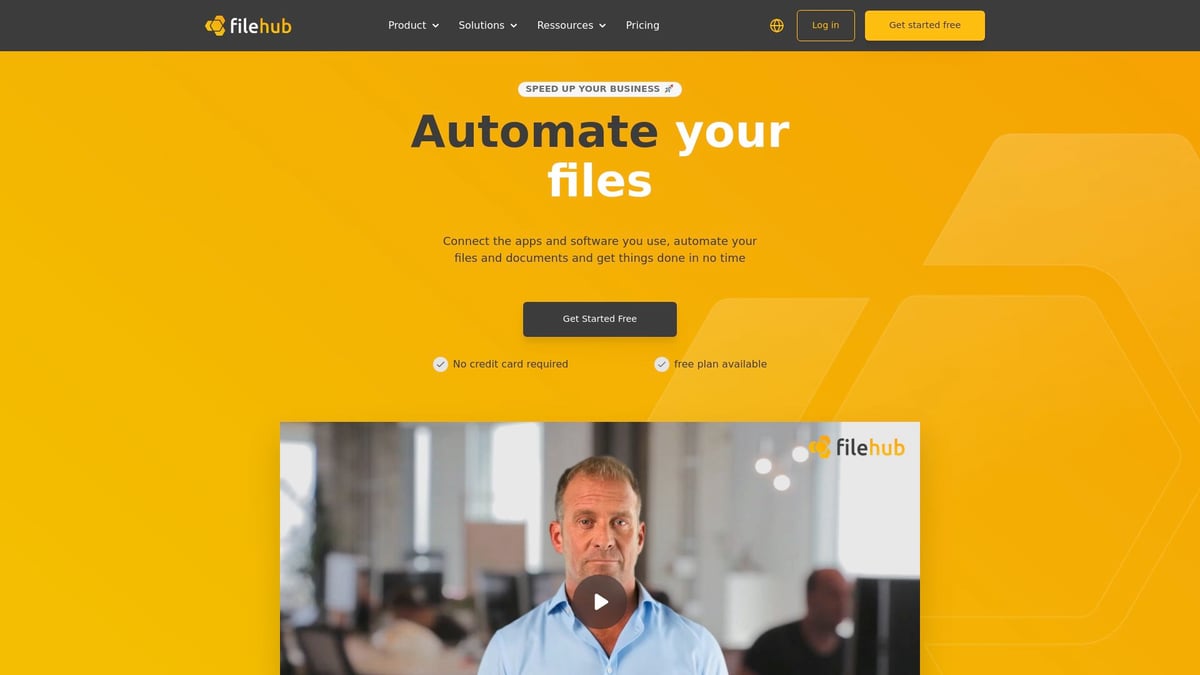
filehub is a German iPaaS platform designed to simplify document processing for businesses of all sizes. With filehub, you can automate file and document workflows without writing a single line of code. Integration with Microsoft Outlook, Teams, and Docuware is seamless, making it easy to start automating right away.
filehub at a glance:
- Self-service platform for business users, no IT dependency required
- Secure, DSGVO-compliant data storage in C5-certified German data centers
- Fast implementation thanks to ready-made workflow templates
- Supports high compliance requirements and boosts productivity
A typical example: filehub automates invoice capture and routing in accounting workflows, drastically reducing errors and saving valuable time. This approach to document processing is especially valuable for SMEs looking to digitize quickly and securely.
Want to know why automation is a decisive factor for future-ready document processing? Discover three key DMS trends for 2026 and see how automation is reshaping business operations.
Outlook: The future of document processing through 2030
The future of document processing is evolving rapidly, promising a new era of business efficiency. By 2030, intelligent automation will become the standard for document processing, transforming how organizations handle information. Companies are already adopting advanced solutions like IDP to automate routine tasks, reduce errors, and accelerate workflows.
Emerging technologies are pushing boundaries. Artificial intelligence is getting smarter, enabling systems to process not just scanned documents but also handwritten notes, images, and even voice messages. Multimodal document processing, powered by AI, will allow extraction of valuable data from various content types, seamlessly integrating them into business processes. Predictive analytics will become a key feature, identifying bottlenecks and optimizing workflows before issues arise. As a result, document processing will shift from reactive to proactive management.
Sustainability is another driving force. Digital workflows will significantly reduce paper consumption and support green business strategies. At the same time, organizations must address new challenges, including data ethics, transparency, and stricter regulations. Choosing trusted technology partners is essential. For example, ABBYY as Leader in IDC MarketScape 2025–2026 highlights the importance of innovation and reliability in document processing.
Companies investing early in these technologies will secure a decisive competitive edge. By 2030, document processing will be at the core of digital transformation, enabling organizations to respond faster, stay compliant, and innovate with confidence.
You’ve now seen how powerful modern document processing solutions are and how much potential automation holds—from saving time and reducing errors to increasing security and compliance. If you want to know how easy it can be to get started and how filehub helps you optimize your workflows without programming, just try it for yourself. Take the next step toward efficient document processes and start right away with a no-obligation trial—try filehub.one for free now.


