Intelligent Document Processing - Efficient Document Automation
Data volumes are growing rapidly and companies face major challenges. Efficiency is essential to stay competitive and use resources optimally.
This is where intelligent document processing comes into play: With AI, documents are not only digitized but also automatically matched and validated. Whether purchase order, order, delivery note, or invoice—processes run quickly and error-free.
Digital provisioning saves time and supports teams in their daily work. Those who rely on intelligent document processing benefit from greater transparency, security, and future readiness.
In this guide, you’ll learn how the technology works and how to deploy it purposefully in your company.
What is Intelligent Document Processing?
Intelligent document processing is revolutionizing how companies handle documents. By leveraging artificial intelligence, traditional manual steps such as sorting, checking, and forwarding documents are automated. The goal: make information fast, error-free, and digitally usable.
Definition & Fundamentals
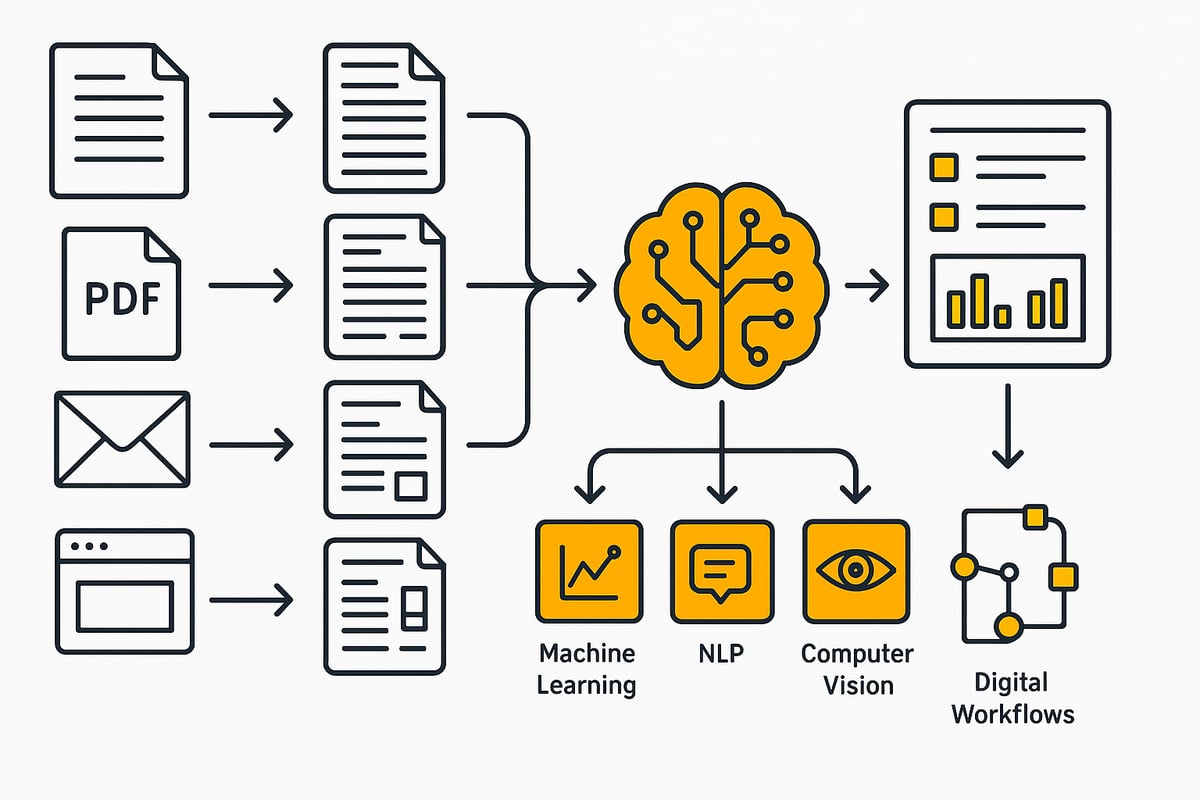
Intelligent document processing describes the automated processing of documents using modern AI technologies. Unlike traditional OCR and RPA solutions, intelligent document processing goes far beyond merely reading characters. The technology combines machine learning, natural language processing, and computer vision. This enables the analysis of not only structured but also semi-structured and unstructured documents.
The goal of intelligent document processing is the end-to-end automation of the workflow—from capture, classification, and data extraction to integration into existing systems. The added value is immense, especially in enterprise environments: According to the study on the prevalence of IDP in companies, 65% of companies are already driving corresponding projects because up to 70% of manual processes can be automated.
A typical example is the automatic matching of purchase orders, delivery notes, and invoices. The AI identifies relevant information, reconciles it with master data, and transfers it digitally to downstream systems.
Areas of application and typical documents
Intelligent document processing is used in virtually every industry. Typical documents include invoices, contracts, delivery notes, emails, forms, and even medical records. Companies process this information across multiple inbound channels—from paper documents and PDFs to emails and web portals.
Companies in finance, insurance, healthcare, and retail in particular benefit from intelligent document processing by automating complex processes. For example, invoice data is automatically validated and made available digitally. Large volumes of emails and attachments can also be captured and processed efficiently. This reduces errors, saves time, and increases transparency in workflows.
Technological foundations and components of IDP
The technological foundation of intelligent document processing today is as versatile as it is powerful. Modern systems use artificial intelligence to automate document processes, reduce errors, and noticeably increase efficiency across the organization. What’s behind these technologies, and how do they interact in everyday operations?
Key technologies at a glance
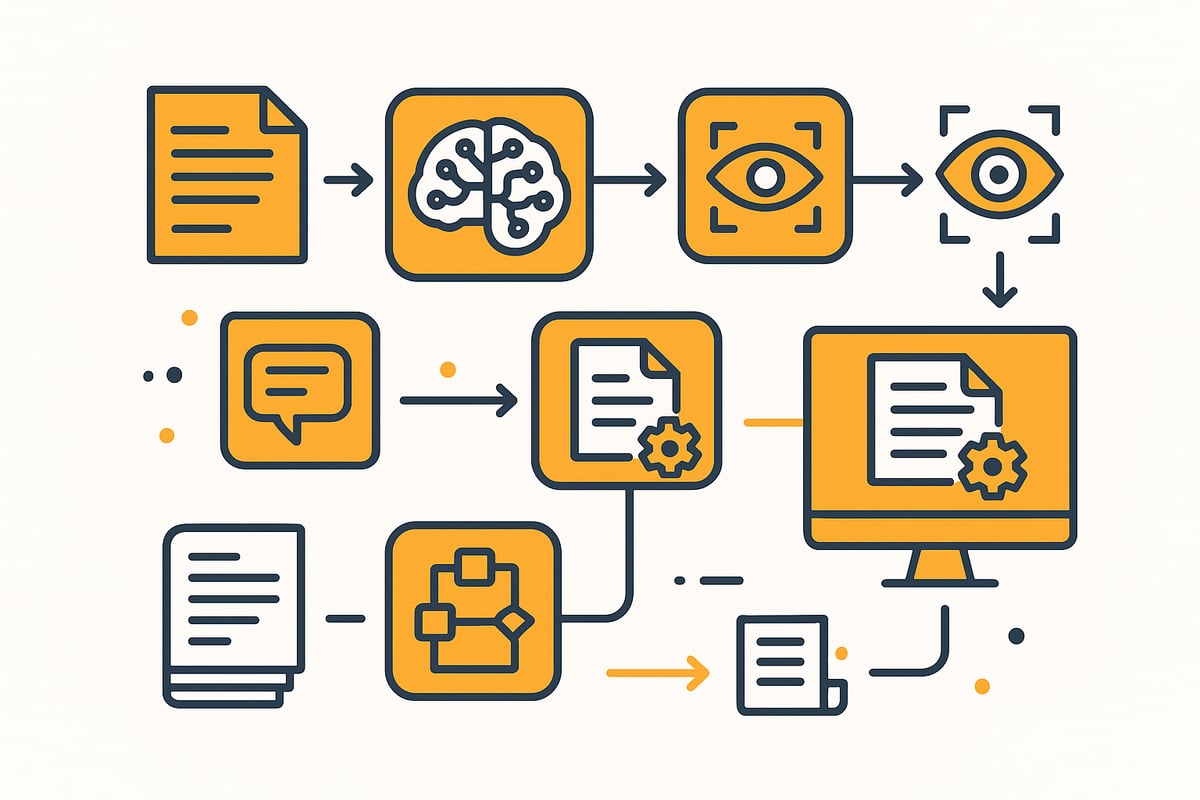
Intelligent document processing is based on a combination of several key technologies. Machine learning (ML) enables the system to learn from sample data and continuously improve recognition accuracy. Natural language processing (NLP) ensures that even unstructured texts—such as emails or contracts—are understood and relevant information is extracted.
Optical character recognition (OCR) and intelligent character recognition (ICR) convert scanned documents and even handwriting into machine-readable data. Computer vision analyzes layout, detects tables or images, and supports the processing of complex documents. Workflow automation connects these technologies to existing systems such as ERP, DMS, or CRM, ensuring seamless transitions throughout the process.
Process steps of intelligent document processing
The path from document capture to integration into downstream systems is clearly structured in intelligent document processing. First, documents from paper, PDFs, or emails are captured digitally. Then automatic classification identifies document types such as invoices, contracts, or delivery notes.
Next, the system extracts targeted information, such as amounts or customer data. Validation checks this data, for example against purchase orders or master data. Finally, the data is automatically transferred to ERP systems or other workflows. Modern solutions achieve recognition rates of up to 95 percent, depending on document type and training data. The efficiency and accuracy of today’s processes are particularly evident in automated invoice processing.
|
Process step |
Technology |
Benefit |
|---|---|---|
|
Document capture |
OCR, ICR |
Fast, digital capture |
|
Classification |
ML, NLP |
Automatic document type recognition |
|
Data extraction |
ML, NLP, computer vision |
Targeted information extraction |
|
Validation |
ML, rules |
Error reduction, automatic matching |
|
Integration |
Workflow automation |
Seamless downstream processing |
Challenges and limitations
Despite all the progress, intelligent document processing also comes with challenges. Poor scan quality, handwritten notes, or complex layouts can impair recognition accuracy. In addition, large amounts of training data are required for machine learning to continuously improve the models.
Another important factor is data protection. Especially for sensitive documents, such as in finance or healthcare, systems must operate in a GDPR-compliant manner and meet the highest security standards. Companies also face the task of adapting intelligent document processing flexibly to new document types and growing requirements. Only then will automation remain a real competitive advantage in the future.
Benefits and value of document automation
Intelligent document processing opens up entirely new opportunities for companies to make their processes more efficient, secure, and future-ready. With AI, recurring manual tasks can be replaced by intelligent systems. This enables faster, error-free processing of documents—from purchase orders and orders to invoices.
Increased efficiency and error reduction
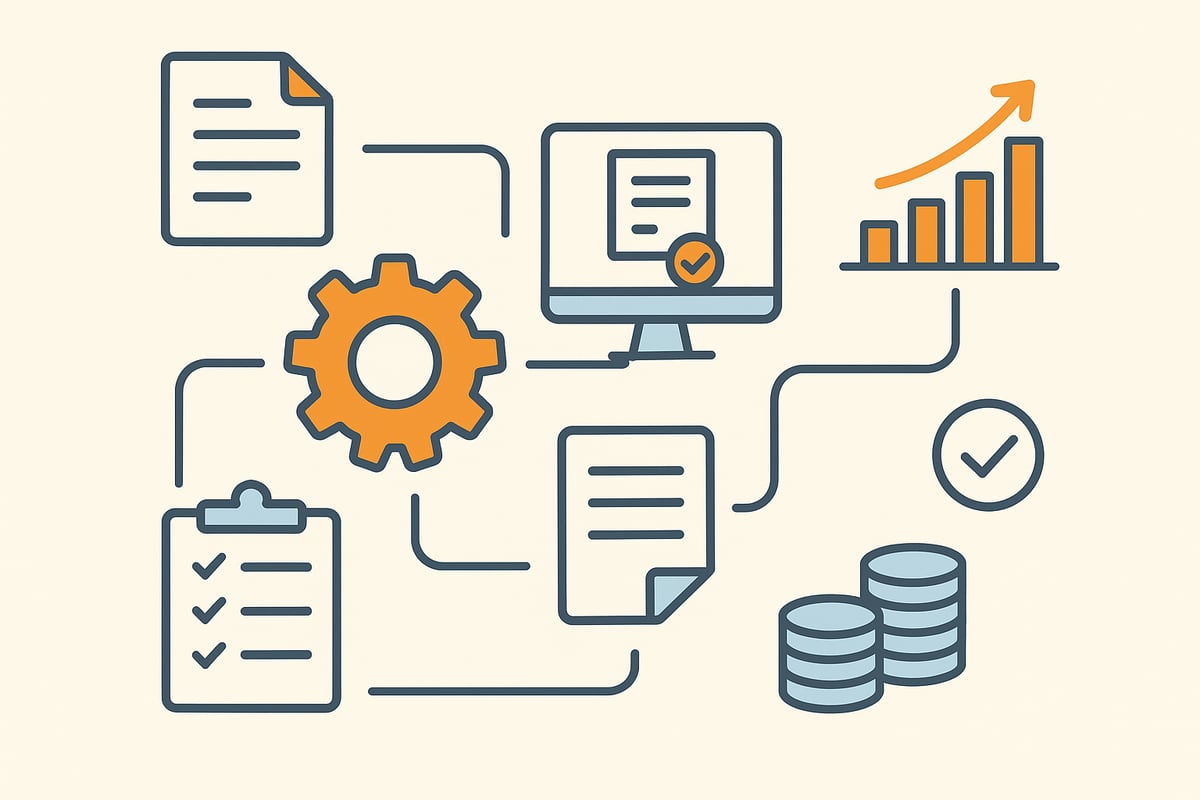
With intelligent document processing, you can significantly accelerate all your document processes. AI-powered systems automatically capture, classify, and process invoices, delivery notes, and contracts. This ensures lightning-fast throughput times and minimizes sources of error.
Automatic document matching in the purchasing process—e.g., between purchase order, delivery note, and invoice—is standard today. This avoids transfer errors and keeps data quality consistently high. System breaks and manual data entry are a thing of the past.
Cost savings and ROI
Automation with intelligent document processing noticeably reduces personnel costs. Routine tasks such as manual checking and reconciling of documents are eliminated—employees can focus on value-adding activities.
Payback is fast, as process costs drop significantly through automation. According to the KPMG study on digitalization in accounting, 53 percent of companies already use AI in accounting and report processing times up to 50 percent faster and operating costs 30 percent lower after introducing IDP solutions.
Compliance, transparency and security
intelligent document processing ensures complete documentation and traceability of all processing steps. Every access and change is automatically logged, which significantly simplifies compliance with legal requirements such as GoBD and GDPR.
Automated access controls protect sensitive data from unauthorized access. Companies benefit from increased transparency and can handle audits or inspections at any time without difficulty.
Scalability and future readiness
With intelligent document processing, increasing document volumes can be handled flexibly. The systems grow with your requirements, whether you want to process hundreds or thousands of documents per day.
Thanks to modern interfaces, integration with ERP, DMS, or RPA solutions is straightforward. New document types or processes can be added quickly without compromising quality. This keeps your company competitive and ready for future challenges.
Practical examples and use cases 2026
Intelligent document processing is long past being just a future trend. Today, companies across a wide range of industries rely on AI-powered solutions to automate document processes, minimize errors, and accelerate workflows. The possibilities range from automatic capture to digital provisioning, making document processing more efficient and transparent.
Cross-industry use cases
In finance, intelligent document processing handles automatic credit application checks, contract management, and fraud detection. The solution enables AI-based capture and processing of documents such as account statements, contracts, or invoices. You can find a detailed example in the document workflows in finance.
Healthcare institutions also benefit from intelligent document processing. Digital patient records, automated billing, and the secure archiving of sensitive data become a reality. In retail and logistics, the technology supports matching delivery notes, purchase orders, and invoices. In public administration, it enables faster processing of applications and forms.
Modern process examples
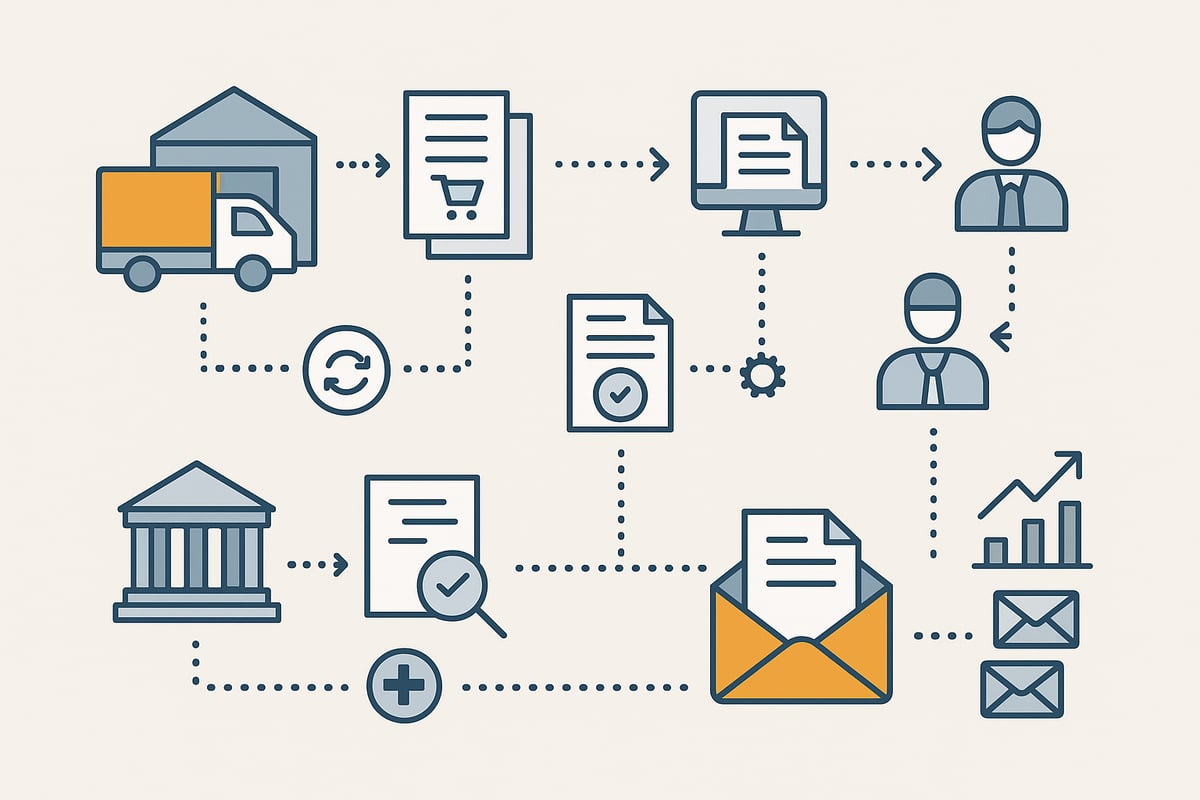
A central application area for intelligent document processing is automatic document matching in the purchasing process. Here, purchase order, goods receipt, and invoice are captured, matched, and validated digitally, preventing media breaks and minimizing sources of error. How this process works in detail is shown in the solution for automation in order management.
Beyond that, intelligent document processing enables the digital provisioning and forwarding of documents to various departments. Automated validation of customer information for account openings or efficient management of large volumes of emails and attachments is also easily achievable today. This significantly reduces manual checks.
Statistics & results from the field
The introduction of intelligent document processing delivers measurable success. Companies report 60 to 80 percent fewer manual interventions in document-related processes. Error rates drop significantly because AI-based processing minimizes system breaks and transfer errors.
Another advantage: Processing times are often halved, freeing up resources for value-adding tasks. At the same time, companies can respond flexibly to increasing document volumes and easily integrate new document types. Intelligent document processing is therefore a crucial building block for sustainable efficiency and digital competitiveness.
Success factors and implementation steps for IDP
Introducing intelligent document processing in a company requires a clearly structured approach. Modern AI technologies now enable end-to-end automation, such as automatic document matching between purchase order, order, delivery note, and invoice. The key to success lies in careful planning, tailored technology selection, and close collaboration among all stakeholders.
Step-by-step guide to implementation
A successful start with intelligent document processing begins with a sound analysis. Here you identify processes and document types that are particularly suitable for automation. The next step is selecting the right solution. Factors such as AI capabilities, integration options, and data protection play a decisive role.
Data and document preparation is essential. This includes classifying documents and providing training data for machine learning models. A pilot phase with selected processes helps test and optimize models under real conditions.
This is followed by integration into existing systems such as ERP, DMS, or email platforms. For example, an integration with Microsoft Outlook enables automated processing of emails and attachments. Training prepares employees for new ways of working. The final rollout scales the system to additional areas.
The market for intelligent document processing is growing rapidly, as shown by the market forecast for intelligent document processing. Companies that take a structured approach benefit from measurable efficiency gains.
Success factors for sustainable automation
The sustainable success of intelligent document processing depends heavily on collaboration between IT and business units. Only when both sides work closely together can processes be optimally automated and individual requirements taken into account.
Continuous monitoring of AI models is important. This allows recognition rates to be continuously improved and new document types to be integrated. Data protection and compliance—especially when dealing with sensitive customer data—must be considered from the outset.
Flexibility is another success factor: The solution should be scalable and able to adapt to growing document volumes or new requirements. Modern platforms such as filehub – The platform for secure, automated document workflows offer a user-friendly environment, high data security, and a wide range of integration options. They help companies implement intelligent document processing efficiently.
Challenges and best practices
Challenges often arise when introducing intelligent document processing. Particularly complex or hard-to-read documents, handwriting, or special cases require special attention and can complicate automation.
Best practices help overcome these hurdles:
-
Clear communication and involving employees promotes acceptance.
-
Exceptions should be identified early and addressed with workarounds.
-
Gradual scaling, as many mid-sized companies use in practice, ensures stability and minimizes risks.
With a well-thought-out strategy, flexible systems, and continuous optimization, intelligent document processing becomes a true competitive advantage.
You’ve now seen how intelligent document processing simplifies workflows, reduces errors, and delivers real efficiency gains—all with full security and compliance. The possibilities of automating complex workflows without coding using a flexible platform like filehub are enormous. If you want to take the next step and truly future-proof your document processes, you can try filehub yourself with no hassle.
Try filehub.one for free now
This way you’ll discover how much potential lies in your own processes—and how simple automation can be today.


