HS Financial Accounting: Functions & Automation

The digital transformation in accounting presents companies with the challenge of making their accounting processes more efficient. HS Finanzbuchhaltung from Hamburger Software has established itself as a proven solution for small and medium-sized enterprises looking for industry-neutral, GoBD-compliant accounting software. As an integral component of a comprehensive ERP system, hs finanzbuchhaltung offers far more than mere bookkeeping—it connects financial management, controlling, human resources, and other corporate areas on a unified platform.
The range of functions in HS Finanzbuchhaltung
HS Finanzbuchhaltung is the heart of financial management in many German companies. The software covers all the requirements of modern accounting and goes far beyond simple document entry.
Core functions of financial accounting
The basic functionality covers all essential posting types and processes:
Account assignment and posting of all business transactions according to HGB and IFRS
Open item management for debtors and creditors
Payments with automated payment runs and SEPA integration
Dunning with multi-level reminder procedures
VAT advance return directly from the system
Business management evaluations (BWA) in various versions
The GoBD-certified solution ensures that all postings are stored in an audit-proof manner and in accordance with legal requirements. Particularly noteworthy is the intuitive user interface, which enables quick onboarding even without in-depth accounting knowledge.

Asset accounting as an add-on module
An important component of hs finanzbuchhaltung is the integrated asset accounting. This extension enables the professional management of fixed assets:
Function | Description | Benefit |
|---|---|---|
Automatic depreciation calculation | Straight-line, declining-balance, special depreciation | Time savings at year-end closing |
Fixed asset schedule | Legally compliant documentation | Audit assurance |
Asset inventory management | Locations, cost centers, responsible persons | Transparency over assets |
Insurance management | Assignment of policies to assets | Risk management |
Asset accounting works seamlessly with financial accounting and automatically transfers depreciation postings into the current accounting.
ERP integration: More than just accounting
What sets hs finanzbuchhaltung apart from pure accounting solutions is full ERP integration. The system connects different business areas and creates end-to-end processes.
Inventory management and order processing
The connection between inventory management and financial accounting eliminates breaks in the flow of information:
Automatic transfer of invoice data from order processing
Real-time inventory valuation
Cost and contribution margin accounting at item level
Project costing with integrated post-calculation
As soon as an order is invoiced, the relevant data flows directly into accounting. This reduces sources of error and significantly accelerates the entire process.
Human resources and payroll accounting
In HR as well, hs finanzbuchhaltung offers comprehensive features. Human resources is closely integrated with financial accounting:
Payroll accounting with automatic transmission to tax authorities
Travel expense accounting in line with current tax requirements
Time tracking linked to project billing
HR controlling with KPIs on personnel costs
The financial accounting services of professional providers show that an integrated solution is particularly beneficial when working with tax advisors.
Controlling and reporting
Another focus of hs finanzbuchhaltung lies in the controlling area. The software not only provides historical data, but actively supports corporate management.
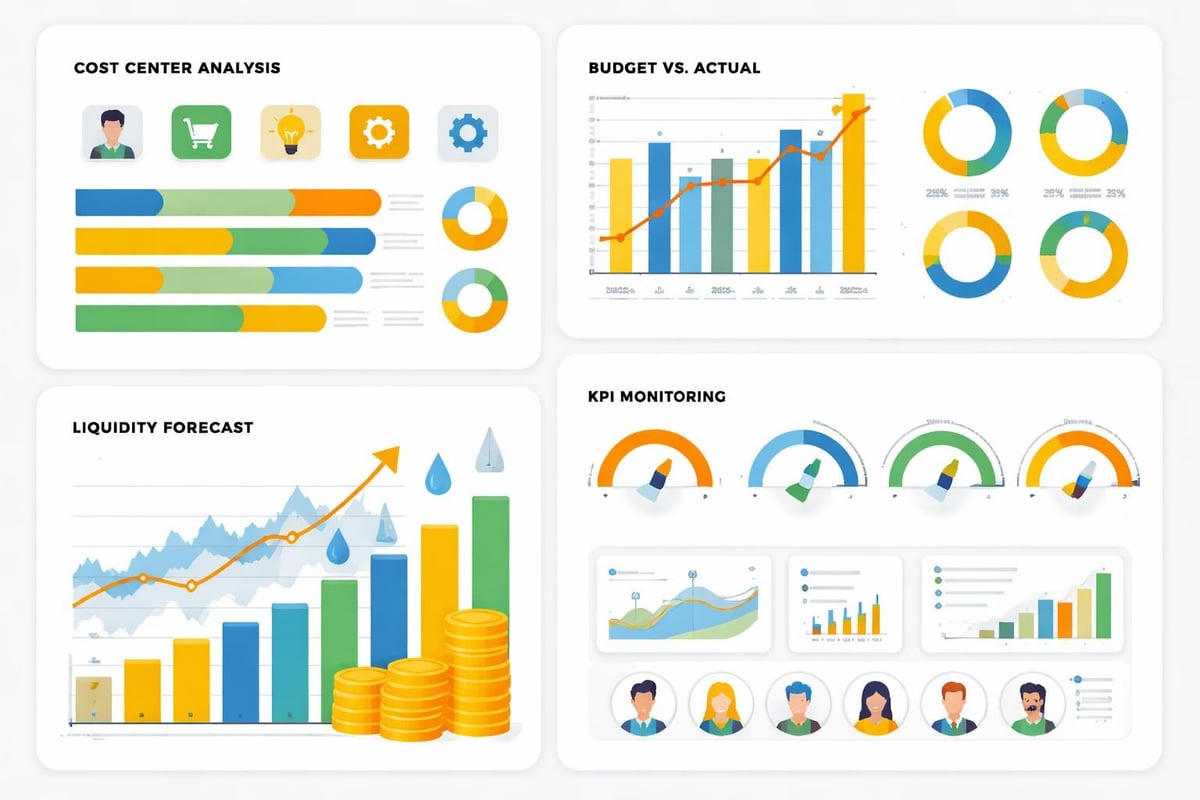
Cost center accounting and controlling tools
Differentiated cost center accounting enables:
Assignment of costs and revenues to individual business areas
Contribution margin accounting for well-founded decisions
Plan-actual comparisons to manage budgets
Liquidity planning with forecasting functions
Profit center accounting for decentralized areas of responsibility
The system offers numerous predefined evaluations that can be customized. From the classic BWA to the P&L and the balance sheet—all relevant reports are available with just a few clicks.
Reporting and dashboards
Modern companies need up-to-date information. The HS Finanzwesen software offers:
Real-time analyses with current figures at the touch of a button
Graphical dashboards for quick overviews
Custom reporting tailored to your requirements
Export functions for Excel, PDF, and other formats
Automated reports with time-controlled email delivery
For managing directors and controllers, this means maximum transparency about the company's financial situation—accessible anytime and from anywhere.
Automation through external system integrations
The true strength of modern accounting software lies in its ability to communicate with other systems. Automation plays a central role in efficient processes, especially with hs finanzbuchhaltung.
Document management and DMS integration
Connecting to document management systems revolutionizes document processing. Instead of manual entries, the integration enables:
Automatic transfer of invoice data from scanned documents
OCR recognition with intelligent data mapping
Digital document archiving in accordance with GoBD
Workflow-driven approval processes
Audit-proof retention
Systems such as AMAGNO or DocuWare can be seamlessly connected to hs finanzbuchhaltung. Incoming invoices are automatically recognized, relevant data extracted, and proposed for account assignment.
Importing postings from external sources
Particularly valuable is the ability to automatically import posting data from various external sources. Via standardized interfaces, data can be read in from the following systems:
Source | Data type | Degree of automation |
|---|---|---|
Online banking | Account statements | Fully automatic with payment matching |
E-commerce platforms | Sales data | Daily automatic import |
POS systems | Daily closings | Automatic posting after closing |
CRM systems | Sales data | Periodic synchronization |
Project management tools | Expenses and revenues | Weekly transfer |
Financial accounting at universities shows how important automated processes are when document volumes are high.
filehub as a central automation platform
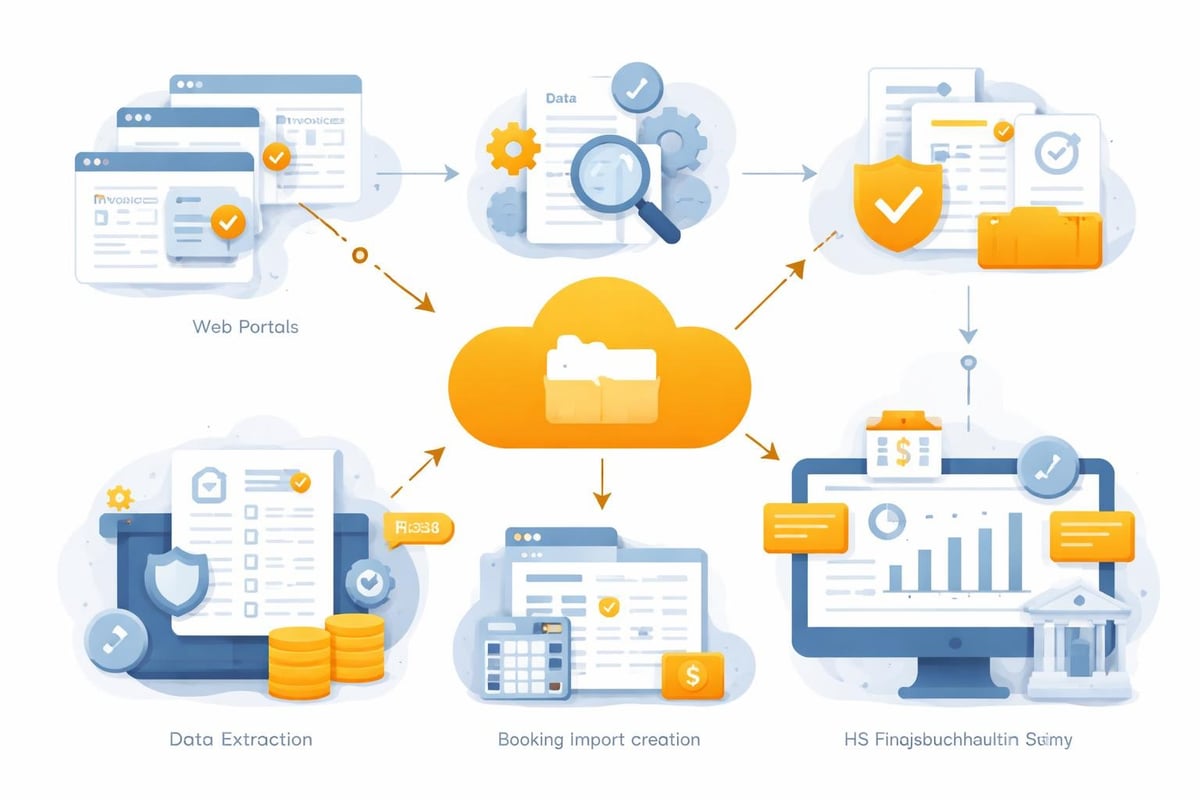
For comprehensive automation of workflows around hs finanzbuchhaltung, integration with filehub is recommended. The platform makes it possible to build complex automation processes without programming.
All functions are available via the HS Hamburger Software node:
Automatic invoice retrieval from supplier portals
Intelligent data extraction from various document formats
Creation of posting imports with validation and plausibility checks
Connection to cloud storage such as OneDrive, Google Drive, or Dropbox
Multi-system workflows that link multiple applications
A practical example: Invoices are automatically retrieved from Amazon Business, processed by filehub, relevant data extracted, and transferred to hs finanzbuchhaltung as a formatted posting import. The entire process runs without manual intervention.
Practical use cases of automation
The combination of hs finanzbuchhaltung and automated workflows opens up numerous use cases that significantly simplify day-to-day accounting.
Automated accounts payable
The classic process of incoming invoice handling can be fully automated:
Invoice receipt via email, portal, or EDI
Automatic recognition and data extraction
Match with purchase order and goods receipt
Account assignment proposal based on historical data
Digital approval workflow according to company policies
Posting in hs finanzbuchhaltung without manual entry
Payment proposal taking cash discount deadlines into account
These automated workflows reduce processing time per invoice from an average of 10 minutes to under 2 minutes.
Integration with tax advisory
Collaboration with the tax advisor also benefits from automation. Via DATEV Unternehmen Online, data can be exchanged bidirectionally:
Monthly transmission of accounting data to the tax advisor
Return of year-end postings
Automatic reconciliation of general ledger accounts and tax keys
Digital document provision for audit purposes
The accounting services provided by tax advisors thus become more efficient, which often results in lower fees.
Industry-specific solutions
While HS Finanzbuchhaltung is designed to be industry-neutral, configuration and extensions provide special functions for various sectors.
Retail and e-commerce
In retail, the following are particularly important:
Cashbook integration with TSE-compliant POS systems
Multichannel sales processing across various platforms
Inventory valuation using various methods (FIFO, LIFO, average)
Commission and discount settlement for sales partners
The connection to shop systems enables daily automatic import of all sales.
Service companies
For service providers, the focus is on:
Project cost accounting with time and material capture
Charge-out rates for different service types
Post-calculation to compare quote and actual effort
Project controlling with contribution margin analysis
Integration with time-tracking systems ensures automatic transfer of working hours into billing.
Real estate industry
In the real estate sector, hs finanzbuchhaltung supports:
Tenant management with automatic rent charges
Service charge settlement in accordance with the Condominium Act
Homeowners' association (WEG) fee management
Property accounting with separate accounts per property
Data can be synchronized via interfaces to property management software such as Casavi or WowiPort.
Data security and compliance
Security plays a paramount role with financial data. HS Finanzbuchhaltung meets all relevant German and European requirements.
GoBD compliance and audit security
The software is fully GoBD-compliant and ensures:
Immutability of posted transactions through the journal function
Completeness through seamless logging
Traceability through audit trails
Proper record-keeping through structured filing
Access protection through role-based permissions
All changes are logged and can be evidenced for tax audits.
GDPR and data protection
In handling personal data, hs finanzbuchhaltung meets GDPR requirements:
Encrypted data storage and transmission
Logging of data accesses
Deletion functions for legacy data
Data subject access rights
Privacy-friendly default settings
Especially when integrating external systems via filehub, it is important that all data flows remain within Europe and comply with German data protection standards.
Cloud or on-premises: deployment options
Modern companies have different requirements for IT infrastructure. HS Finanzbuchhaltung offers flexible operating models.
Server-based installation
The classic variant with installation on your own servers offers:
Complete control over data and system
No dependence on an internet connection
Integration into the existing IT landscape
Individual backup and recovery strategies
This approach is particularly suitable for companies with their own IT department and high security requirements.
Cloud solution
Alternatively, hs finanzbuchhaltung is available as a cloud version:
Access from anywhere with an internet connection
Automatic updates and maintenance
Scalable resources as needed
Lower IT infrastructure costs
Integrated backup solutions
The cloud variant is ideal for distributed teams and companies without their own IT infrastructure. Here, too, the data is hosted in German data centers.
Training and support
The successful use of hs finanzbuchhaltung depends largely on the competence of the users. Hamburger Software offers comprehensive support.
Introduction and training
New users benefit from:
Structured training programs for different user roles
Online training and webinars
Individual on-site workshops
Extensive documentation and manuals
Video tutorials for common tasks
The multi-stage training concepts take different prior knowledge into account.
Ongoing support
During operation, various support channels are available:
Hotline for urgent questions during business hours
Ticket system for systematic problem handling
Remote support for direct assistance on the system
Online forum for exchange with other users
FAQ and knowledge base with solutions to common questions
The financial accounting department of Jade University shows how important professional support is with complex accounting systems.
Integration with filehub: The practical guide
The connection between hs finanzbuchhaltung and filehub opens up completely new automation possibilities. This is how the practical implementation works.
Setting up the connection
The first step is to configure the HS Hamburger Software node in filehub:
Authentication with the HS system via API credentials
Mapping of chart of accounts and cost centers
Definition of posting templates for recurring transactions
Definition of validation rules for data quality
Test postings to verify the connection
The one-time setup typically takes 30–60 minutes.
Building automated workflows
With filehub's workflow functionality, complex processes can be mapped:
Example workflow: Automated invoice processing
Trigger: New invoice in Microsoft SharePoint
Step 1: PDF extraction of invoice data
Step 2: Validation against purchase order data
Step 3: Account assignment proposal based on vendor
Step 4: If matched: Automatic approval
Step 5: Create posting import for HS
Step 6: Upload the document to the DMS
Step 7: Notification to accounting
Such workflows can be created via a visual interface without programming.
Best practices for posting imports
When creating posting imports for hs finanzbuchhaltung, you should consider the following aspects:
Use standardized data formats (CSV, Excel, XML)
Fill in all mandatory fields (date, amount, debit/credit account, posting text)
Maintain consistent date formats
Perform validation before import
Define error handling for rejected postings
Log all imports for traceability
filehub's Finance solutions offer preconfigured templates for typical posting scenarios.
Visualization and image optimization
Visual elements are becoming increasingly important in finance as well, for example for presentations or reports. When you integrate graphics, charts, or document scans into workflows, removit can provide professional image editing. The AI-enabled platform automatically optimizes backgrounds and image quality, which is particularly helpful for archiving and presenting documents.
Mobile accounting and on-the-go access
In the modern working world, flexibility is crucial. HS Finanzbuchhaltung also supports mobile work.
Mobile apps and responsive design
The web-based interface automatically adapts to different devices:
Tablet use for postings and analyses on the go
Smartphone access for queries and approvals
Offline capability for delayed synchronization
Touch-optimized operation for mobile devices
This allows managing directors to access up-to-date financial data at any time, even while traveling.
Receipt capture by photo
Modern functions enable:
Taking photos of receipts with a smartphone camera
Automatic OCR recognition of the relevant data
Proposed account assignment based on similar receipts
Immediate posting or workflow integration
Archiving of the original as an image file
This feature is especially practical for travel expenses and smaller receipts that often get lost.
Cost considerations and ROI
When deciding to invest in hs finanzbuchhaltung, both acquisition and operating costs play a role.
Licensing models and pricing
HS Hamburger Software offers various pricing models:
Perpetual license with a one-time payment and annual maintenance fee
Rental license with monthly or annual payment
Cloud subscription with usage-based billing
Named user vs. concurrent user licenses
Costs vary depending on company size, scope of functions, and number of users. Typically, investments range between 50 and 200 euros per month and workplace.
Return on investment
Automating accounting processes pays off quickly:
Process | Time savings | Annual savings (at €20/h) |
|---|---|---|
Invoice capture (100/month) | 8 h/month | €1,920 |
Payment reconciliation | 4 h/month | €960 |
Month-end closing | 6 h/month | €1,440 |
Reporting | 3 h/month | €720 |
Total | 21 h/month | €5,040 |
This calculation only takes direct time savings into account, not the improvement in data quality and faster decision-making through timely information.
HS Finanzbuchhaltung, as part of a comprehensive ERP system, offers all the functions modern companies need for efficient financial management. Its true strength unfolds through intelligent automation and system integration. With filehub, you can fully automate your accounting processes, from invoice capture to posting import into HS—without programming and with the highest German data protection standards. Start optimizing your financial processes now.


