Simba Financial Accounting: How to Automate Workflows
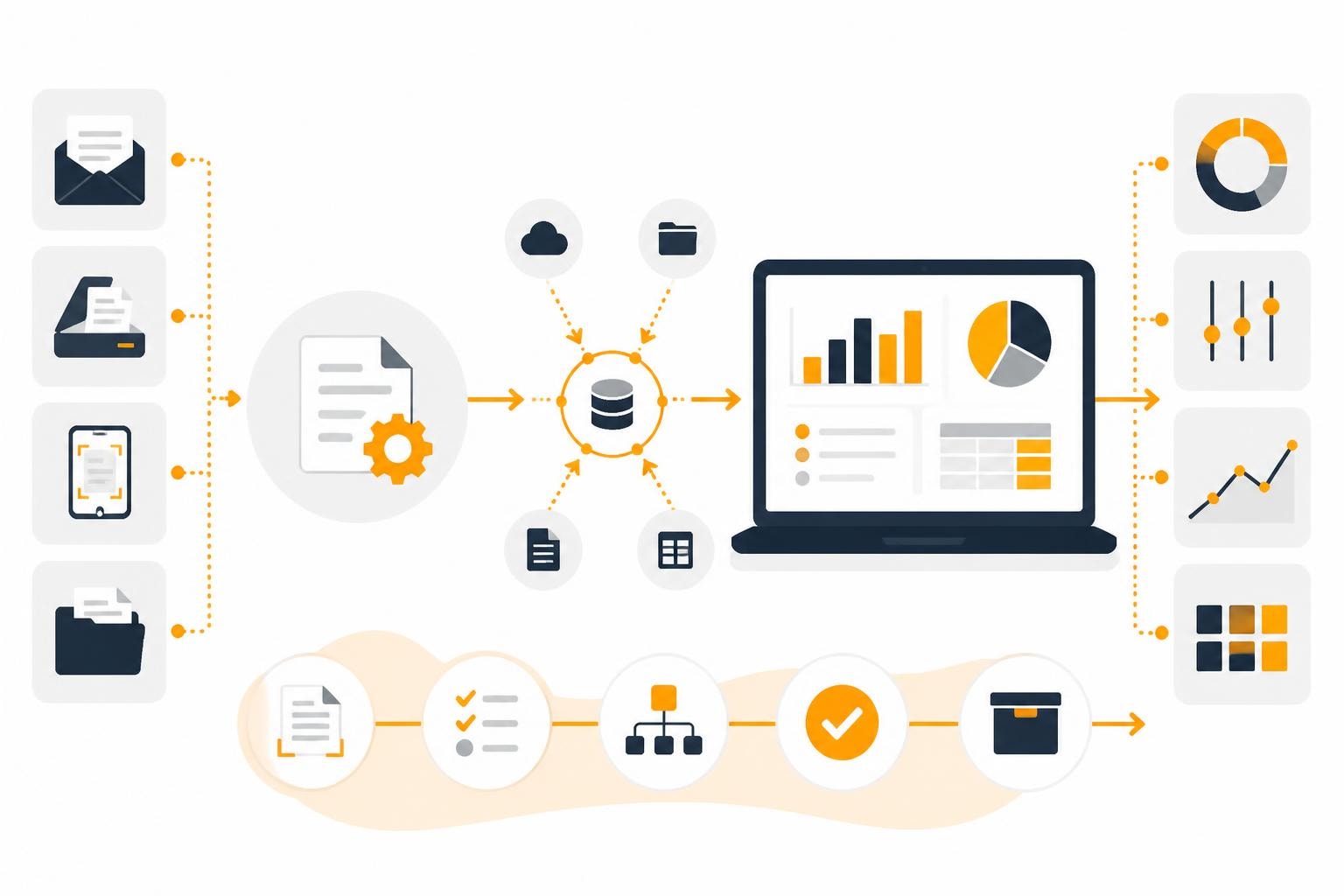
The digitalization of financial accounting is no longer an option in 2026, but a necessity for competitive companies. Simba Financial Accounting is one of the established solutions in the German-speaking market that helps companies manage their financial data. However, real efficiency gains only arise when you don’t view the software in isolation, but embed it in automated processes. In this article, you’ll learn how to optimally integrate Simba Financial Accounting into your digital workflows, what automation potential exists, and how smart links save you time and resources.
What does Simba Financial Accounting offer in modern accounting?
Simba Computer Systeme offers comprehensive accounting software that goes far beyond traditional bookkeeping. The platform combines financial accounting, cost accounting, and digital document capture in an integrated solution.
Key features at a glance
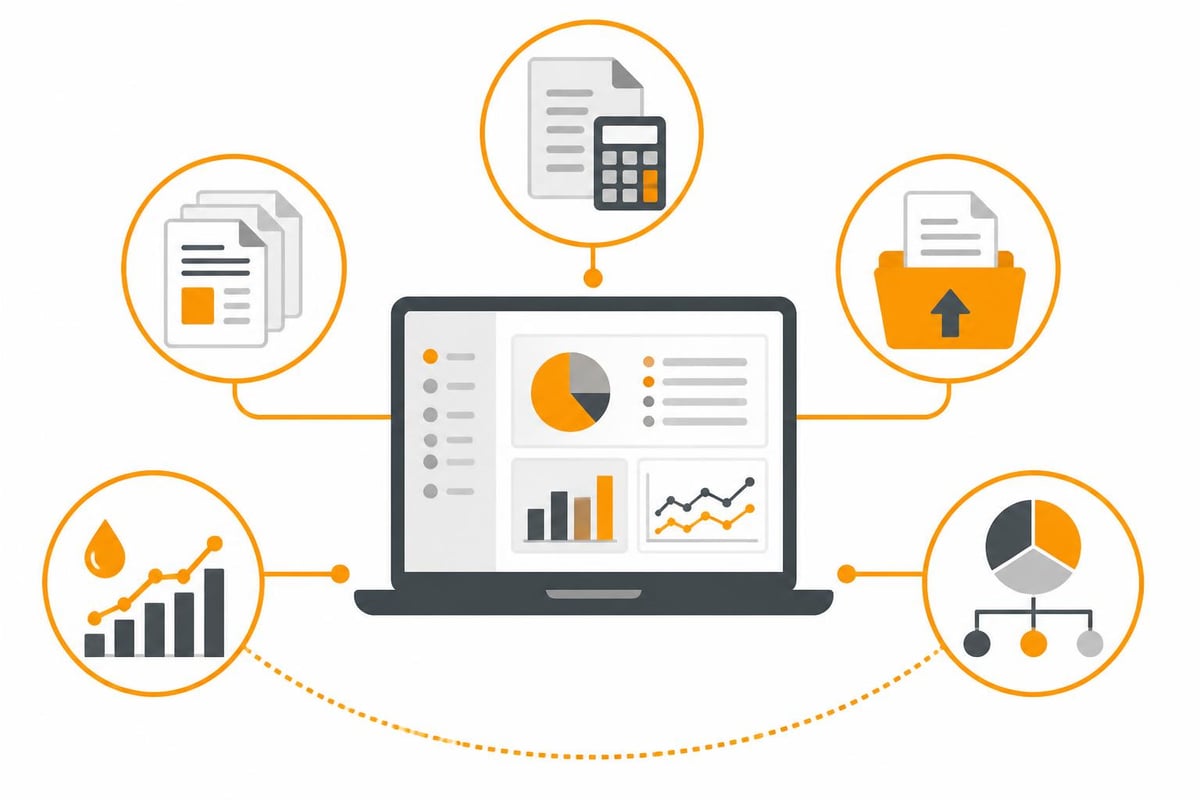
Simba Financial Accounting is characterized by several core areas:
- Digital document capture: Incoming invoices are captured digitally and preprocessed automatically
- Account assignment and posting: Intelligent account assignment suggestions accelerate the posting process
- DATEV interface: Seamless data exchange with tax advisors
- Cost center accounting: Detailed allocation of costs for better transparency
- Liquidity planning: Forward-looking financial planning based on current accounting data
The Simba accounting software increasingly relies on artificial intelligence to recognize recurring posting processes and automate suggestions.
Who is Simba suitable for?
Simba is aimed primarily at small and medium-sized enterprises as well as tax advisors. The solution is particularly interesting for:
- Commercial enterprises with complex cost structures
- Associations and non-profit organizations with special requirements
- Service companies with a high volume of documents
- Manufacturing companies with cost center accounting
The software was developed specifically for the German market and meets all statutory requirements for GoBD-compliant accounting.
Automation starts before accounting
The biggest efficiency gains aren’t achieved in Simba Financial Accounting itself, but in the upstream processes. Manually downloading invoices from various portals, sorting email attachments, and renaming files costs valuable time every day.
The typical manual workflow
In 2026, many companies are still working with this process:
| Step | Time required | Source of error |
|---|---|---|
| Finding invoices in emails | 15-30 min/day | Overlooked attachments |
| Manually visiting portals (Amazon Business, Telekom, etc.) | 20-40 min/day | Forgotten portals |
| Renaming and sorting files | 10-20 min/day | Inconsistent naming |
| Upload to accounting software | 5-10 min/day | Incorrect assignment |
| Total | 50-100 min/day | Duplicate effort |
This process not only ties up time, it also delays posting and worsens liquidity planning.
Automated document retrieval
Modern automation platforms like filehub tackle exactly this. The platform connects to web portals and email accounts, automatically fetches invoices, and prepares them for further processing.
Concrete use cases:
- Automatic invoice download from supplier portals
- Extraction of invoices from email attachments with intelligent filtering
- Standardized renaming according to defined patterns (e.g., "2026-05-09_Supplier_Amount.pdf")
- Automatic filing into predefined folder structures
The Workflows can be set up without programming and can map multi-stage processes.
Integrating Simba Financial Accounting into automated workflows
The real magic happens when you seamlessly integrate Simba Financial Accounting into your automated document workflows. Interfaces and integrations play a central role here.
Interfaces and data formats
Simba offers various options for integration:
- File-based import: Structured filing in monitored folders
- DATEV interface: For communication with tax advisors
- XML/CSV import: For bulk data and master data
- Direct integrations: Via specialized connectors such as the CODE.3 Simba accounting interface
For most SMEs, the file-based approach is the most practical path. Here, documents are placed in defined folders that Simba Financial Accounting monitors.
Three-stage automation approach
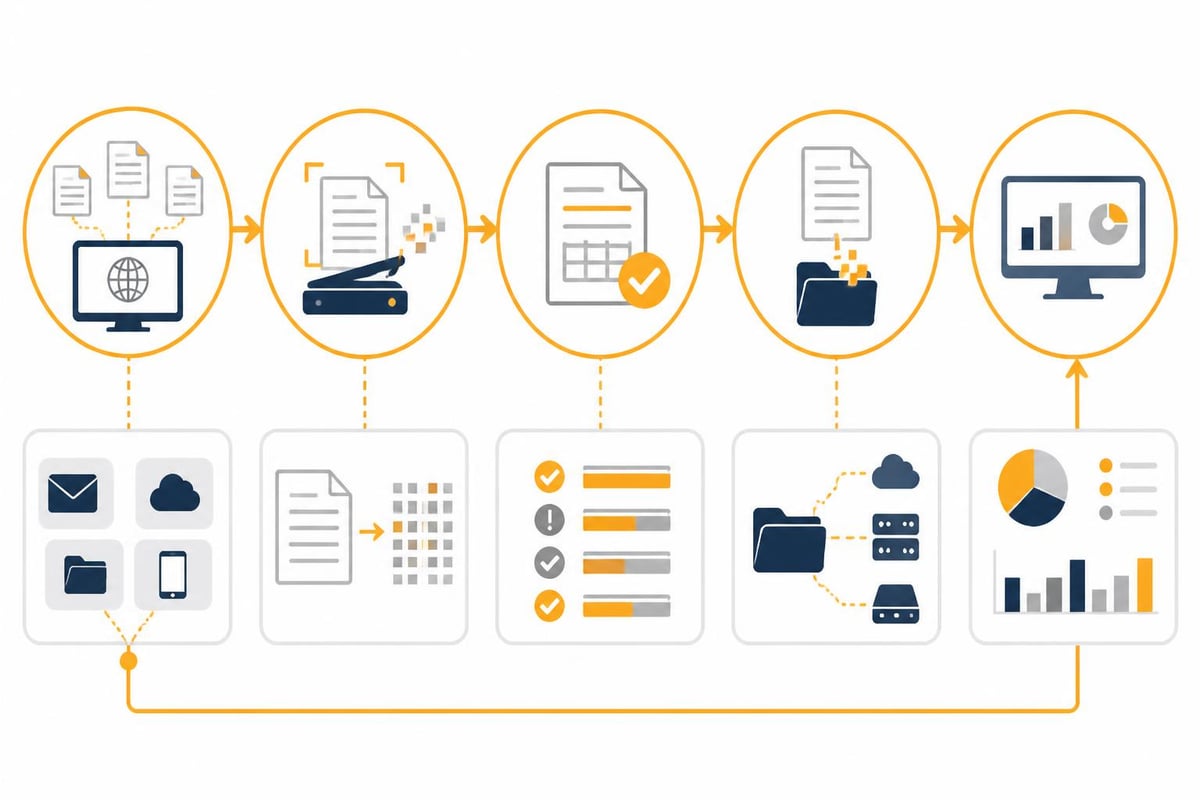
An efficient automated workflow for integrating Simba consists of three main phases:
Phase 1: Document retrieval
- Automatic retrieval from portals and emails
- Filtering by document type (invoice, credit note, dunning notice)
- Initial validation (complete PDF, readable)
Phase 2: Document preparation
- OCR processing for text recognition
- Extraction of metadata (invoice number, date, amount, supplier)
- Renaming according to schema
- Duplicate check
Phase 3: Handover to accounting
- Transfer to Simba inbound folder
- Notification of the accounting team
- Logging for audit trail
This structure creates a seamless transition from invoice receipt to posting in Simba Financial Accounting.
Practical example: Automation for commercial enterprises
Let’s look at a concrete example. A medium-sized commercial enterprise with 50 employees procures goods and services from around 80 different suppliers. Approximately 150 invoices are received each month, distributed as follows:
- 40% by email
- 35% via supplier portals (Amazon Business, Mercateo, etc.)
- 15% by post (scanned)
- 10% directly from connected ERP systems
Initial situation
The accountant spent about 90 minutes a day on:
- Reviewing 30–40 emails
- Visiting 5–8 supplier portals
- Downloading and sorting documents
- Manual upload to Simba Financial Accounting
Monthly time spent: approx. 30 hours just for document logistics.
Implemented solution
The company implemented an automated solution with the following components:
- Email automation: Automatic extraction of invoices from the info@ inbox
- Portal connection: Connections to web portals for automatic invoice retrieval
- OCR integration: Automatic metadata extraction with natif.ai
- Intelligent forwarding: Direct filing into SharePoint folders that are synchronized with Simba
The finance solution was implemented within two weeks and then expanded step by step.
Results after 6 months
| Key metric | Before | After | Improvement |
|---|---|---|---|
| Daily time spent | 90 min | 15 min | -83% |
| Average posting time | 5-7 days | 2-3 days | -60% |
| Missing documents per month | 3-5 | 0-1 | -80% |
| Manual errors | 2-3/month | <1/month | -75% |
The accountant can now focus on value-adding activities such as cost analysis and liquidity planning.
Advanced use cases and industry solutions
Simba Financial Accounting offers industry-specific functions that combine excellently with automation. Depending on the type of company, different opportunities for optimization arise.
Associations and non-profit organizations
Associations have special requirements for their accounting:
- Management of membership fees
- Donation management with automatic donation receipts
- Grant accounting with specific documentation requirements
- Cost center accounting by projects or departments
Automation potential: A sports club with 800 members can automatically match direct debits with member master data and import them into Simba Financial Accounting. Donation receipts are generated automatically and sent by email.
Commercial enterprises with cost center accounting
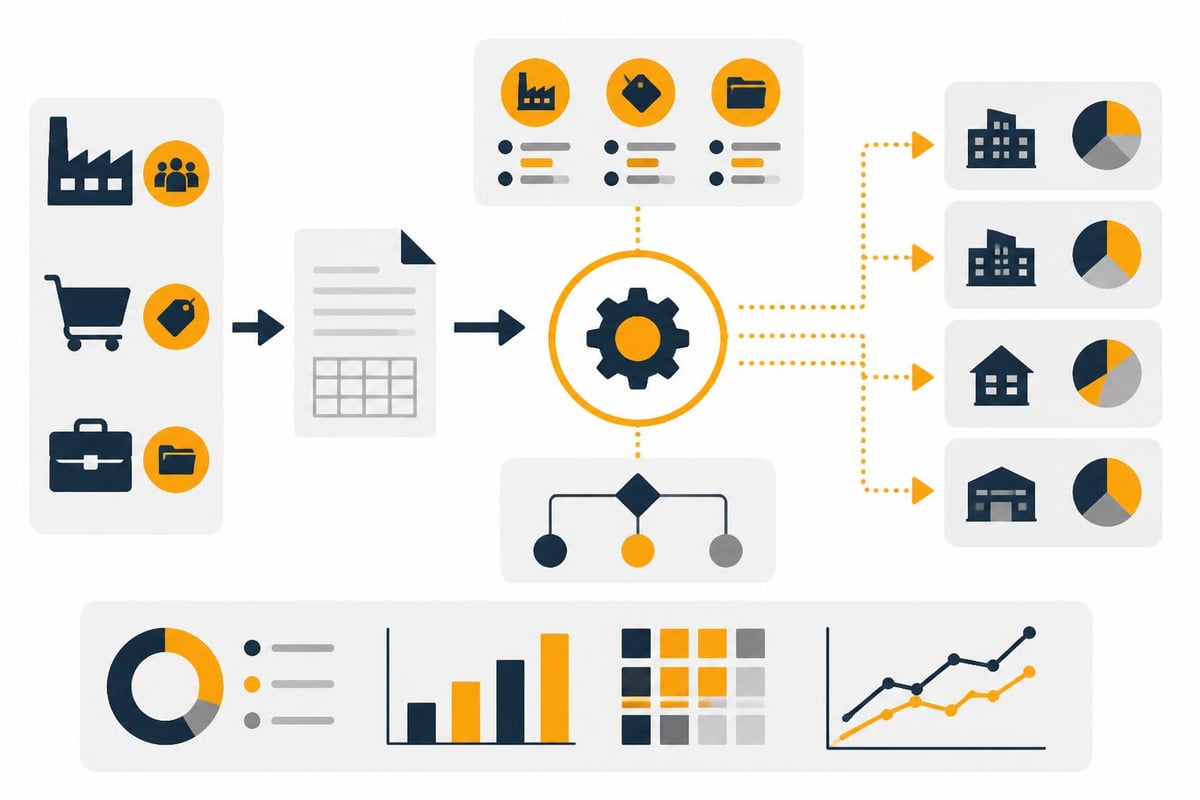
Commercial enterprises benefit particularly from the combination of automation and detailed cost accounting:
- Automatic assignment of documents to cost centers based on suppliers or categories
- Pre-filled account assignment suggestions thanks to the system’s learning capability
- Integration of time-tracking data for labor cost accounting
- Automatic month-end closings with preconfigured evaluations
A manufacturing company can, for example, automatically assign material invoices to the respective product line and thus track product costs in real time.
Service providers with a high document volume
Agencies, IT service providers, and consulting firms often have a very high volume of small and micro documents:
- Automatic capture of small-amount invoices under €250
- Pre-coding based on supplier and amount
- Batch processing for monthly recurring invoices
- Integration of fuel card invoices and travel expenses
Through intelligent form processing, even structured expenses such as fuel receipts can be captured and posted fully automatically.
Making optimal use of modern controlling functions
Simba Financial Accounting is more than just posting entry capture. The planning and controlling functions offer extensive analysis options that become even more valuable through automated data collection.
Real-time liquidity planning
With current data from automated workflows you can:
- Create day-accurate liquidity overviews
- Automatically monitor payment terms
- Identify bottlenecks at an early stage
- Optimize payment runs
Practical tip: Combine automatic invoice capture with a daily update of liquidity planning. This way you always have an overview of open payables and can make optimal use of cash discount opportunities.
Business intelligence and advanced analyses
For sophisticated analyses, Simba can be connected to specialized BI solutions. The Bissantz Finance Solution expands Simba Financial Accounting with powerful analysis and reporting functions.
Possible evaluations:
- Trends in cost categories over multiple years
- Benchmarking of different locations or business units
- Early warning systems for critical KPIs
- What-if analyses for planning scenarios
The quality of these analyses stands and falls with the completeness and timeliness of the accounting data. Automated capture ensures that no documents are overlooked.
Making year-end closing and tax returns more efficient
The year-end closing is a labor-intensive process for many companies. Simba Financial Accounting supports this through seamless integration and automated data transfer.
Preparation during the year
Through continuous automation, your year-end closing is largely prepared during the fiscal year:
- Complete document collection: No missing documents
- Correct pre-coding: Fewer corrections at year-end
- Up-to-date cost center accounting: Transparent cost allocation
- Regular reconciliation: Monthly checks instead of year-end stress
DATEV integration for tax advisors
The DATEV interface is essential for collaboration with tax advisors. Through automation you improve the quality of the data transmitted:
- Completeness: All documents are available digitally
- Traceability: Each document can be clearly assigned
- Time savings: Monthly instead of annual transfer possible
- Audit security: Seamless documentation of all processes
Many tax advisors appreciate it when clients deliver complete and cleanly pre-coded data on a monthly basis. This significantly reduces the effort involved in preparing tax returns.
Best practices for implementation
If you want to connect Simba Financial Accounting with automated workflows, observe these proven practices:
Gradual introduction
Don’t implement automation all at once, but in stages:
- Phase 1 (months 1–2): Email automation for main suppliers
- Phase 2 (months 3–4): Connecting the 3–5 most important web portals
- Phase 3 (months 5–6): OCR and metadata extraction
- Phase 4 (from month 7): Ongoing optimization and expansion
This approach enables learning by doing and prevents overload.
Data quality from the start
Important quality criteria:
- Consistent file-naming conventions
- Clear folder structures
- Validation for completeness (all required fields present)
- Duplicate check before import
- Logging of all automated actions
The DATEV Unternehmen Online integration shows how important standardized processes are for smooth collaboration.
Involve employees
Automation only works if everyone involved understands the benefits and pulls in the same direction:
- Conduct training for new workflows
- Establish feedback loops
- Communicate quick wins
- Understand continuous improvement as a process
Technical requirements and data security
When automating accounting processes, security and compliance are non-negotiable. Simba Financial Accounting meets all German standards, but the automation solution must also satisfy these requirements.
GDPR and GoBD compliance
When choosing an automation platform, pay attention to:
- Server location Germany: Data remains under German jurisdiction
- GoBD-compliant archiving: Immutability and traceability
- Audit-proof logging: Who changed what and when?
- Access controls: Role-based permissions
- Encryption: In transit and at rest
A platform developed and operated in Germany like filehub ensures that all data protection requirements are met.
Integration with existing IT infrastructure
Modern automation platforms should fit seamlessly into your existing system landscape:
- Cloud storage: Microsoft SharePoint, OneDrive, Google Drive
- DMS systems: DocuWare, AMAGNO
- ERP systems: Microsoft Dynamics 365, Odoo
- Other accounting software: sevDesk, Lexware
Flexibility in integrations often determines the success or failure of an automation project.
Backup and disaster recovery
Ensure that automated processes also include backup routines:
- Daily backup of all processed documents
- Versioning for changes
- Geographically separate backup locations
- Regular restore tests
Automated backup routines should be a matter of course in your document workflows.
Future trends: AI and machine learning in accounting
Simba Financial Accounting already integrates AI functions today, and the trend will intensify further in 2026. The combination of intelligent automation and AI-supported accounting software opens up new possibilities.
Self-learning account assignment suggestions
Modern systems learn from past postings:
- Recognition of patterns with recurring suppliers
- Automatic assignment to accounts based on invoice text
- Suggestions for cost centers based on project identifiers
- Continuous improvement of accuracy
Anomaly detection
AI can identify unusual postings:
- Duplicate invoices
- Unusually high amounts with known suppliers
- Postings to atypical accounts
- Potential fraud patterns
These functions significantly increase the security and quality of your financial accounting.
Predictive analytics
Advanced analyses enable forecasts:
- Cash flow forecasts based on historical data and current trends
- Optimal timing for larger investments
- Identification of savings potential through pattern recognition
- Early warning of emerging liquidity bottlenecks
The AI-supported financial software from Simba is continuously evolving and offers increasingly intelligent functions.
Cost consideration and ROI analysis
The investment in automation and software has to pay off. Let’s take a realistic look at the cost side and the return on investment.
Cost components
| Cost type | Simba Financial Accounting | Automation platform | Total |
|---|---|---|---|
| License costs per month | 80-150€ | 100-300€ | 180-450€ |
| One-time setup costs | 500-1.500€ | 0-1.000€ | 500-2.500€ |
| Training effort | 1-2 days | 0.5-1 day | 1.5-3 days |
| Ongoing adjustments | 2-4 hrs/month | 1-2 hrs/month | 3-6 hrs/month |
Savings potential
These are offset by concrete savings:
Time savings:
- 60–90 minutes daily on document retrieval
- 20–30 minutes daily on pre-coding
- 2–4 hours monthly on month-end closings
- 1–2 working days annually on the year-end closing
Monetary value at an average hourly rate of €50:
- Daily savings: €40–60
- Monthly savings: €800–1,200
- Annual savings: €9,600–14,400
Payback period: Typically 2–4 months.
Qualitative advantages
Not all benefits can be measured in euros:
- Higher employee satisfaction due to fewer repetitive tasks
- Better decision-making basis thanks to current data
- Reduced risk through seamless documentation
- Scalability as the company grows without proportional staff increases
Simba Financial Accounting provides a solid foundation for modern accounting but only unfolds its full potential in combination with automated document workflows. The time savings on routine tasks, improved data quality, and faster availability of financial information pay off measurably. If you want to take your accounting processes to the next level, filehub supports you with GDPR-compliant automation that integrates seamlessly into your existing system landscape and can be implemented without programming.


