Addison OneClick Guide 2026: Getting Started Made Easy

Digitalization is turning tax consulting upside down. Processes are faster, more transparent, and significantly more efficient.
Yet many firms and businesses are still looking for a solution to make collaboration and document exchange simple and secure. This is where addison oneclick comes in.
With addison oneclick, getting started in the digital tax world is straightforward and convenient. In this guide, you'll learn how to make the most of the platform, streamline your workflows, and get going right away.
Look forward to hands-on tips, an overview of the most important features, and everything you need for a successful start.
What is Addison OneClick?
Addison OneClick is a cloud-based platform designed specifically for tax advisors, businesses, and clients. The application provides centralized access to all relevant tax and financial data and enables a modern, digital way of working. By using addison oneclick, firms and companies can organize their processes efficiently and independent of location.
At its core is the simplification of collaboration between tax advisor and client. The platform offers numerous modules that bundle document exchange, communication, and task management. The most important features include:
-
Receipt management: Digital capture, management, and forwarding of receipts.
-
Communication hub: Secure messaging and information exchange.
-
Task management: Assign tasks, track status, keep deadlines in sight.
-
Data transfer: Fast transmission of reports and payroll documents.
-
Client portal: Individual access for clients and their employees.
The goal of addison oneclick is clear: time savings, transparency, and legally compliant processes in everyday work. Its intuitive operation reduces sources of error and improves collaboration between the firm and clients. Small and medium-sized enterprises, self-employed professionals, and tax advisors in particular benefit from the flexibility and the location-independent use.
According to the provider, more than 10,000 firms and companies already rely on addison oneclick. A typical example from practice is digital payroll: Instead of wading through piles of paper, payrolls are provided online and distributed to employees with just a few clicks. If you want to learn more about digital solutions for businesses, you'll find further information under Digital financial solutions for businesses.
The benefits at a glance:
|
Benefit |
Value for users |
|---|---|
|
Time savings |
Faster processes |
|
Transparency |
Clear traceability |
|
Legal compliance |
GDPR-compliant processes |
|
Flexibility |
Access from anywhere |
With addison oneclick, getting started in the digital tax world is straightforward and secure. The platform lays the foundation for future-proof, efficient collaboration.
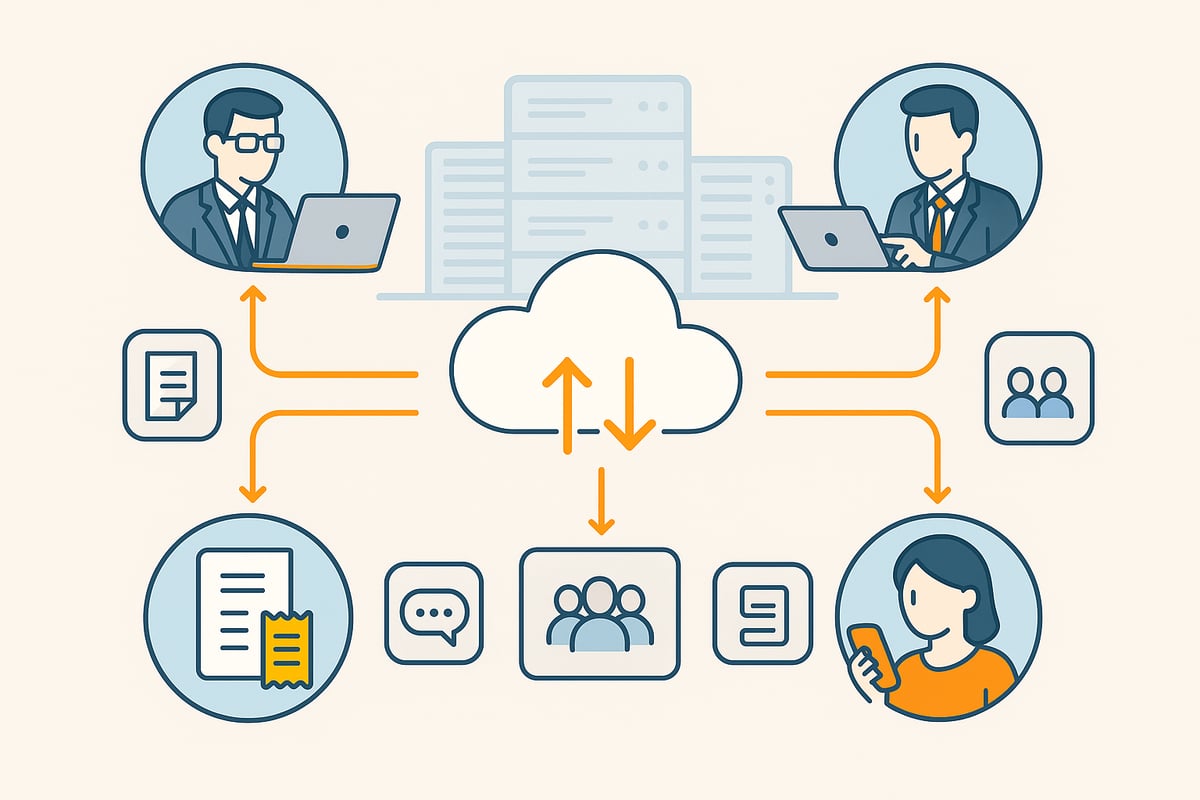
📈 What annoys you at 10 documents breaks at 100.
ADDISON OneClick in, receipts out: filehub runs the data flow in the background — no matter how much comes in.
Addison OneClick at a glance: features and modules
Addison OneClick offers a modern platform that sustainably simplifies tax consulting and business processes. The solution impresses with clear modules, strong security standards, and diverse integration options. This lets you make optimal use of digital workflows in your daily work.
Core modules and features
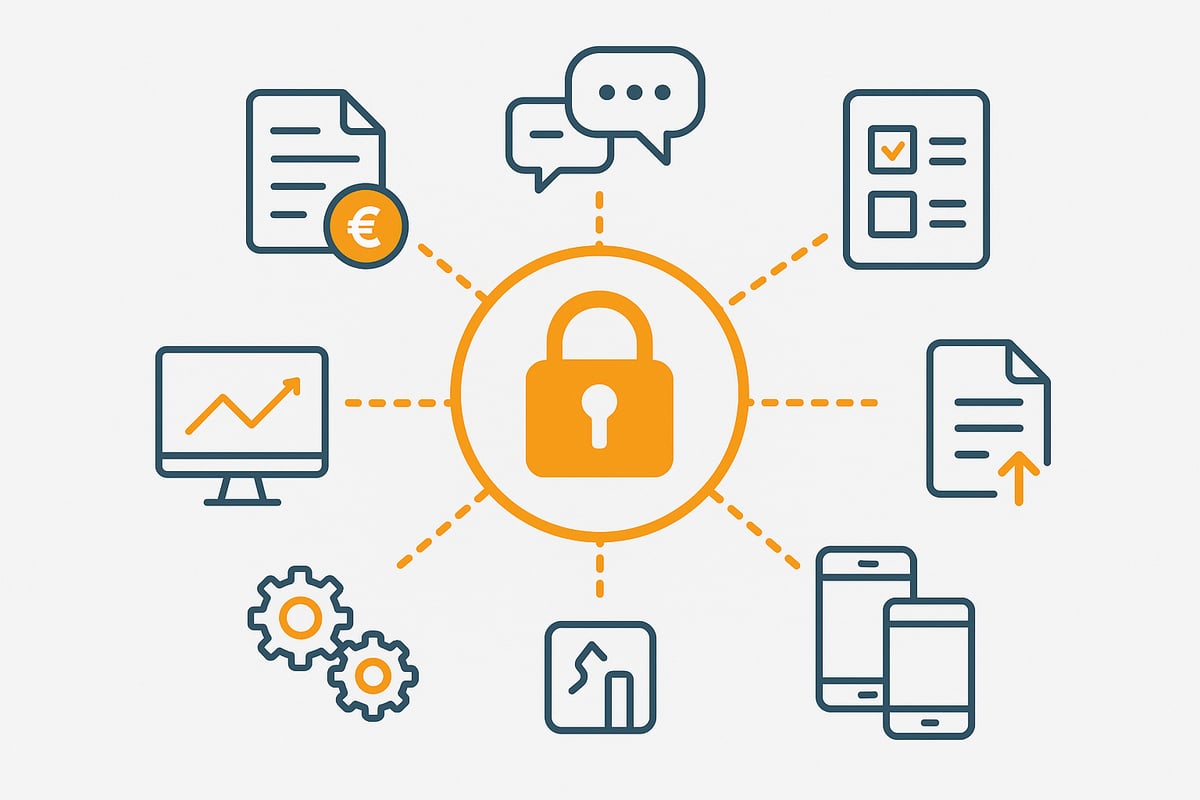
At the heart of Addison OneClick are intuitive modules that digitize the everyday work of firms and businesses. The receipt manager allows easy uploading, sorting, and sharing of invoices, receipts, or other documents. This saves you time and reduces paperwork.
Through the communication hub, you can exchange messages securely between clients and firms. This replaces classic email chaos with structured, traceable communication. Task management ensures that to-dos are clearly assigned, tracked, and status-monitored.
Document upload simplifies sharing important documents, whether via drag & drop or directly through the app. The dashboard gives you an overview of all ongoing activities and open tasks. That way, you always have everything important in view.
A typical example: Invoices are photographed with a smartphone, uploaded directly to the receipt manager, and are immediately available to the tax advisor. Addison OneClick thus makes digital collaboration easy and efficient for everyone involved.
Security and data protection
Data protection is top priority at Addison OneClick. All data is stored exclusively in certified German data centers, guaranteeing full GDPR compliance. End-to-end encryption of all data and documents provides maximum security.
With granular access rights, you determine who may view or edit which information. This keeps you in control at all times. Audit logs record all activities so traceability is ensured at any time.
A practical example: Payroll statements are transmitted securely to employees via the Addison platform. Only authorized persons have access, and every action is documented. This means Addison OneClick offers not only convenience but also the highest level of security for confidential information.
Integration and extensibility
The platform scores with flexible interfaces to accounting and ERP systems. Extension modules for payroll, salaries, or controlling let you tailor the platform to your needs. With the mobile apps for iOS and Android, you stay well connected on the go.
Integration with other industry software such as DATEV is seamless. More information on the technical connection can be found directly on the page for Addison OneClick Integration.
A practical example: Data from the receipt manager is automatically transferred to the accounting system. This saves you time and avoids transfer errors. The Addison platform thus ensures efficient, digital workflows.
Step by step: getting started with Addison OneClick
Getting started with addison oneclick is straightforward and quick. In just a few steps, you're ready to make digital collaboration with your tax firm efficient. Whether you're a sole proprietor or part of a team, the process remains transparent and secure.
Registration and access
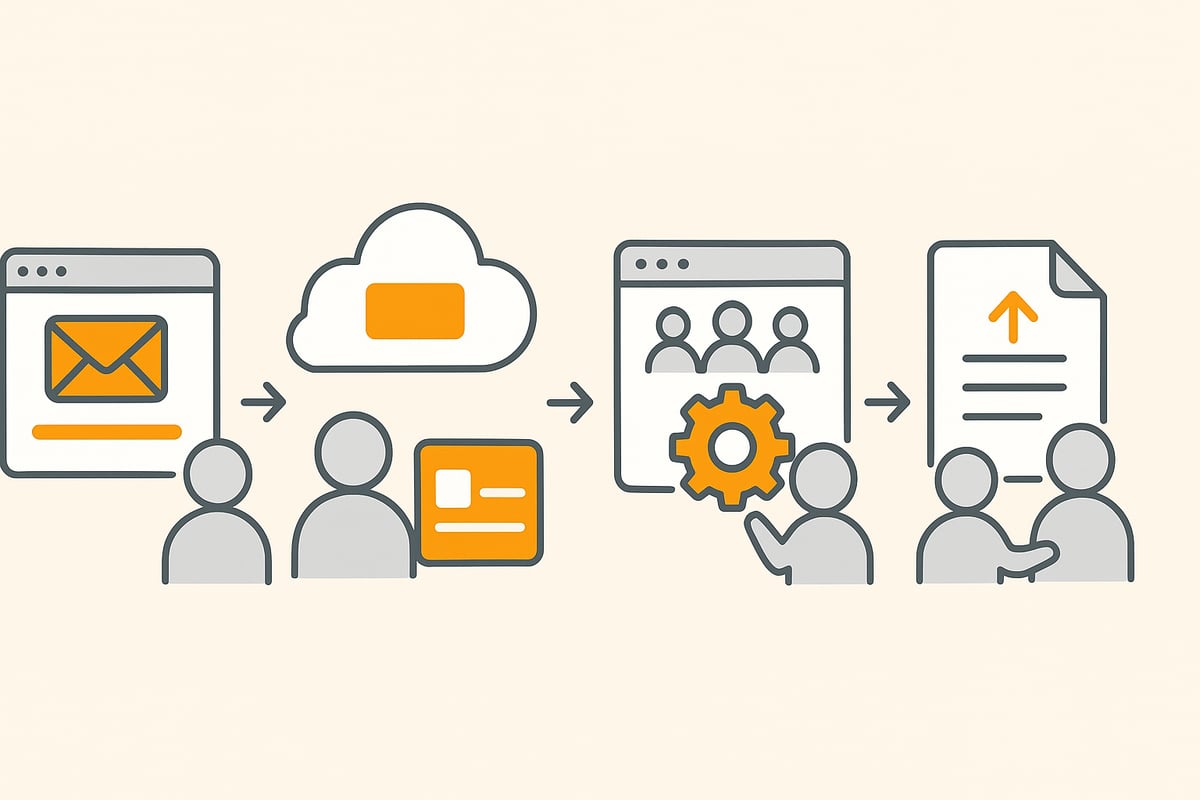
To use addison oneclick, you need access from your tax firm. You usually receive an invitation by email. After clicking the link, you set up your user account and choose a secure password.
Authentication takes just a few steps. After the first login, you can access the portal directly. A typical example: A client receives the access data, activates the account, and is ready to go in under ten minutes.
Setting up your own client portal
In the next step, you personalize your addison oneclick client portal. Upload your company logo, choose suitable colors, and add a custom welcome message. In user management, you define which employees have access and what permissions they receive.
Communication channels can also be configured flexibly. You decide whether email notifications or push notifications are sent. This keeps everyone involved informed at all times.
A practical example: Several users are created for the accounting department, each with specific access rights. You can also learn how digital collaboration works optimally in the firm in the article Digital firm with ADDISON OneClick.
First steps in day-to-day work
Once your addison oneclick portal is set up, the actual work begins. Upload receipts and assign them to categories right away. This makes accounting clear and traceable.
Create tasks for your team or the firm and track their status directly in the portal. Communication is centralized and secure, and follow-up questions are clarified without email chaos.
Practical: For the month-end closing, you upload all relevant documents, flag missing receipts, and receive automatic reminders. With addison oneclick, you always have an overview and can respond to requirements efficiently.
🤖 Set it up once. Never touch it again.
ADDISON OneClick in, receipts out: filehub runs the data flow in the background — no action needed on your end.
Practical application: typical workflows and best practices
Digital collaboration with addison oneclick makes everyday work in firms and companies much more efficient. Typical workflows can be easily adapted and automated. Below you can see how to make optimal use of the key areas and which best practices have proven themselves in practice.
Receipt management and accounting
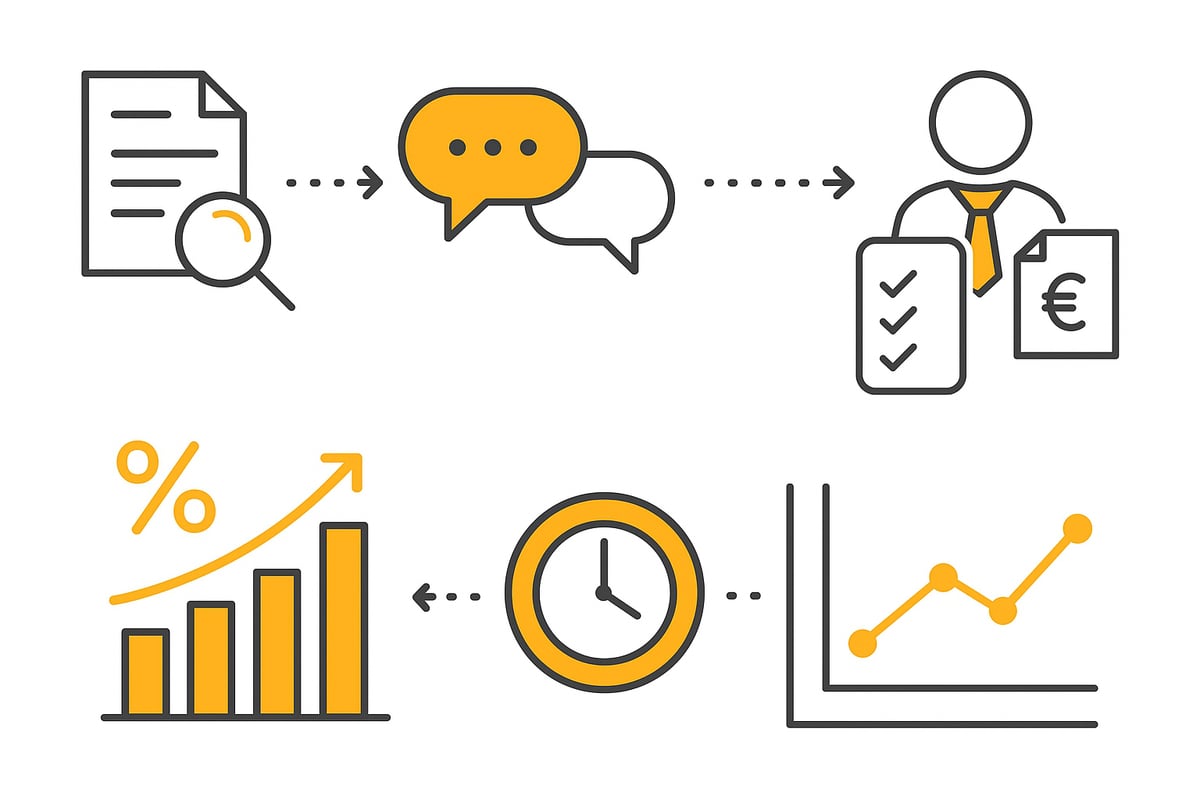
With addison oneclick, digital exchange of receipts between client and tax advisor is particularly easy. Receipts are automatically categorized and can be uploaded via drag & drop, app, or scanner. The platform recognizes many details on its own, speeding up accounting.
-
Transfer receipts digitally and assign them automatically
-
Use mobile apps for quick upload
-
Clear display of all documents
An example: You scan an invoice directly with your smartphone and it lands in the system immediately. For even more efficiency, it is advisable to use automated accounting processes that harmonize seamlessly.
Communication and task management
Instead of an unmanageable flood of emails, addison oneclick offers a central communication platform. Tasks can be given deadlines and statuses, questions can be asked directly, and approvals can be obtained easily. This keeps every workflow transparent and traceable.
-
Create and assign tasks directly in the portal
-
Keep track of deadlines and use reminders
-
Handle questions or approvals without switching tools
A practical example: Accounting has a follow-up question about a travel expense report. Through the portal, the answer is assigned directly to the responsible employee and the task is marked as completed.
Handle payroll digitally
Payroll also benefits from addison oneclick. Statements are distributed digitally to all employees, archived automatically, and can be accessed at any time. Push notifications inform about new documents, improving the flow of information.
-
Deliver payroll documents securely and quickly
-
Automatic notifications for new statements
-
Employees' access to their personal archive
Practical example: Payroll for 50 employees is completed in just a few minutes, without paper and without postal delivery. This leaves more time for other tasks.
Tips for successful use
For optimal use of addison oneclick, regular training and using all automation options are crucial. Templates save time, and notifications remind you of deadlines and missing receipts.
-
Train employees and clients regularly
-
Use automations and templates strategically
-
Activate reminder functions for open tasks
A tip from practice: The reminder function helps identify and request missing receipts in good time. This keeps the workflow moving.
Frequently asked questions and challenges at the start
Getting started with addison oneclick often raises practical questions. Here you’ll find answers to the most common challenges that clients and firms encounter at the beginning.
How do new clients get access?
To use addison oneclick, the tax firm invites new clients by email. After receiving the invitation, you create a user account and choose a secure password. Authentication takes place directly during the first login.
If the email does not arrive, please also check your spam folder. For technical problems, the firm or support will help.
What to do if you have login problems?
A common stumbling block is a forgotten password or an incorrect initial registration. In this case, click “Forgot password” in the login area. You will then receive a reset email.
If the problem persists, the tax firm can reset the account. Be sure to keep your credentials confidential and change them regularly.
Which browsers and devices are supported?
addison oneclick is cloud-based and runs on all common browsers such as Chrome, Firefox, Safari, and Edge. Mobile devices are also supported, so you can work flexibly.
For extended functions or integrations with other platforms such as DATEV, it’s worth taking a look at the Integration with DATEV Unternehmen Online. This way you can optimally adapt your working environment.
|
Device |
Browser recommendation |
|---|---|
|
PC/Laptop |
Chrome, Firefox, Edge |
|
Smartphone |
iOS, Android app |
|
Tablet |
Safari, Chrome |
How are data and documents protected?
All data in addison oneclick is encrypted according to current standards and stored in certified data centers in Germany. Only authorized users have access.
Regular backups and audit logs provide additional security. This ensures the protection of sensitive tax data at all times.
How are permissions assigned for user groups?
User management in addison oneclick allows fine-grained assignment of permissions. You can grant targeted access to specific areas to individual employees or entire departments.
Typical roles are administrator, clerk, or client. The tax firm will support you in optimally setting up the user groups.
How satisfied are users at the start?
According to the provider, over 90 percent of users are satisfied with addison oneclick after the first month. Common support inquiries revolve around the initial login, uploading receipts, and assigning permissions.
A practical example: A client cannot find a payroll statement. The solution is usually a quick check of user rights and a pointer to the search function in the portal.
🤖 Set it up once. Never touch it again.
ADDISON OneClick in, receipts out: filehub runs the data flow in the background — no action needed on your end.
Outlook: Addison OneClick 2026 and digital trends
Digitalization in tax consulting is advancing rapidly. addison oneclick is not standing still and is continuously evolving to optimally support businesses and firms. In the coming years, new technologies and digital standards will further simplify everyday work.
New developments and updates
In 2026, addison oneclick is increasingly relying on artificial intelligence to further automate processes. Document recognition will become even more precise through AI: Scanned invoices are read automatically and assigned to the correct posting area. Interfaces to additional accounting and ERP systems are also being continuously expanded, enabling seamless data exchange.
Mobile use is becoming the standard: New app features make working on the go easier, for example with quick access to important documents or approving receipts via smartphone. Extensions like ADDISON SMART Connect – New functions offer additional possibilities for integration with industry-specific solutions.
A typical example from practice: You scan an invoice, the AI reads all relevant fields, and automatically files it in the appropriate workflow. This saves you time and minimizes sources of error.
Digitalization in tax consulting
The demands for digital collaboration are steadily increasing. Clients today expect to be able to retrieve documents and reports in real time via addison oneclick. The platform is therefore evolving into a central hub for communication and data management.
Automated workflows and digital approval processes make work more efficient. Tax consulting thus becomes more transparent and flexible, both for firms and for clients. According to Future prospects of the tax industry, digital skills are becoming the decisive competitive advantage.
An everyday example: A firm uses the Addison platform to provide payroll statements digitally and clarify questions directly in the portal. This creates a smooth process without switching channels.
Best practices for the future
To unlock the full potential of addison oneclick, a strategic look ahead is worthwhile. Here are key recommendations to make your firm or company fit for the digital future:
|
Best practice |
Benefit for your team |
|---|---|
|
Continuous learning |
Make optimal use of digital tools |
|
Expand automation |
Avoid errors, save time |
|
Establish digital standards |
Consistent communication |
Stay on the ball: Use training, try out new add-ons, and establish clear digital processes. This way, addison oneclick becomes the backbone of your digital tax consulting—today and tomorrow.
You now have a comprehensive insight into Addison OneClick and have seen how easy it can be to get started in the digital tax world—from the first login to setup and on to efficient everyday workflows. If you’re ready to automate your own processes and gain more time for the truly important tasks, then just try filehub.one for yourself. See the benefits for you and your team in just a few minutes—completely risk-free, with no complicated installation.
Try filehub.one for free now


