Chat GPT Billing Guide - Essentials at a Glance

Invoices for ChatGPT are still causing confusion among many users and companies in 2025. More and more people rely on paid AI services, but at the latest with the first ChatGPT invoice, questions arise about billing, accounting, and taxes.
This guide gives you all the key info about the ChatGPT invoice: Where do you find it? How does billing work? What do you need to consider for taxes? And how can you automate invoice management?
Our goal: A clear, practical guide for anyone who uses ChatGPT for business or privately and wants to manage their invoices efficiently, securely, and in a legally compliant way.
ChatGPT invoice 2025: What has changed?
In 2025, quite a bit has changed regarding the ChatGPT invoice. Many users and companies benefit from improved user guidance and new features that make invoice access noticeably easier. Integrating the invoice history directly into the ChatGPT settings provides more transparency and clarity.
Current developments and updates
Since 2025, the ChatGPT invoice has been even easier to retrieve. The invoice history has been integrated directly into the account settings. Users can now find their invoices under "My plan" and the menu item "Manage my subscription". For team accounts, there is a dedicated "Manage workspace" area that makes administration easier for companies.
A new menu structure ensures faster access. Here’s an overview:
|
Area |
New menu item |
|---|---|
|
Individual account |
My plan → Manage subscription |
|
Team account |
Manage workspace |
|
API users |
OpenAI dashboard |
Invoices can be downloaded as PDF. The overview has been improved. You can find all past billing periods and filter specifically. According to ChatGPTDeutsch.info, 80% of Plus users now access their ChatGPT invoice monthly.
Here’s how to proceed step by step:
-
Log in to the account
-
Select the "My plan" menu item
-
Click "Manage my subscription"
-
Download the invoice as PDF
Further details on current prices and models can be found in the official ChatGPT pricing 2025.
Differences between ChatGPT Plus, Teams, and API
ChatGPT invoices differ significantly depending on the usage model. As an individual with ChatGPT Plus, you receive a monthly single invoice. No VAT is shown here, which is particularly relevant for freelancers.
For ChatGPT Teams, there is centralized management that allows you to retrieve all team invoices in a bundle. This is practical for companies that manage multiple users. In contrast, API users receive separate invoices based on token consumption, available in their own OpenAI dashboard.
Depending on the user group—sole proprietor, SME, or developer—there are different requirements for the ChatGPT invoice. Many wonder whether the invoice is sufficient for accounting or how it differs from a Stripe receipt. It’s important that each variant is tailored to the respective billing needs.
Typical problems accessing invoices and solutions
Despite the improvements, challenges still arise with the ChatGPT invoice. A common problem is that the invoice cannot be found or is not available in the desired format. Using the invoice history and the filter functions in the account helps here.
Sometimes the PDF download does not work. In such cases, it is recommended to switch browsers or clear the cache. It can also happen that invoices arrive with a delay after a payment change. A real-world example: After switching from a monthly to an annual plan, the invoice was only provided after several days.
The most important solutions at a glance:
-
Regularly check email notifications and account settings
-
Use the filter functions in the invoice history
-
Contact OpenAI Support if invoices are missing or incorrect
-
Use alternatives such as video tutorials or help pages
If you need multiple invoices at the same time, you can download all PDFs individually and store them together. For companies, using automated tools is worthwhile to manage the ChatGPT invoice efficiently and avoid errors.
🚀 You've got better things to do.
filehub automatically syncs your OpenAI documents - in and out — without you lifting a finger, every time.
Costs, billing, and payment modalities
The cost structure and payment modalities for your ChatGPT invoice are clearly regulated in 2025, but there are some important differences in the details that you should know. Whether individual, team, or developer—the billing is transparent, yet there are special features in prices, payment methods, and invoice formats. If you want to optimize management, keep the key facts in mind.
Prices and billing models at a glance
The costs for ChatGPT services depend on the chosen model. For individuals, there is ChatGPT Plus at 20 USD per month, with billing always in US dollars. Switching the ChatGPT invoice to euros is currently not possible.
Teams and API users pay depending on the number of users and consumption. Billing can be monthly or yearly. When switching between monthly and annual plans, the invoice date and term change, which is clearly traceable in the overview.
|
Model |
Price |
Billing |
Special features |
|---|---|---|---|
|
ChatGPT Plus |
20 USD/month |
monthly/yearly |
Single invoice, USD |
|
ChatGPT Teams |
variable |
monthly/yearly |
Centralized team management |
|
OpenAI API |
usage-based |
monthly |
Separate invoices, developer focus |
According to ChatGPTDeutsch.info, 65 percent of users prefer monthly billing. This keeps the ChatGPT invoice clear and easy to follow.
Payment service providers and invoicing
OpenAI relies on Stripe as a payment service provider to handle your ChatGPT invoice reliably. After each successful payment, an invoice is automatically generated and made available in the account. The invoice contains all important information such as amount, service period, and description.
An individual adjustment of the ChatGPT invoice is not possible. Users also often receive a Stripe receipt by email, but this is not the official invoice, only a payment confirmation.
Typical differences at a glance:
-
Stripe receipt: Proof of payment only, not valid for tax purposes.
-
Official invoice: Accessible as PDF in the account, with all relevant details.
-
No subsequent changes of name or address possible.
If you change your subscription, such as switching models, the next ChatGPT invoice is automatically adjusted. OpenAI Support is available for questions or issues.
Important information on payment processing
To settle the ChatGPT invoice, OpenAI accepts common payment methods such as credit card and, depending on the country, PayPal. If payments fail, you can update your payment details directly in the account and trigger the payment again.
For duplicate charges or refunds, the process is clearly regulated: After contacting support, a correction is made and the invoice is adjusted accordingly. Tip: Enable email notifications so you don’t miss any invoice.
If you want to archive and manage your invoices efficiently and digitally, you’ll find practical tips in the post on bookkeeping and digital archiving. This keeps every ChatGPT invoice findable at any time and stored in an audit-proof way.
Tax aspects and legal requirements
The tax and legal requirements surrounding the ChatGPT invoice are crucial for many companies and freelancers. Especially with international providers like OpenAI, special rules apply. If you use ChatGPT for business, you must record and categorize the invoices correctly for tax purposes. The following sections give you a compact overview of the most important tax requirements, mandatory information, and legally compliant archiving.
VAT and reverse charge mechanism
OpenAI issues the ChatGPT invoice from the United States. Therefore, German VAT is usually not shown on the invoice. For companies from the EU, the reverse charge mechanism applies. This means you, as the recipient of the service, are obliged to calculate the VAT yourself and pay it to the tax office.
It is important to store your valid VAT ID in the OpenAI account. Only then will the ChatGPT invoice be issued correctly without VAT. In accounting, you record the invoice as an intra-Community acquisition. Private individuals generally do not have to apply the reverse charge mechanism.
An example: You are a sole proprietor based in Germany and use ChatGPT Plus for your business. The ChatGPT invoice does not show VAT, but you provide your VAT ID and remit the tax as part of your advance VAT return. If you are unsure, it’s always advisable to consult your tax advisor.
Mandatory information on the ChatGPT invoice
For a ChatGPT invoice to be recognized for tax purposes in Germany, it must contain mandatory information pursuant to § 14 UStG. This includes the name and address of the invoice recipient, the issue date, a meaningful service description, and the payment amount. The OpenAI invoice usually contains this information in English.
However, German VAT or a continuous invoice number is often missing. For input tax deduction, the ChatGPT invoice is usually not sufficient, as no German VAT is shown. Companies therefore have to rely on the reverse charge mechanism.
For private customers, the requirements are lower because they generally cannot claim the costs for tax purposes. For business customers, exact details and correct posting are mandatory. If information is missing, document this for your records and clarify with your tax advisor how you can still incorporate the ChatGPT invoice. Regularly check whether your invoice data with OpenAI are up to date and correct.
Accounting & retention obligations
The ChatGPT invoice is subject to a retention obligation of ten years in Germany. This applies regardless of whether you receive the invoice digitally or in paper form. For digital archiving, it is recommended to store it securely as a PDF in an audit-proof system. Modern accounting software often enables direct integration of the ChatGPT invoice into your workflow.
Many companies already use automated tools or DMS systems to manage invoices centrally. It is important to control regular backups and access rights. The upcoming e-invoicing obligation from 2025 makes professional filing even more important. This way, you remain on the legally safe side and can present complete ChatGPT invoice evidence during a tax audit.
⏱️ Every hour of manual work is one hour too many.
OpenAI in, receipts out: filehub runs the data flow in the background — set it up once, never touch it again.
Automation and efficient management of ChatGPT invoices
Efficient management of the ChatGPT invoice is essential today to save time and avoid errors. Especially with monthly or recurring payments, automation pays off. Modern tools help map the entire process digitally from receipt to filing.
Options for automating invoice receipt
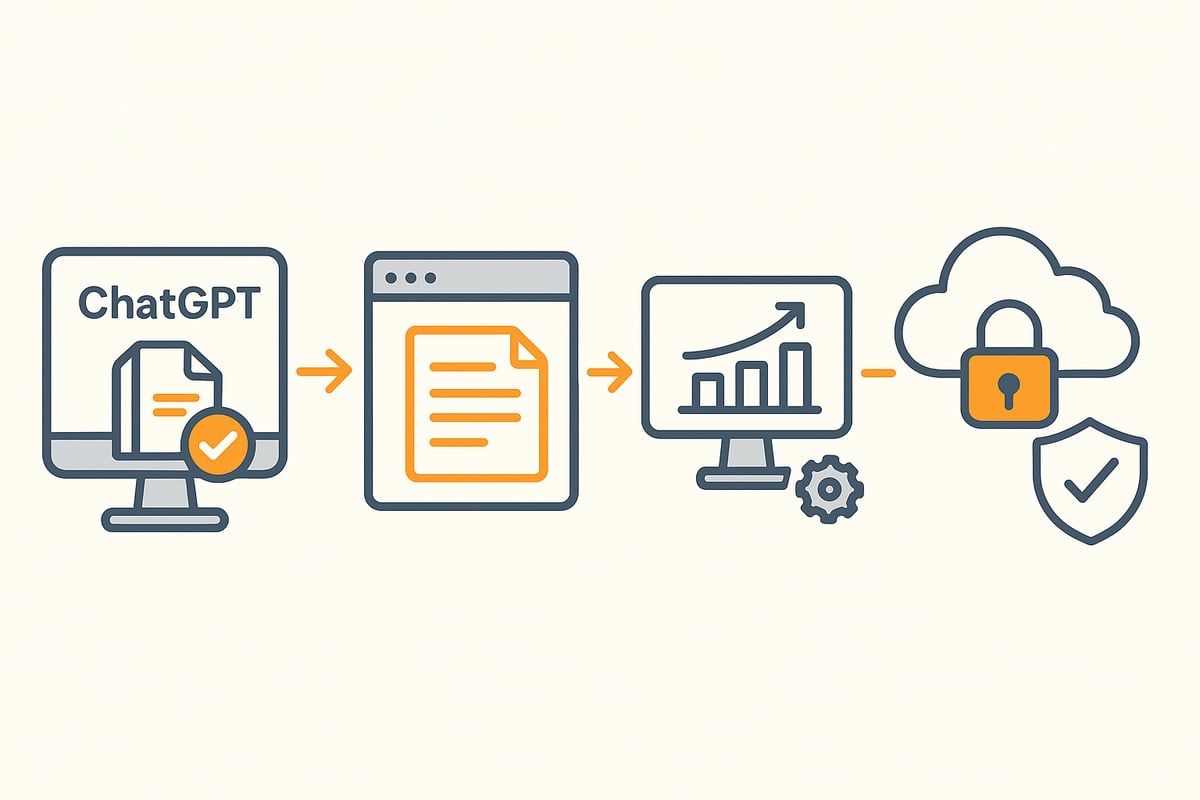
Many users still manually download the ChatGPT invoice from the account. That costs time and introduces sources of error. With tools like GetMyInvoices or InvoiceCollect, you can fully automate invoice receipt.
Set up email notifications for new invoices and link your accounting software directly. This way you receive the documents automatically without manual intervention. A typical workflow: The tool fetches the current ChatGPT invoice each month, stores it in a folder, and notifies you by email.
The advantages are clear: less routine work, lower error rate, and all invoices at your fingertips. Especially for companies that manage many subscriptions, this is a real productivity boost.
Integration into existing accounting and document management systems
The ChatGPT invoice can now be seamlessly integrated into existing accounting and DMS systems. Many providers offer API interfaces for automatic import. This way, the invoice data flows directly into DATEV, Lexoffice, sevDesk, or other systems.
Cloud storage such as Dropbox or Google Drive is also suitable for centralized filing. One example: The ChatGPT invoice is imported into the DMS automatically, tagged, and archived. This way you can find it again at any time.
Tip: Regularly check whether the integrations are up to date and whether provider updates are supported. This keeps your workflow stable and secure.
Security, data protection, and compliance
When handling the ChatGPT invoice, data protection and compliance are top priority. The GDPR requires secure, encrypted storage of sensitive data. Therefore, choose only tools with servers located in the EU or Germany.
Risks arise mainly with insecure third-party tools. Pay attention to regular security reviews and strict access management. According to statistics, 58% of companies prioritize data protection when automating their processes.
Recommendation: Regularly review permissions and back up the ChatGPT invoice. This way you meet all legal requirements and reliably protect your data.
filehub as a solution for automated invoice management
filehub is a German platform specializing in the automation of file and document processes. Especially for the ChatGPT invoice, filehub offers a convenient solution: The platform connects automatically with OpenAI and retrieves ChatGPT invoices securely without you having to act manually.
Thanks to integration with accounting and DMS systems, invoice data are seamlessly transferred into existing workflows. Data protection and GDPR compliance are the focus, as filehub is hosted in Germany. Setup works without programming knowledge and can be flexibly adapted.
If you want to learn more about automated invoice processing with filehub, you will find detailed information and practical examples there.
FAQ and common problems with ChatGPT invoices
Time and again, questions arise around the ChatGPT invoice that affect many users. Especially when it comes to management, downloading, or integration into accounting, there are typical stumbling blocks. Here you’ll find practical answers, solutions, and tips for handling your invoices smoothly.
Typical user questions and solutions
Many users wonder where to find the ChatGPT invoice in the account. In the "My plan" menu under "Manage my subscription" you’ll find the invoice history. There you can download all invoices as PDF.
Problems often arise when the invoice is not displayed or the desired format is missing. In such cases, it helps to use the filter functions or check the account for current settings.
Frequently asked questions at a glance:
-
How can I download multiple invoices at once?
-
Why does the Stripe receipt differ from the official ChatGPT invoice?
-
What to do about name or address changes on the invoice?
If invoices are missing, first check email notifications and look in the spam folder. If problems persist, contacting OpenAI Support is worthwhile. This way you always have your ChatGPT invoice under control.
Technical challenges and support
Technical problems occur particularly with the PDF download or with email delivery of the ChatGPT invoice. If the download does not work, try another browser or clear the cache. Alternatively, you can request the invoice again directly in the account.
If the invoice does not arrive by email, check the spam folder and whitelist the OpenAI sender address. Delays after a payment change are possible; often a little patience helps.
If technical difficulties persist, OpenAI Support is the best point of contact. Many users also find quick answers to their ChatGPT invoice questions in community forums and on help pages.
Use the available resources to resolve problems quickly and keep track.
Best practices for efficient invoice management
A structured approach to managing the ChatGPT invoice saves time and nerves. Set a monthly reminder to review and archive new invoices. Use automated tools that store and categorize invoices centrally.
It is advisable to work with a tax advisor to avoid errors in the accounting of the ChatGPT invoice. A checklist helps you stay on top of things:
-
Check and save new invoices monthly
-
Use automated filing
-
Regularly update payment and billing data
Digital solutions help you optimize processes. Learn more about the automation of processes in accounting to manage your ChatGPT invoice efficiently.
Stay informed about updates at OpenAI, as invoicing can change at any time.
You now have all the key information about ChatGPT invoices, tax specifics, and how to cleverly solve typical problems—but what does day-to-day management look like? If you don’t want to search and sort invoices manually anymore and would rather have time for what really matters, then an automated solution like filehub is exactly right. With filehub, you can securely retrieve ChatGPT invoices, pass them seamlessly to your accounting system, and optimize your workflows without coding. Just try it yourself and test filehub.one for free now!


