Find, manage & automate Google Store invoices
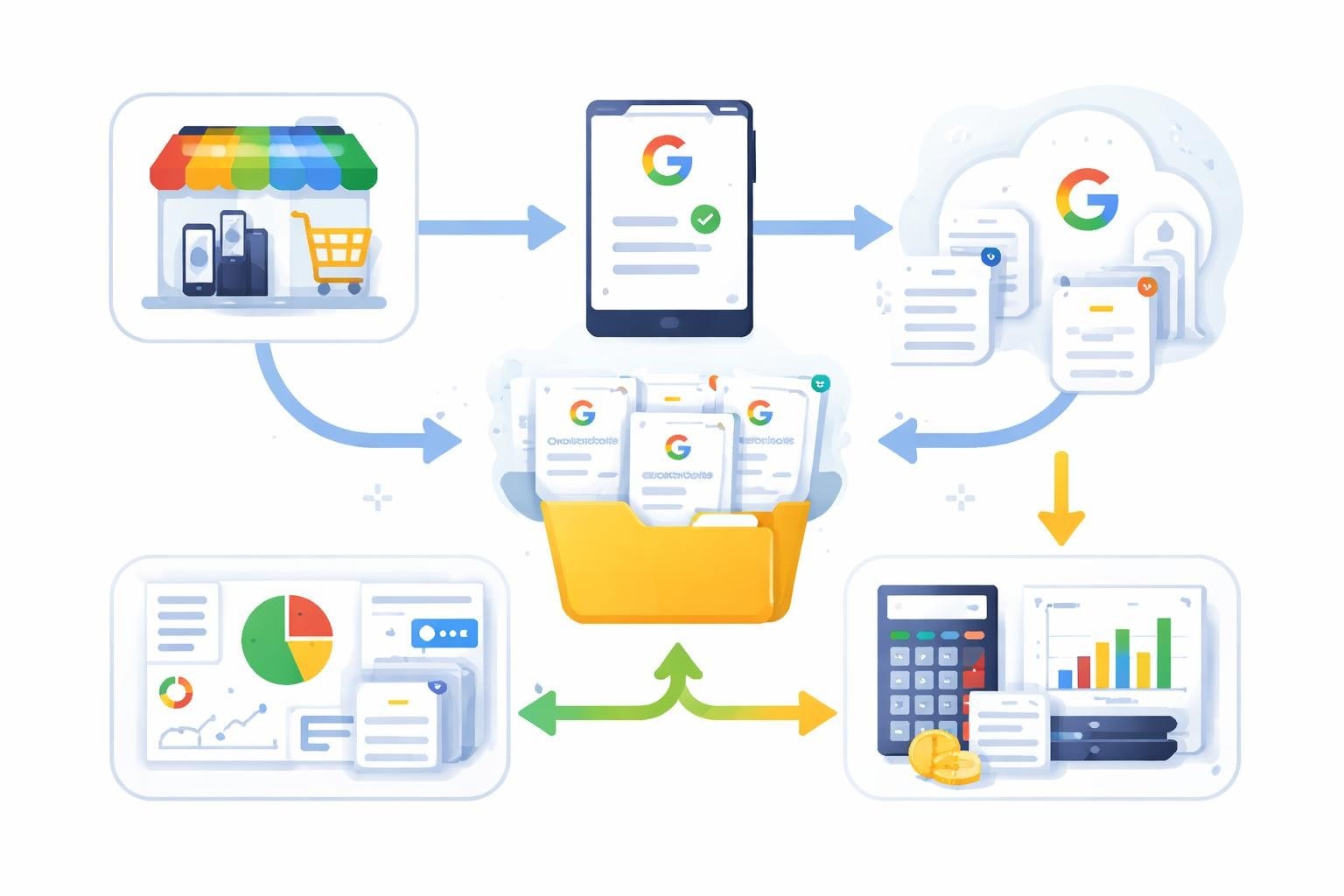
The Google Store offers a wide range of hardware products, from Pixel smartphones and Nest devices to Chromebooks. For companies that regularly procure technology equipment, structured management of the Google Store invoice is a crucial component of clean accounting. This guide shows you how to find and manage invoices from the Google Store and save time through automation. Especially in a business context, it is important to capture all receipts systematically and prepare them for tax purposes.
Where can I find my Google Store invoice
You can obtain the Google Store invoice through several channels that Google provides to its customers. After a purchase, you receive a confirmation email that serves as the first point of contact.
Access via your Google account
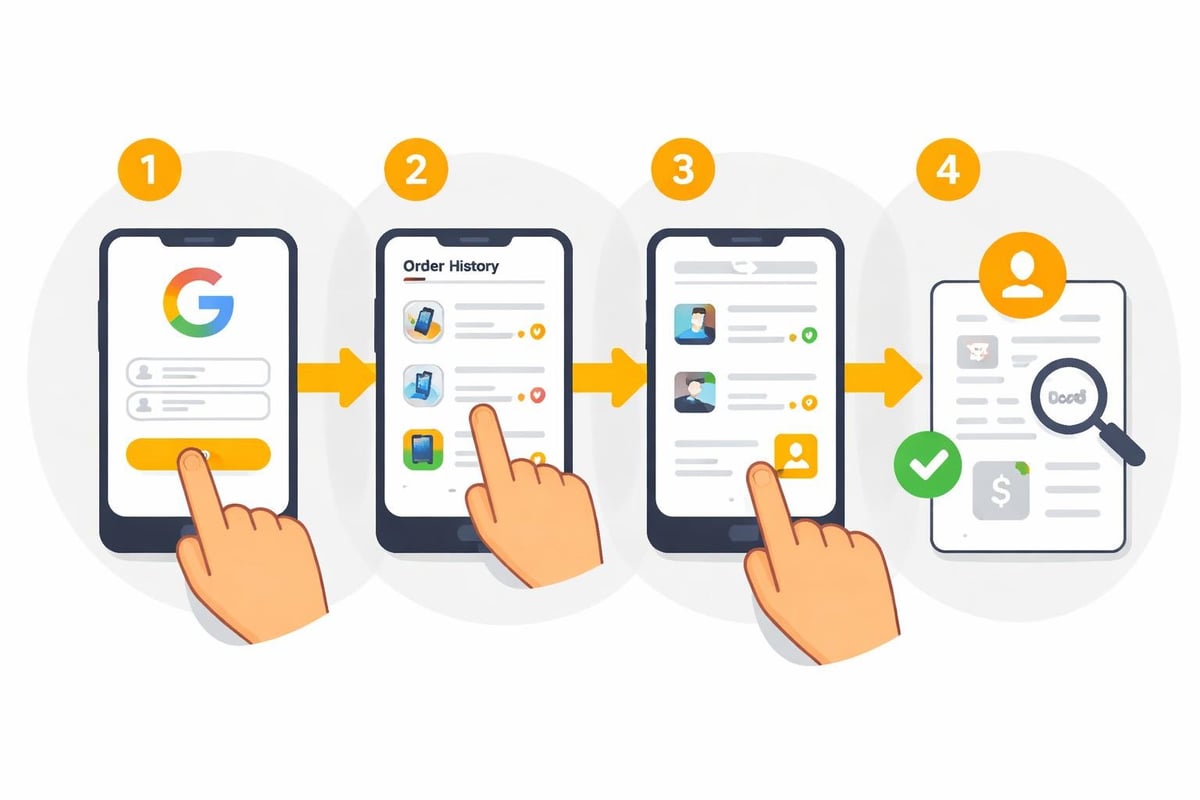
The most reliable way to access your invoices is through your Google account. First sign in on the Google Store authentication page to access your complete order history.
Here's how to proceed:
- Open the Google Store website and sign in with your Google account
- Navigate to "Orders" in your profile
- Select the desired order
- Click "Download invoice" or "View invoice"
Invoices are provided as PDF files that contain all relevant information, including VAT shown separately for accounting purposes.
Systematically manage email notifications
After each purchase, Google sends an order confirmation and a separate shipping confirmation. The final Google Store invoice usually follows within 24-48 hours after the goods have been shipped.
| Document type | Timing | Content |
|---|---|---|
| Order confirmation | Immediately after purchase | Order number, items, total amount |
| Shipping confirmation | Upon dispatch | Tracking information, delivery date |
| Invoice | 1-2 days after dispatch | Complete invoice with VAT shown |
These emails come from the sender address "googlestore-noreply@google.com". It is advisable to set up an email rule that automatically moves all messages from this address to a separate folder.
Google Store invoice for business customers
Companies have specific requirements for invoicing. The Google Store invoice must contain certain mandatory information to be recognized for tax purposes.
Process business orders correctly
When ordering through the Google Store, make sure your company details are entered correctly. These include:
- Full company name with legal form
- VAT identification number (VAT ID)
- Correct company billing address
- Business email address for receiving invoices
You can store your VAT ID in your Google account settings under "Payments & subscriptions". This is particularly important for intra-Community supplies within the EU.
Financing options and their implications
Through partners such as Klarna, Google offers various financing options. With installment payments, you receive a separate invoice for each installment. These must also be documented carefully, as they may include interest expenses that are relevant for tax purposes.
Available payment methods:
- Credit card (Visa, Mastercard, American Express)
- PayPal
- Installments via Klarna (0% or with interest)
- Google Pay
- Direct debit (in selected countries)
Each payment method generates different receipt formats. For accounting, however, the official Google Store invoice is always the authoritative document.
Automating invoice processing
Manually managing invoices is time-consuming and prone to errors. Modern automation solutions can deliver significant efficiency gains here.
Email-based invoice capture
An automated solution can monitor emails from Google and extract the attached PDF invoices. filehub makes it possible to set up such workflows without programming.
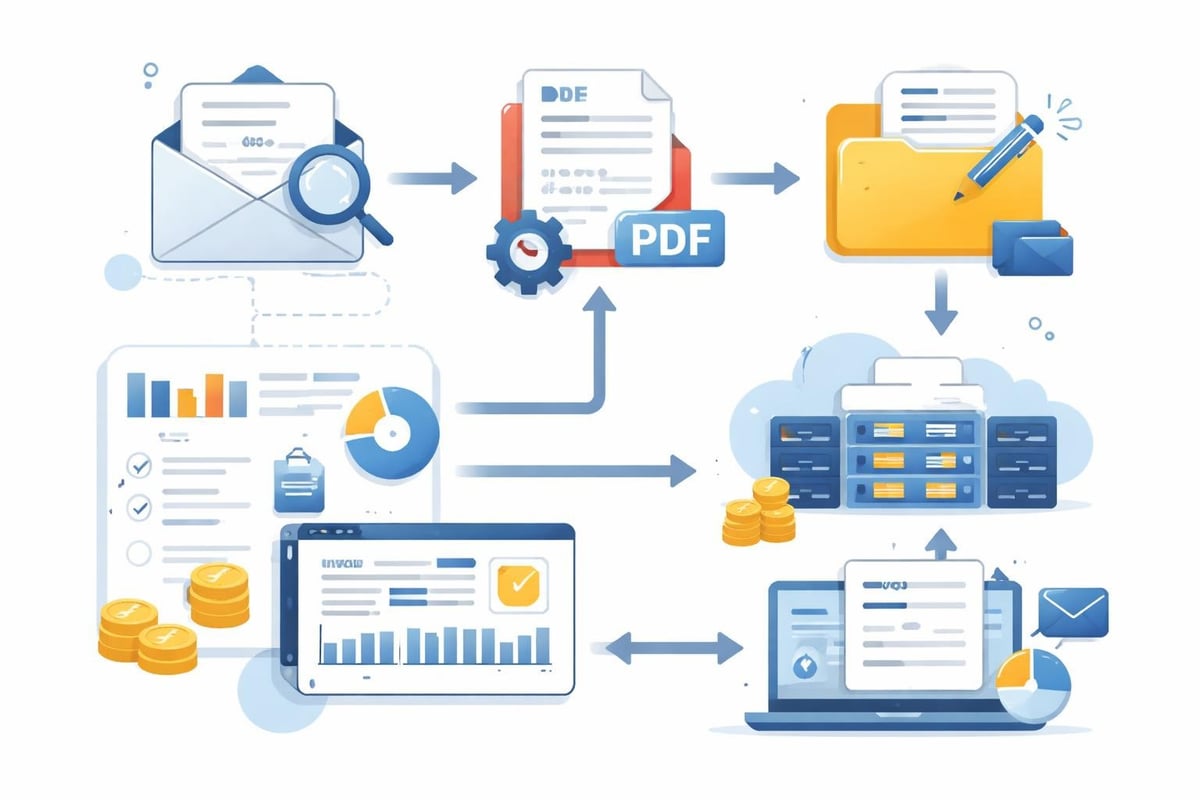
A typical workflow looks like this:
- Monitoring the email inbox for messages from Google Store
- Extracting the PDF attachments from the notifications
- Renaming according to a uniform scheme (e.g., "GoogleStore_DATE_AMOUNT.pdf")
- Storing in a central repository or DMS
- Forwarding to the accounting software
Integration with accounting systems
The Google Store invoice must ultimately be recorded in your accounting system. Platforms such as filehub offer integrations with popular solutions like DATEV Unternehmen Online, sevDesk or Lexware Office.
| Accounting software | Degree of automation | Special features |
|---|---|---|
| DATEV Unternehmen Online | High | Direct API integration, automatic account assignment |
| sevDesk | High | OCR recognition, automatic document matching |
| Lexware Office | Medium | Import via interfaces, manual review recommended |
| Microsoft Dynamics 365 | Very high | Full ERP integration possible |
The automated invoice processing reduces manual effort by up to 80% and minimizes data entry errors.
Special scenarios for Google Store invoices
Not every purchase process follows a standard pattern. There are various situations that require special attention.
Cancellations and refunds
For returns, you receive a credit note or a corrected Google Store invoice. This must be processed accordingly in accounting. Google usually issues a cancellation invoice within 5-10 business days after receiving the return.
Important for accounting:
- A cancellation invoice with a negative amount is issued
- The original invoice remains and is referenced
- Both documents must be archived
- The VAT adjustment must be taken into account
Warranty cases and replacement devices
In warranty cases, Google often sends replacement devices. Note that a new invoice is typically not issued—only a delivery note. The original Google Store invoice remains valid.
Consolidating multiple orders
If you shop regularly in the Google Store, dozens of invoices can quickly accumulate. A systematic folder structure is indispensable:
Invoices/
├── 2026/
│   ├── 01_January/
│   │   ├── GoogleStore_2026-01-15_499.00.pdf
│   │   └── GoogleStore_2026-01-28_149.99.pdf
│   ├── 02_February/
│   └── 03_March/
└── 2025/
Using filehub Workflows enables automatic sorting according to this or a custom scheme.
Comparison with other stores and platforms
Managing invoices from the Google Store differs from other online shopping platforms in several aspects.
Google Play Store vs. Google Store
While the Google Store sells physical hardware, the Google Play Store offers digital content. The invoicing differs significantly. For Play Store purchases, you can retrieve your invoices through the Google Payments Center.
Special rules apply to Play Store purchases:
- Small-amount invoices are often consolidated
- Subscriptions generate monthly invoices
- In-app purchases appear individually or bundled
- Payment via mobile phone bill is possible with some providers
Amazon Business vs. Google Store
Amazon Business offers extended features for business customers that the Google Store partly lacks. The Amazon Business integration in filehub shows how invoices can also be retrieved automatically there.
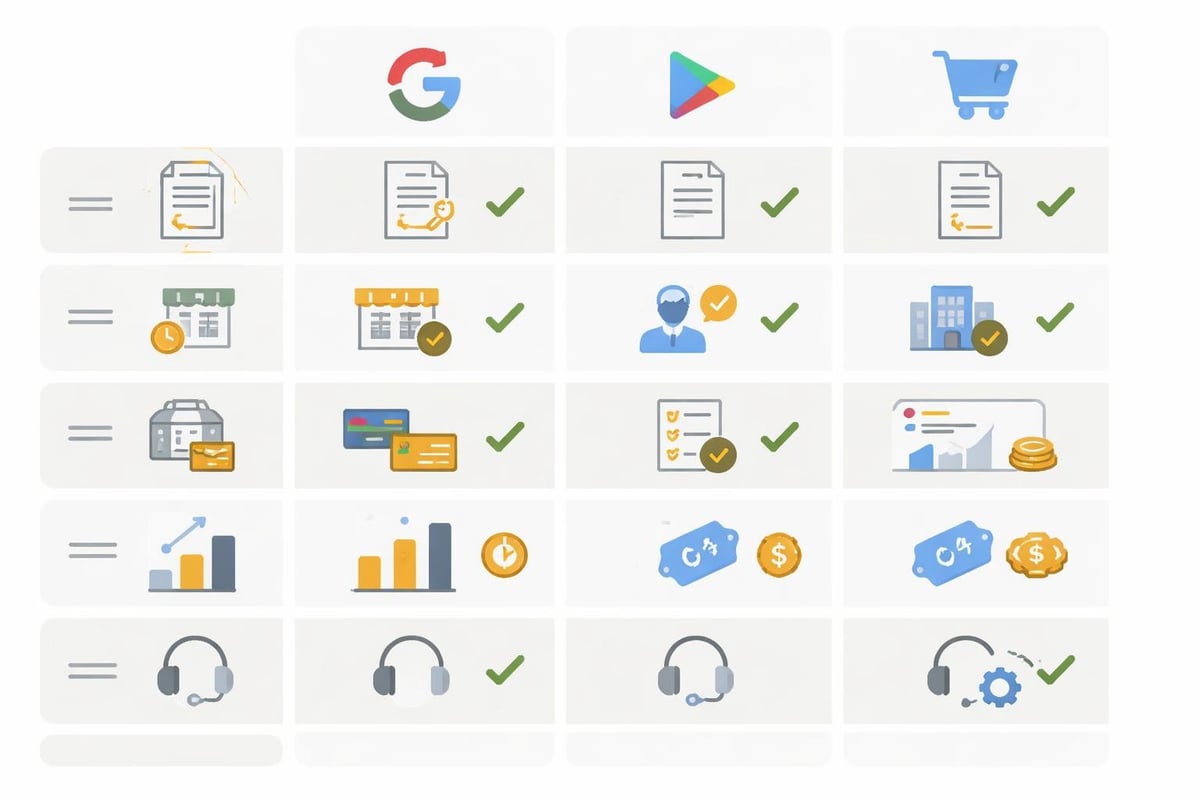
| Feature | Google Store | Amazon Business |
|---|---|---|
| Consolidated invoices | No | Yes (monthly possible) |
| Cost centers | Limited | Fully supported |
| Approval workflows | No | Yes |
| VAT ID management | Manual | Automatic |
| Invoice automation | Via third parties | Partly native |
Legal requirements for invoices
A Google Store invoice must contain certain statutory mandatory information to be recognized for tax purposes. In Germany, Section 14 of the VAT Act (UStG) governs the requirements for invoices.
Check mandatory information
Check every Google Store invoice for the following elements:
- Full name and address of the supplying company (Google)
- Full name and address of the recipient (your company)
- Tax number or VAT identification number of the supplier
- Invoice issue date
- Consecutive invoice number (unique)
- Quantity and type of goods delivered
- Time of delivery or service
- Remuneration broken down by tax rates
- Tax amount in euros
- Tax rate (19% or 7% in Germany)
Google meets these requirements by default. However, for international orders, special features may apply, especially for intra-Community supplies.
Retention obligations
Business records must be retained in Germany for ten years. The Google Store invoice falls under this regulation. Purely digital archiving is permitted provided the principles for properly keeping and storing books, records, and documents in electronic form (GoBD) are observed.
GoBD-compliant archiving requires:
- Immutability of documents
- Completeness of records
- Traceability and verifiability
- Timely posting
- Orderliness and legibility
Modern document management systems like DocuWare or AMAGNO support these requirements. Connecting with filehub enables the automatic transfer of invoices into these systems.
Optimizing the procurement process
Managing the Google Store invoice is only one aspect of the entire procurement chain. A holistic view can unlock further efficiency gains.
Centralized order management
If multiple employees order devices for the company, it is advisable to set up a central Google account for business orders. Alternatively, individual accounts can be used, with their invoices automatically collected centrally.
The filehub Finance solution offers special workflows for this, consolidating invoices from various sources.
Budget tracking and cost control
By automatically capturing all Google Store invoices, you can identify spending patterns and detect budget overruns at an early stage. An integration with Microsoft Excel or Google Sheets via filehub enables automatic dashboards.
Metrics for monitoring:
- Monthly hardware spend
- Average order value
- Most frequent product categories
- Seasonal fluctuations
- Return rate and warranty cases
This data helps with supplier negotiations and optimizing your procurement strategy.
Integration into existing processes
The Google Store invoice is part of a larger ecosystem of procurement, goods receipt, accounting, and IT asset management.
Linking with asset management
When you procure expensive hardware such as Pixel devices or Chromebooks, these should be recorded in IT asset management. The invoice number serves as the link between the financial record and the physical asset.
A typical process might look like this:
- The order is placed in the Google Store
- The Google Store invoice is automatically extracted and archived
- Serial numbers are recorded upon goods receipt
- The asset is created in the IT inventory and linked to the invoice
- A depreciation schedule is created automatically
filehub Workflows can partially automate these steps, especially the transfer of invoice data to downstream systems.
Collaboration between departments
The IT department orders devices, accounting processes invoices, and controlling needs spending data. An automated solution ensures that all stakeholders have access to relevant information.
| Department | Required information | Source |
|---|---|---|
| IT | Order status, delivery date | Google Store account |
| Accounting | Complete invoice with VAT | Email / Google Store |
| Controlling | Budget data, cost center | Accounting system |
| Asset management | Serial number, warranty | Device + invoice |
Central storage in a system such as Microsoft SharePoint or Google Drive with automatic synchronization by filehub enables cross-departmental access.
Common problems and solutions
In practice, typical challenges repeatedly arise when managing Google Store invoices.
Missing or delayed invoices
Sometimes the invoice is delayed or ends up in the spam folder. In such cases, you can download the invoice manually from your Google Store account. Also check the spam and promotions folders in your email inbox.
Possible solutions:
- Set up a whitelist entry for googlestore-noreply@google.com
- Set up automatic monitoring of the Google Store account
- Contact Google Support if the invoice has not arrived
- Use the temporary order confirmation as a placeholder
Incorrect billing address
If the invoice was issued to the wrong address, contact Google Store support as soon as possible. A correction is usually possible as long as the order has not yet been completed. For invoices that have already been issued, a cancellation invoice and reissuance may be necessary.
Duplicates and multiple downloaded invoices
With manual management, duplicates of the same invoice often occur. An automated solution like filehub can detect duplicates based on the invoice number and prevent the same invoice from being saved multiple times.
Assignment to cost centers
Google Store does not offer native cost center management. This information must be added afterward. Automated workflows can define rules that automatically assign the correct cost center based on order details or the ordering person.
Mobile invoice management
Managing business documents should not be limited to the desktop. Mobile apps can increase flexibility.
Using mobile apps
There are various apps for creating PDF invoices that can also be used to scan and organize Google Store invoices. These apps often sync with cloud storage.
For companies, a combination of mobile capture and centralized processing is recommended. Employees can photograph invoices on the go or save them as PDFs, while automatic processing runs in the background via filehub.
Cloud-based synchronization
Modern automation platforms make it possible for invoices to be fed into the same workflow regardless of the entry point (email, Google Store download, mobile upload). The filehub web retrieval feature can even automatically monitor web portals and fetch documents.
Benefits of cloud synchronization:
- Access from any device and location
- Automatic backups and versioning
- Real-time collaboration between teams
- Consistent data quality across all channels
Integration with Microsoft OneDrive or Dropbox ensures that all invoices are available centrally.
Best practices for efficient management
In practice, various best practices have emerged for managing Google Store invoices.
Standardized naming conventions
Consistent file names make subsequent searches much easier. A recommended scheme:
[Vendor]_[YYYY-MM-DD]_[InvoiceNumber]_[Amount].pdf
Example: GoogleStore_2026-04-08_INV123456_849.00.pdf
Automatic categorization
Use metadata and tags to categorize invoices automatically. Possible categories:
- Product type: smartphone, tablet, smart home, accessories
- Department: IT, sales, marketing, management
- Project: project name or project number
- Tax: immediately deductible, subject to depreciation, non-deductible
Regular reconciliation
Perform a monthly reconciliation between Google Store orders, received invoices, and booked documents. This prevents invoices from being overlooked or recorded twice.
Documentation of processes
Document how Google Store invoices are processed in your company. This facilitates covering absences and onboarding of new employees.
Efficient management of Google Store invoices is an important building block for sound corporate governance. Automation can save significant time and prevent errors. filehub provides, as a GDPR-compliant file automation platform, the tools to automatically retrieve invoices from the Google Store and other sources, organize them, and integrate them into your existing systems. Start optimizing your document workflows today and free up more time for value-adding activities.


