Certainly! The translation of "Rechnungen Kabel Deutschland: Automatisierung & Verwaltung" into English is: **Invoices Kabel Deutschland: Automation & Administration**
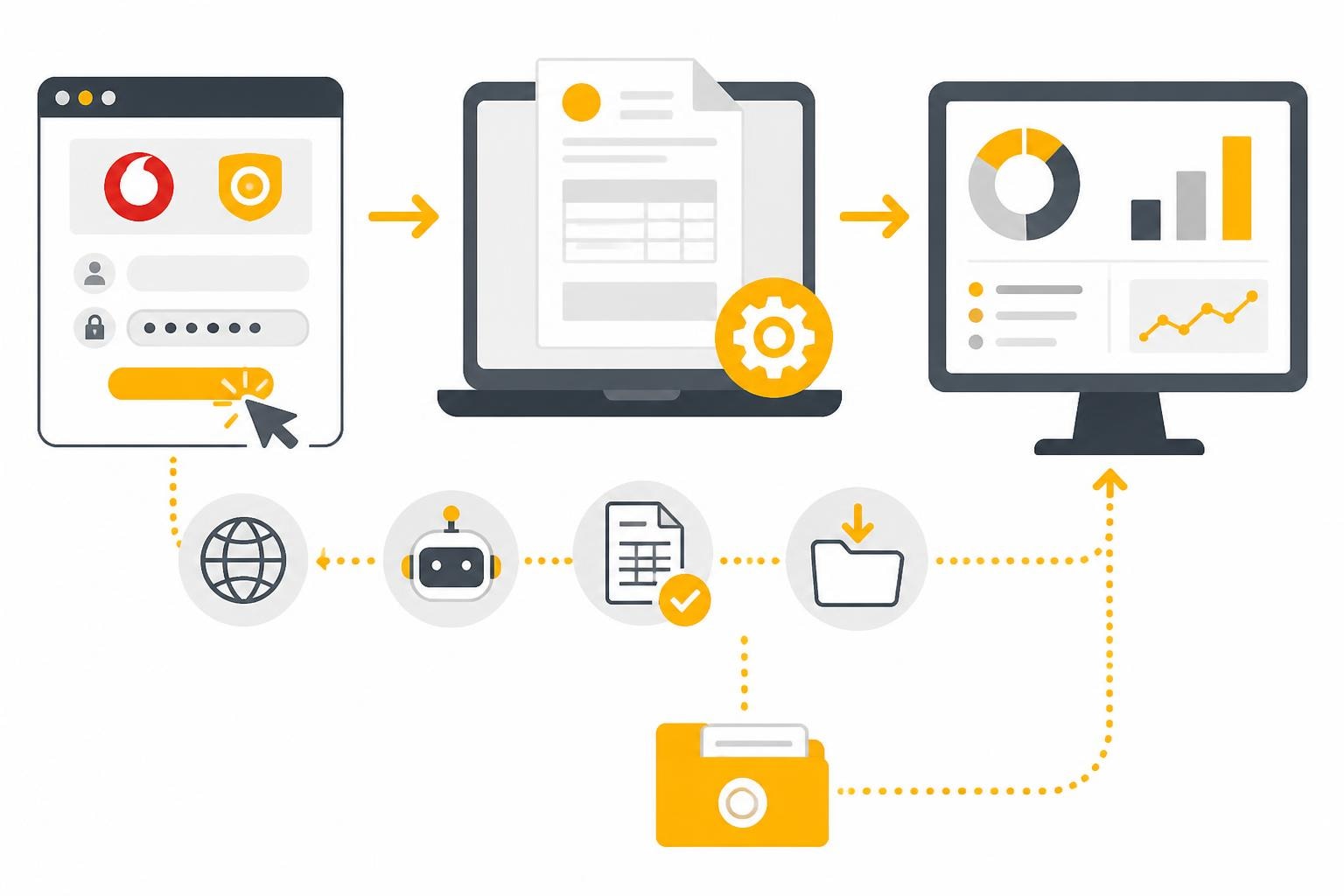
Managing Kabel Deutschland invoices is part of the monthly routine for many companies and freelancers. Since the acquisition by Vodafone in 2013, Kabel Deutschland invoices have been available in the Vodafone customer portal, which has digitized access but has not automatically reduced administrative work. Especially for companies with multiple connections or accounting departments that process dozens of supplier invoices, manually downloading and further processing them requires considerable time. In this article, we show you how to optimize and automate the management of your Kabel Deutschland invoices.
Access to Kabel Deutschland invoices in the Vodafone portal
The Vodafone customer portal for Kabel Deutschland is the central point of contact for all billing documents. After Kabel Deutschland merged with Vodafone, all customer data was integrated into the "MeinKabel" portal, where you have access to current and archived Kabel Deutschland invoices.
Login process and access data
To access your invoices, you need your Vodafone login credentials. The login to the Vodafone Kabel Deutschland customer portal is done using your customer number or email address together with your password.
Important steps for first-time access:
- Look up the customer number from the last letter or invoice
- Register an online account if you don’t have one yet
- Enable two-factor authentication for increased security
- Store your password securely and update it regularly
If you have problems with access, the Kabel Deutschland customer service provides support with technical questions and access permissions.

Structure and understanding of the Kabel Deutschland invoice
A typical invoice from Vodafone Kabel Deutschland follows a standardized structure that meets legal requirements. The sample invoice from Vodafone Kabel Deutschland shows all components of a complete invoice in detail.
Mandatory information and invoice components
| Section | Information included | Relevance for accounting |
|---|---|---|
| Header data | Invoice number, date, customer number | Mandatory for archiving |
| Service period | Billing period, contract term | Important for accruals |
| Line items | Internet, telephone, TV packages | Cost center assignment |
| Taxes | Value-added tax at the current rate | Input tax deduction |
| Payment details | Due date, bank details, direct debit | Payment processing |
The requirements for telecommunications invoices are structured similarly to energy invoices, with the legal requirements of the Federal Network Agency serving as a guideline.
Particularities of business customer invoices
For business customers, Kabel Deutschland invoices often include additional items such as multiple connections, premium support, or business tariffs. This additional complexity makes structured management all the more important.
Typical business customer add-on services:
- Multiple locations with their own billing items
- SLA agreements with separate costs
- Hardware leasing for routers and TV receivers
- VPN connections and extended security packages
Manually assigning these items to different cost centers or projects can quickly become confusing when there are multiple invoices per month.
Challenges of manual invoice management
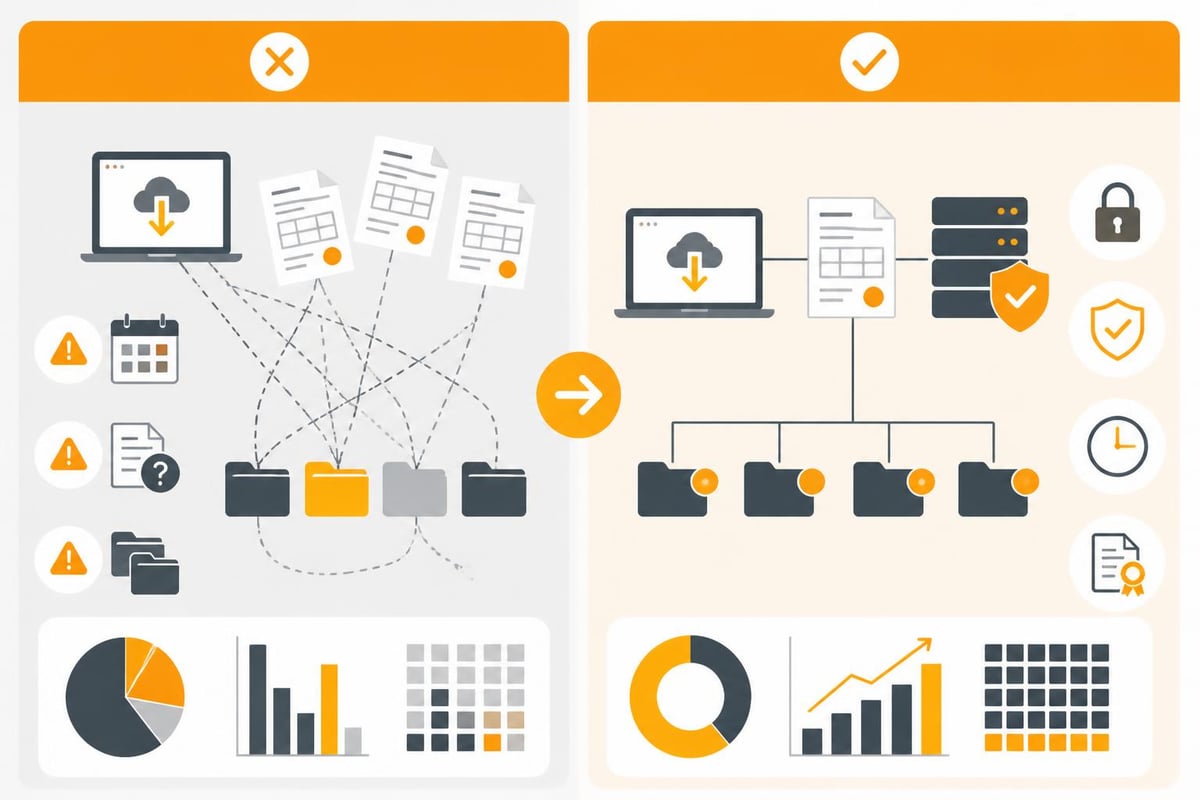
Manually downloading and processing Kabel Deutschland invoices brings several problems, which become particularly apparent in growing companies.
Time required and sources of error
Downloading each invoice manually, renaming it, and storing it in the right place takes time. With monthly recurring tasks, this effort adds up significantly.
Common problems:
- Forgotten downloads lead to missing documents in accounting
- Inconsistent file names make searching and archiving difficult
- Manual data entry into accounting software causes typos
- No automatic notification when new invoices are available
- Duplicate filing across different systems
Compliance and archiving obligations
In Germany, business invoices are subject to a ten-year retention period. The GoBD (Principles for the proper keeping and storage of books, records, and documents in electronic form) sets out clear requirements for digital archiving.
Manual management of Kabel Deutschland invoices makes it difficult to consistently meet these compliance requirements. Missing version control, unclear filing structures, and a lack of traceability can cause problems during audits.
Automating Kabel Deutschland invoices with filehub
Modern file automation provides the solution to the challenges described. Automatic invoice pickup enables you to integrate Kabel Deutschland invoices into existing workflows without manual effort.
How does automatic invoice pickup work?
The automation is based on a secure connection to the Vodafone customer portal that regularly checks whether new documents are available. Similar to the automatic retrieval of Vodafone Kabel Deutschland invoices via specialized tools, the process runs fully automatically.
The automation process step by step:
- Secure authentication: One-time setup of encrypted login credentials
- Automatic check: Regular login and check for new documents
- Intelligent download: Retrieval of only new, not yet processed invoices
- Structured naming: Automatic renaming according to defined conventions
- Workflow integration: Handover to downstream processes
Integration into existing systems
The real strength lies in seamless integration into your existing IT infrastructure. Via connections to various applications, you can automatically transfer Kabel Deutschland invoices to your accounting system, document management, or cloud storage.
Popular integration targets:
- Accounting software: Automatic transfer to DATEV Unternehmen Online, sevDesk, or Lexware Office
- DMS systems: Archiving in DocuWare or AMAGNO
- Cloud storage: Filing in Microsoft SharePoint, OneDrive, or Google Drive
- Collaboration tools: Notifications via Microsoft Teams
The Finance solutions show concrete use cases for embedding Kabel Deutschland invoices into end-to-end processes.
Workflow examples for automation
Designing individual workflows allows you to tailor the automation precisely to your business processes. With flexible workflow functions, complex scenarios can be implemented without programming.
Basic workflow for small businesses
Scenario: Sole proprietors or small businesses with one Kabel Deutschland connection
Download → Rename → Cloud storage → Email notification
This simple workflow retrieves the invoice monthly, renames it according to the pattern "YYYY-MM_Vodafone_Kabel.pdf", stores it in a defined folder, and sends a notification to the business owner.
Advanced workflow for midsize companies
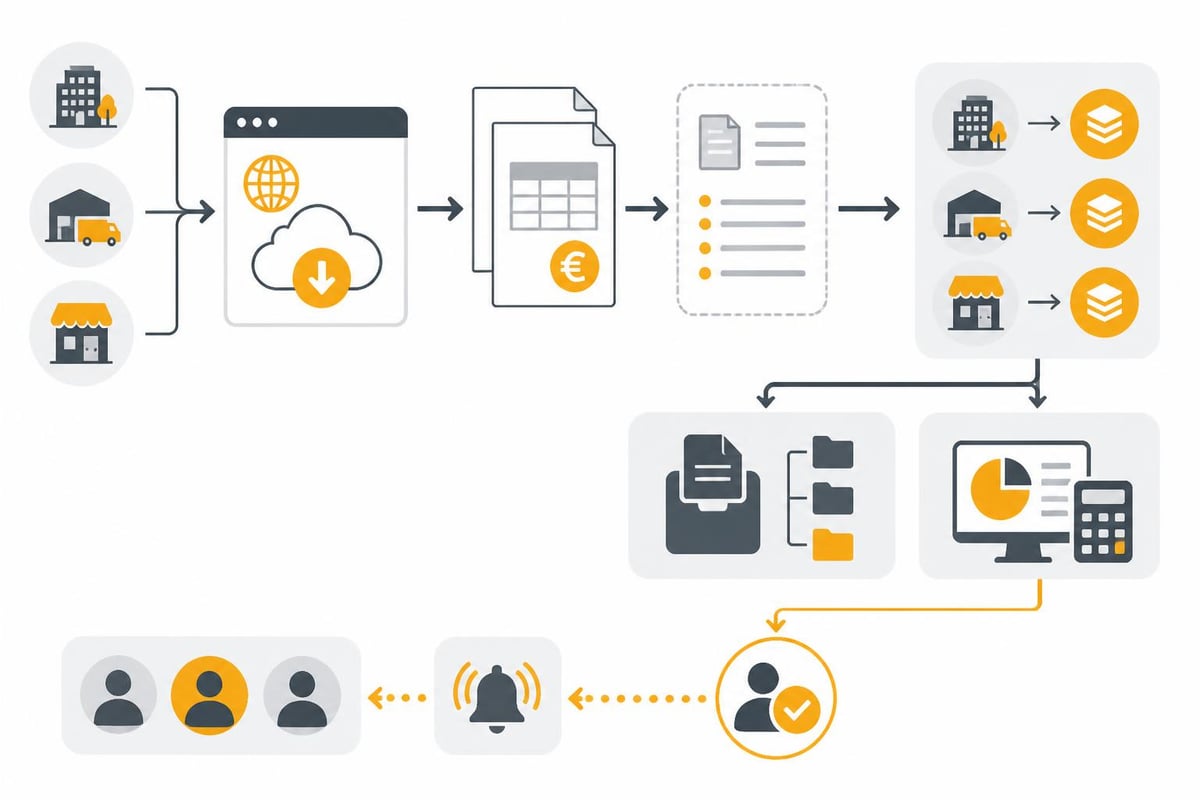
Scenario: Companies with multiple locations and centralized accounting
| Workflow step | Action | Result |
|---|---|---|
| 1. Retrieval | Check all customer portals | All new invoices identified |
| 2. Metadata extraction | OCR and data extraction | Invoice number, amount, date captured |
| 3. Validation | Plausibility check | Faulty invoices flagged |
| 4. Categorization | Assignment by location | Cost centers assigned automatically |
| 5. Distribution | Parallel filing in DMS and accounting | Consistent data retention ensured |
| 6. Approval process | Notify responsible person | Invoice ready for review |
Enterprise workflow with ERP integration
Large companies often need direct integration into Microsoft Dynamics 365 Business Central or other ERP systems. The workflow then includes additional steps such as:
- Automatic creation of vendor documents
- Matching with purchase orders and contracts
- Three-way match between purchase order, goods receipt, and invoice
- Automatic posting if matching
- Forwarding to a clerk in case of deviations
The web retrieval automation enables you to automatically retrieve not only Kabel Deutschland invoices but also other documents from various web portals.
Best practices for invoice management
Whether you work manually or in an automated way, there are proven practices for handling Kabel Deutschland invoices.
Structured file storage
A consistent naming convention is crucial for long-term findability. Recommended pattern:
Format: [YEAR]-[MONTH]_[Supplier]_[Location]_[InvoiceNumber].pdf
Example: 2026-05_Vodafone-Kabel_Berlin_RE12345678.pdf
This enables chronological sorting, quick filtering by supplier or location, and unique identification via the invoice number.
Regular review and reconciliation
Even with automation, a monthly check is recommended:
- Check for completeness of all expected invoices
- Reconcile with direct debit withdrawals or transfers
- Check for unexpected price changes or additional items
- Validate correct system filing and further processing
Data protection and security
Invoices contain sensitive business data and personal information. When automating, it’s important to use GDPR-compliant solutions. A platform developed and operated in Germany like filehub ensures that your data is processed in accordance with strict German data protection requirements.
Security aspects:
- Encrypted storage of login credentials
- Secure data transmission via SSL/TLS
- Access control and permission management
- Audit logs for traceability
- Regular security updates
Cost savings through automation
Automating Kabel Deutschland invoices pays off faster than many expect. An example calculation illustrates the potential.
ROI calculation for a midsize company
Initial situation:
- 5 Kabel Deutschland connections at different locations
- Monthly time required per invoice: 15 minutes (login, download, rename, file, create posting document)
- Total monthly effort: 75 minutes
- Annual effort: 15 hours
- Accounting hourly rate: 45 euros
Annual cost of manual process: 675 euros
For larger companies with 20+ connections or additional tasks such as cost center assignment and approval workflows, the effort increases accordingly. In these cases, the investment in automation often pays for itself after just a few months.
Additional benefits beyond time savings
| Benefit | Quantifiable benefit | Long-term effect |
|---|---|---|
| Error reduction | 95% fewer transcription errors | Less correction effort, better data quality |
| Compliance | 100% completeness | No objections during audits |
| Transparency | Real-time overview of all invoices | Better liquidity planning |
| Scalability | No additional personnel costs as you grow | Processes scale with the company |
Automation of invoicing processes goes beyond Kabel Deutschland invoices and can be extended to all recurring document processes.
Technical implementation without programming
A common misconception is that automation requires complex programming skills. Modern no-code platforms enable even less technically experienced users to build powerful workflows.
Setup in a few steps
Configuring a workflow for Kabel Deutschland invoices is done via an intuitive user interface:
- Create connection: Add the Vodafone customer portal as a source
- Store credentials: One-time secure storage
- Define target: Select the accounting system or storage location
- Set rules: Configure naming conventions and processing logic
- Set schedule: Automatic execution, e.g., daily at 8 a.m.
- Test and activate: Test run followed by activation
Use prebuilt templates
Instead of starting from scratch, you can use prebuilt templates that already contain best practices for common use cases. These can be adapted to individual requirements with just a few clicks.
Example templates for telecommunications invoices:
- Basic download with email notification
- Download with automatic forwarding to accounting
- Multi-location management with cost center assignment
- Complete ERP integration with automatic posting
The Operations solutions show further automation options for operational processes.
Alternative providers and comparison
In addition to direct portal access, there are specialized services for the automatic retrieval of Kabel Deutschland invoices. A comparison helps you decide on the best solution.
Specialized invoice retrieval services
Services like GetMyInvoices for Vodafone Kabel Deutschland or InvoiceFetcher for telecommunications invoices focus exclusively on invoice retrieval.
Advantages of specialized services:
- Focus on invoice retrieval from many different providers
- Often easy to set up
- Central dashboard for all suppliers
Disadvantages:
- Limited workflow functions
- Usually no direct integration into local systems
- Often cloud-based storage without control over data location
- Additional costs per supplier or invoice
Comprehensive automation platforms
Platforms like filehub offer a holistic approach that goes beyond pure invoice retrieval. File automation covers not only Kabel Deutschland invoices but all document processes in the company.
Decision criteria:
- Number of suppliers: The more different portals, the more valuable a central platform
- Workflow complexity: Simple download or multi-stage processing?
- Data protection requirements: Is a German server location required?
- Existing IT landscape: Which systems need to be integrated?
- Scalability: How will the need for automation develop?
Migration and transition
Switching from manual to automated management requires a structured approach to ensure a smooth transition.
Phased plan for implementation
Phase 1: Analysis (Weeks 1–2)
- Inventory of all Kabel Deutschland connections
- Documentation of the current process
- Identification of interfaces and requirements
Phase 2: Design (Weeks 3–4)
- Definition of target workflows
- Selection of target systems
- Definition of naming conventions and filing structures
Phase 3: Piloting (Weeks 5–8)
- Setup for a test connection
- Parallel operation of manual and automated processes
- Fine-tuning based on experience
Phase 4: Rollout (Weeks 9–12)
- Gradual activation of all connections
- Training of affected employees
- Monitoring and optimization
Avoid common pitfalls
There are typical challenges when switching to automated management of Kabel Deutschland invoices:
- Access issues: Ensure all portals are accessible and passwords are up to date
- Changes by Vodafone: Portal changes may require adjustments
- Data quality: Initial cleansing of master data for clean assignments
- Change management: Involve all stakeholders from the outset
The Procurement solutions show how similar automations can be implemented in purchasing.
Future outlook and developments
Automating Kabel Deutschland invoices is just the beginning. Technological developments continuously open up new possibilities.
AI-assisted invoice processing
Modern OCR technology and machine learning enable not only retrieval but also intelligent processing of invoice data:
- Automatic extraction of all relevant data fields
- Detection of anomalies and deviations
- Suggestions for posting accounts based on historical data
- Predictive analytics for budget planning
Integration into comprehensive process automation
The isolated view of Kabel Deutschland invoices is increasingly being replaced by holistic process automation. Connecting with other document streams creates synergies:
- Automatic matching of contract data with invoice line items
- Correlation of usage data with billed services
- Integration into overarching cost control dashboards
- Automated contract optimization based on consumption analyses
The Management solutions demonstrate how executives benefit from aggregated data across various automated processes.
Efficient management of Kabel Deutschland invoices is no longer rocket science with the right tools. From simple automation of downloads to full integration into complex ERP landscapes, there are suitable solutions for every company. If you’re ready to take your document processes to the next level and free up valuable time for more strategic tasks, filehub offers the right platform. With German development, the highest data protection standards, and flexible workflow functions, you can automate not only Kabel Deutschland invoices but all recurring document processes in your company.


