Doctolib Pro - doctor's office administration

Did you know that 89% of Germans support digitalization in healthcare? Nevertheless, Germany ranks among the laggards in international comparison. Especially in practice management, there is enormous potential for improvement.
But how can a modern tool like doctolib pro truly transform everyday life in your practice? Anyone who wants to work more efficiently, save time, and take patient communication to the next level needs more than just an online calendar.
In this guide, you’ll find out what doctolib pro delivers in 2025, which features really matter, how real practices benefit, and what costs you can expect. Look forward to practical tips, real-world experience, and a clear overview of alternatives as well as best practices for digital practice management.
Doctolib Pro 2025: Overview and Vision
The Role of Doctolib Pro in Digital Practice Management
Doctolib Pro is far more than an online calendar. The cloud-based platform was developed specifically for modern appointment and patient management. The goal is to relieve medical professionals of time-consuming administrative tasks and make everyday practice more efficient.
The vision behind doctolib pro is to provide a central “operating system” for practices. This digitally maps the entire organization, from appointment scheduling to patient communication. With over 21 million patient users and hundreds of thousands of professionals in Germany, the platform is considered a market leader and innovation driver.
The importance of doctolib pro for healthcare is steadily growing. More and more practices recognize the advantage of digitizing processes to improve patient care. If you want to learn more about the origin and development of the platform, you can find company details in the Doctolib - Wikipedia article.

Core Features and What’s New in 2025
The most important features of doctolib pro 2025 offer real relief for practices. Appointment management runs in real time, including waiting lists and individual calendars for each provider. Patients benefit from automatic reminders via SMS or email, which noticeably reduces the no-show rate.
Within the practice team, an end-to-end encrypted messaging system enables the secure exchange of documents. The certified video consultation allows flexible, location-independent consultations including document exchange. Via the mobile app, appointments and patient data can be accessed securely at any time. New is the AI assistant, which integrates medical dictation, phone assistants, and the automation of routine tasks. In this way, doctolib pro becomes a digital helper in practice management.
Target Groups and Typical Users
Doctolib pro targets a broad audience: from solo practices to group practices and MVZs to clinics. Physicians, dentists, therapists, alternative practitioners, and radiologists all benefit, with each specialty placing its own demands on the system.
The platform is compatible with both Android and iOS devices, although there are still limitations when using an iPad. GDPR compliance is particularly important: doctolib pro offers numerous security certifications such as TÜV and ISO 27001. This means the platform meets high requirements for data protection and data security, which are indispensable for medical institutions.
Doctolib Pro Compared to Competitors
Compared to alternatives like Calendly, Acuity Scheduling, or meetergo, doctolib pro scores above all with its strong integration and significant network effects. The platform offers wide reach and facilitates patient acquisition through its visibility.
However, there are also weaknesses. The cost model is less flexible for larger teams, and dependence on the ecosystem can limit customization. The following table shows the most important evaluation criteria at a glance:
| Criterion | Score (1-5) |
|---|---|
| Ease of use | 4.2 |
| Value for money | 3.6 |
| Customer service | 3.7 |
For many practices, doctolib pro remains the first choice when it comes to efficient digital practice management and better visibility.
Step by Step: Using Doctolib Pro Efficiently in Your Practice
Efficient use of doctolib pro begins with a systematic introduction. The platform offers numerous features that can be flexibly adapted to everyday practice. Below you’ll learn step by step how to use doctolib pro optimally and which best practices have proven successful.
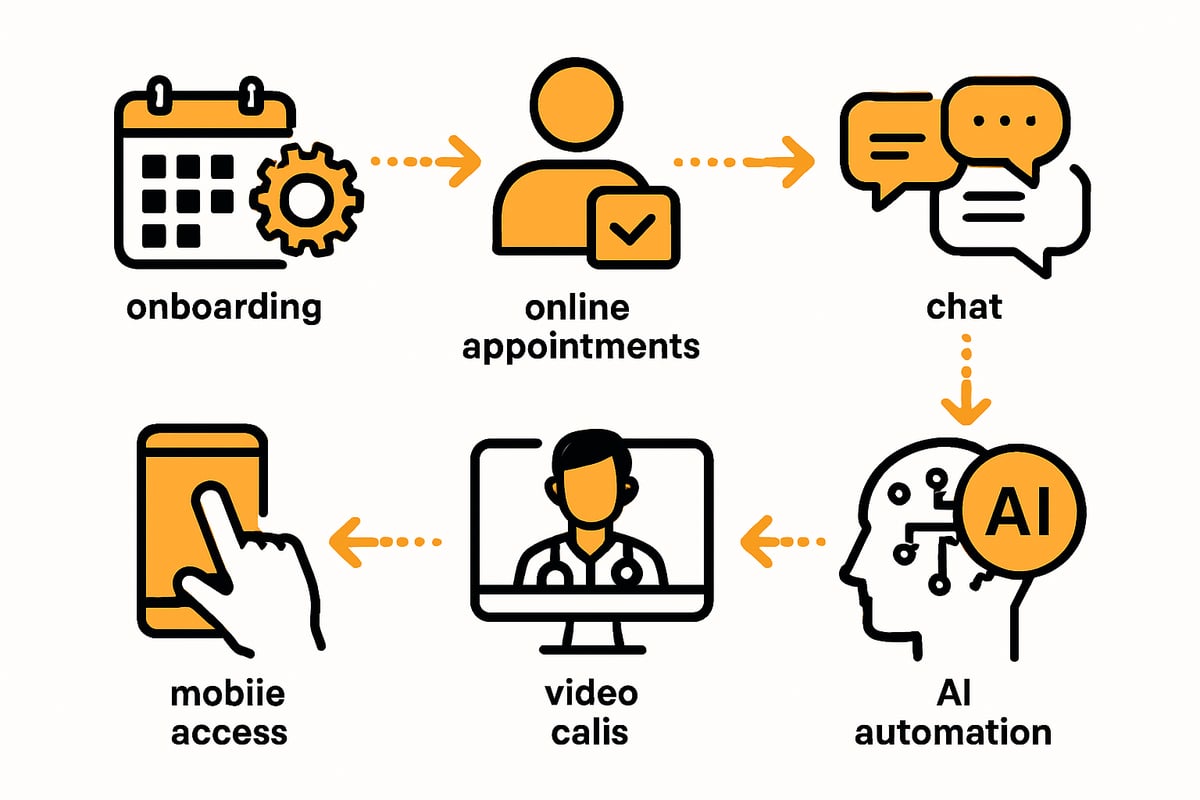
1. Setup and Personalization
Getting started with doctolib pro begins with a guided onboarding process. First, you create your practice profile, add providers, define practice hours, and enter vacations or absences.
Important steps:
- Configure calendars individually
- Import existing patient data
- Define appointment types and time slots
- Activate waiting lists and automatic reminders
With targeted personalization, processes are tailored to your needs right from the start. This saves time and reduces sources of error. doctolib pro ensures that the most important information is managed centrally and can be used by all team members.
2. Appointment Management and Patient Communication
With doctolib pro, you offer patients convenient 24/7 online appointment booking. Automated confirmations and reminders via SMS or email significantly reduce missed appointments.
Further advantages:
- Flexible management of cancellations and short-notice changes
- Waiting list function for optimal utilization
- Traceable documentation of appointment history
Digital communication with patients makes your practice day more transparent and efficient. doctolib pro ensures that you no longer miss important appointments or messages. This increases patient satisfaction and noticeably relieves the team.
3. Teamwork and Internal Communication
Effective collaboration is easy to implement with doctolib pro. Using the team function, you can send internal messages securely and in compliance with the GDPR.
Features at a glance:
- Exchange of patient data and documents
- Rights and role assignment for the entire team
- Integration of external colleagues via the Doctolib network
Cross-practice communication and case discussions are also facilitated by doctolib pro. This keeps your team always up to date. The central platform simplifies coordination and ensures clear responsibilities.
4. Video Consultations and Digital Consultations
Video consultations are an integral part of doctolib pro. Activation takes place directly in the system. You invite patients to an online consultation, exchange documents during the conversation, and benefit from certified security.
Benefits in everyday practice:
- Flexible scheduling for digital consultations
- KZBV certification and easy billing
- Expanded range of services for patients
For example, follow-up appointments or initial consultations can conveniently take place via video. doctolib pro makes digital medicine accessible and secure for you and your patients.
5. Mobile Use and Flexibility
With the mobile doctolib pro app, you have access to calendars and patient data at any time—whether on house calls, in emergency service, or on the go. The app runs on iOS and Android, is protected by biometrics, and reliably safeguards sensitive data.
Tips for the mobile workflow:
- Push notifications for new appointments
- Calendar overview for flexible planning
- Quickly retrieve and update patient data
Users praise the flexibility but criticize the lack of an iPad-optimized app. Nevertheless, doctolib pro remains the key to more mobility in everyday life for many practices.
6. Automation and AI Tools
The new AI features in 2025 make doctolib pro even more powerful. The smart phone assistant answers calls, creates medical dictations, and automates routine tasks. This saves you time and reduces sources of error.
Highlights:
- AI-supported documentation and appointment management
- Automated routing and processing of inquiries
- Integration into existing practice workflows
If you’re interested in advanced practice processes, you’ll find more practical tips and examples in the article Automation of Practice Processes. doctolib pro elevates your practice management to a new level through intelligent workflows and opens up new efficiency potential.
User Experiences, Benefits, and Challenges in Everyday Practice
Positive Experience Reports and Best Practices
Many practices report that doctolib pro noticeably eases their daily workload. Time savings are a frequently cited benefit: up to 16 hours less administrative effort per week are realistic according to users. Automated reminders minimize missed appointments and ensure better utilization.
Another plus is the acquisition of new patients thanks to the platform’s high visibility, for example through optimized Google results. The mobile use of doctolib pro also increases flexibility, for example for house calls or emergency services. A practical example from a group practice shows how integrating online booking and a digital calendar streamlined the entire process from booking to follow-up.
Points of Criticism and Common Issues
Despite many advantages, there are recurring points of criticism with doctolib pro. Some users report technical bugs, such as incorrect bookings, duplicate appointments, or a search function that isn’t always reliable.
The development of new features like an iPad app is perceived by some users as too slow. Ease of use and support are also rated variably. Many practices view the dependence on the doctolib pro ecosystem critically, as individual customization is only possible to a limited extent. In addition, forwarding the practice website to the platform can negatively impact your own SEO.
Data Protection and Data Security
Data protection is a central topic for doctolib pro. The platform complies with the GDPR and relies on servers in Germany as well as certifications such as TÜV and ISO 27001. Nevertheless, there is repeated criticism that doctolib pro acts as a “data octopus,” since sensitive patient data is stored on the servers.
For practice owners, this raises liability issues and the need to inform patients transparently about data processing. A comparison with strictly data protection–compliant alternatives shows that while doctolib pro offers high standards, risks also exist that should be weighed individually.
Corporate Culture and Impact on the Product
The internal corporate culture at doctolib pro is partly reflected in product development. Employees report high work pressure, frequent management changes, and sometimes chaotic organization. This affects the speed with which bugs are fixed or new features are released.
For practices, this means that trust and stability are important selection criteria. Delays in updates or a lack of transparency can affect long-term use and investment security. It is therefore worthwhile to also pay attention to the background and development of the company when considering doctolib pro.
Profitability and Return on Investment (ROI)
When using doctolib pro, profitability plays a major role. Monthly costs per provider range between 119 and 229 euros. According to the provider, revenue increases of up to 5,400 euros per month are possible if the platform is used optimally.
However, practice shows that larger teams in particular can quickly fall into a cost trap, since the pricing model is billed per provider. Contract terms are usually 12 months, which limits flexibility. An individual cost-effectiveness calculation is therefore essential to determine the actual ROI of doctolib pro.
filehub: Automated Document Workflows for Practice Management
Efficient practice management with doctolib pro involves more than appointment organization. Automating document processes is an important component for relieving the team and reducing errors. Solutions like filehub enable GDPR-compliant automation of file and document workflows specifically designed for everyday practice.
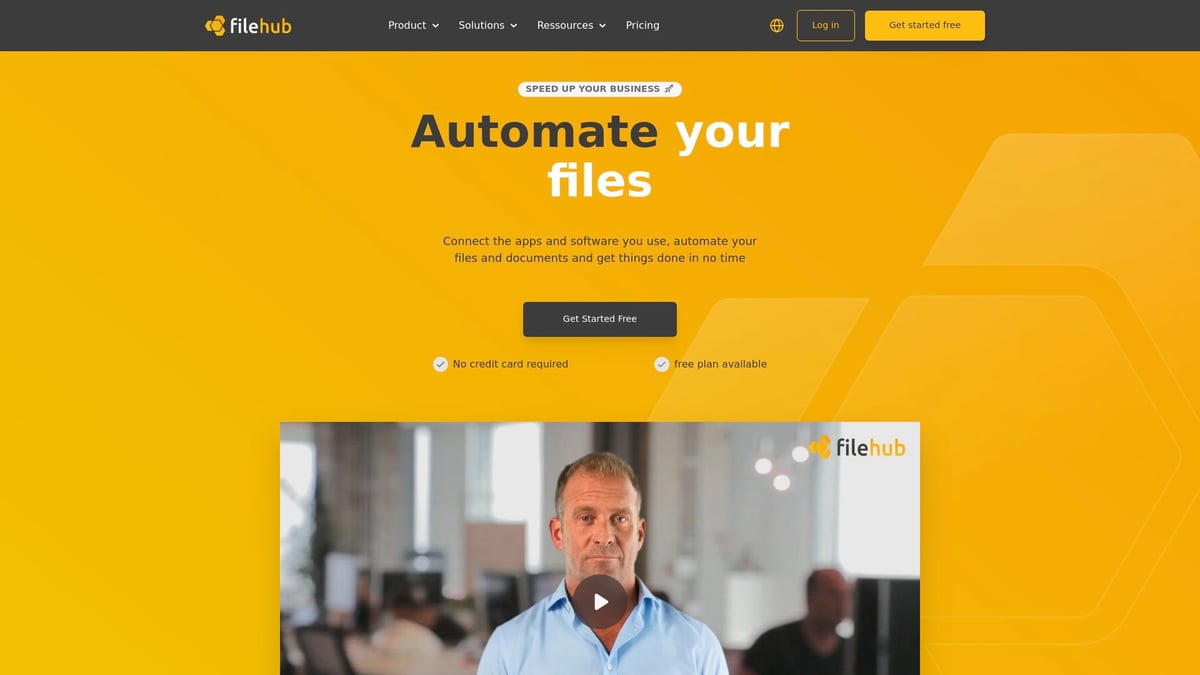
filehub can be integrated into existing systems without programming knowledge and automates the filing, synchronization, and processing of documents such as invoices or findings. You can find more information and best practices in this article on Automated Document Workflows.
Costs, Pricing Models, and Contract Terms in Detail
Modern practice management requires clear calculation. With doctolib pro, the focus is on transparency and efficiency. But how are the costs structured, what pricing models are there, and what do you need to pay attention to in order to secure your practice’s profitability? In this section, you’ll get a structured overview of prices, contract terms, and user experiences—practical and easy to understand.

Price Transparency and Tariff Overview (as of 2025)
The pricing structure of doctolib pro depends on the respective specialty. Physicians and dentists pay from €139 per month per provider. Therapists start at €129, alternative practitioners at €119, and radiologists at €199 per month. Those who want to use the AI assistant should expect surcharges of up to €229 per month.
| Specialty | Base price from (€/month) | With AI assistant (max, €/month) |
|---|---|---|
| Physicians/Dentists | 139 | 229 |
| Therapists | 129 | 219 |
| Alternative practitioners | 119 | 209 |
| Radiologists | 199 | 229 |
Billing is per licensed provider or device. The contract term is usually 12 months. There is no free trial period with doctolib pro, which makes entry more difficult for some practices.
Analysis of Cost Traps and Flexibility
The “per provider” model of doctolib pro quickly leads to high fixed costs for larger teams. Part-time staff or changing employees in particular can drive monthly expenses up. Costs do not scale with booking volume but remain constant per user.
Additional features such as AI tools, interfaces, or special integrations are often subject to charges. Notice periods must be observed, with the minimum term usually being 12 months. Users report monthly invoices of over €1,200 when many providers are set up in the system.
For solo practices, doctolib pro can be attractive due to predictable expenses. Larger practices, however, must calculate carefully to avoid cost traps.
Economic Assessment and ROI
Doctolib pro advertises potential revenue increases of up to €5,400 per month for specialists. However, the decisive factor is the individual cost-effectiveness calculation: How many patients are actually acquired via the platform? What is the online booking rate?
Important influencing factors include:
- Practice size and number of providers
- Monthly patient throughput
- Share of online appointment bookings
Some practices report a significant increase in efficiency and time savings, while others view the investment critically. Actual profitability depends heavily on the specialty and your own practice processes. For a market overview of digital health solutions, you can find interesting figures at Digital Health - Facts & Figures.
Contract Terms and Legal Aspects
The contract terms of doctolib pro are clearly defined: 12 months duration, notice periods usually three months before expiry. Support is available via email, phone, chat, and through an extensive knowledge base.
Data protection plays a central role. doctolib pro operates with servers located in Germany and offers certifications such as TÜV and ISO 27001. Nevertheless, the practice is responsible for handling sensitive patient data. It is advisable to review GDPR and data protection in practices in detail to minimize liability risks.
Practice owners should be fully aware of rights and obligations in the contract, especially regarding data processing.
User Ratings on Value for Money and Support
On average, users give doctolib pro 3.6 out of 5 points for value for money. Customer service is rated at 3.7 out of 5. Frequent points of criticism concern non-transparent additional costs and a lack of flexibility in contract changes.
Positively highlighted are the clear tariff structures for solo practices and the well-plannable cost framework. For larger teams, a thorough contract review and, if necessary, individual negotiation is recommended. Many users advise keeping an eye on actual needs and scalability before concluding a contract.
Efficiency Strategies & Best Practices for Modern Practice Management
Workflow Optimization with Doctolib Pro
Efficient processes are the heart of every successful practice. With doctolib pro, you can automate administrative tasks in a targeted manner and noticeably ease the daily workload.
Regular evaluations of statistics, such as no-shows or new patients, help you identify bottlenecks at an early stage. By integrating appointment management, communication, and documentation into one system, you save time and minimize sources of error.
Train your team regularly so that all functions are used optimally. This ensures high acceptance and lets you benefit from maximum efficiency in practice operations.
Integration of Additional Digital Tools and Systems
The strength of doctolib pro becomes apparent in combination with other digital solutions. Many practices connect the platform with billing software, document management, or tools for digital patient intake.
A smart combination of different systems opens up completely new possibilities for meeting individual requirements. Solutions such as automated invoicing or digital referral management can be easily added.
Best practices and examples for automated workflows can be found in the article Workflow Automation for Practices. This way, you get the most out of your digital practice management.
Data Protection and Compliance in the Practice
Data protection is a central topic when handling sensitive patient data. With doctolib pro, you rely on a platform that works in compliance with the GDPR and uses certified server locations in Germany.
It is important to train the team regularly on IT security and data protection. Document all data processing procedures and inform patients transparently about their rights.
Use platforms with server locations in Germany and check certifications such as ISO 27001. This ensures that compliance does not become a stumbling block in everyday practice.
Promoting Employee and Patient Acceptance
The introduction of doctolib pro will only succeed if the team and patients recognize the added value. Communicate the benefits of digital processes clearly and involve the team from the outset.
Encourage patients to use online appointment booking and collect feedback regularly. This allows you to identify optimization potential and increase the satisfaction of everyone involved.
Proactively address reservations or technical challenges. Successful change management is the key to sustainable success in digital practice management.
Outlook: Future Trends in Digital Practice Management
Developments around doctolib pro remain dynamic. Artificial intelligence and automation are becoming increasingly important in further streamlining processes and improving patient services.
Platform ecosystems and stronger networking in healthcare are central trends. At the same time, data protection is gaining importance to ensure trust.
Further insights into digital trends and the role of doctolib pro can be found in 8 digital trends in healthcare 2025. Stay on the pulse to keep your practice competitive in the long term.
You’ve now seen how powerful efficient practice management with Doctolib Pro and digital workflows can be—from appointment organization to the automation of tedious document tasks. Especially if you value more time for patients and smooth daily operations, it’s worth trying modern tools like filehub yourself. With filehub, you can automate document processes securely and easily, thereby relieving your entire team. Just give it a try—test filehub.one for free now and experience how much more relaxed your practice management can become.


