No-Code: The Path to Development without Programming

Do you really still need programmers to develop innovative software? The answer is surprising: with no-code platforms, software development is changing rapidly. Anyone, from marketing to human resources, can design their own applications and automate business processes — all without programming knowledge.
Visually organized technologies are democratizing solution development. This report shows you how to master the path to a software solution without code. You’ll learn all about the history, core features, use cases, a step-by-step guide, security, challenges, and the most important trends.
What is no-code? Basics and definition
No-code is far more than a buzzword. It describes a radical shift that changes how software is created. But what exactly is behind the term, and how does it differ from other approaches?
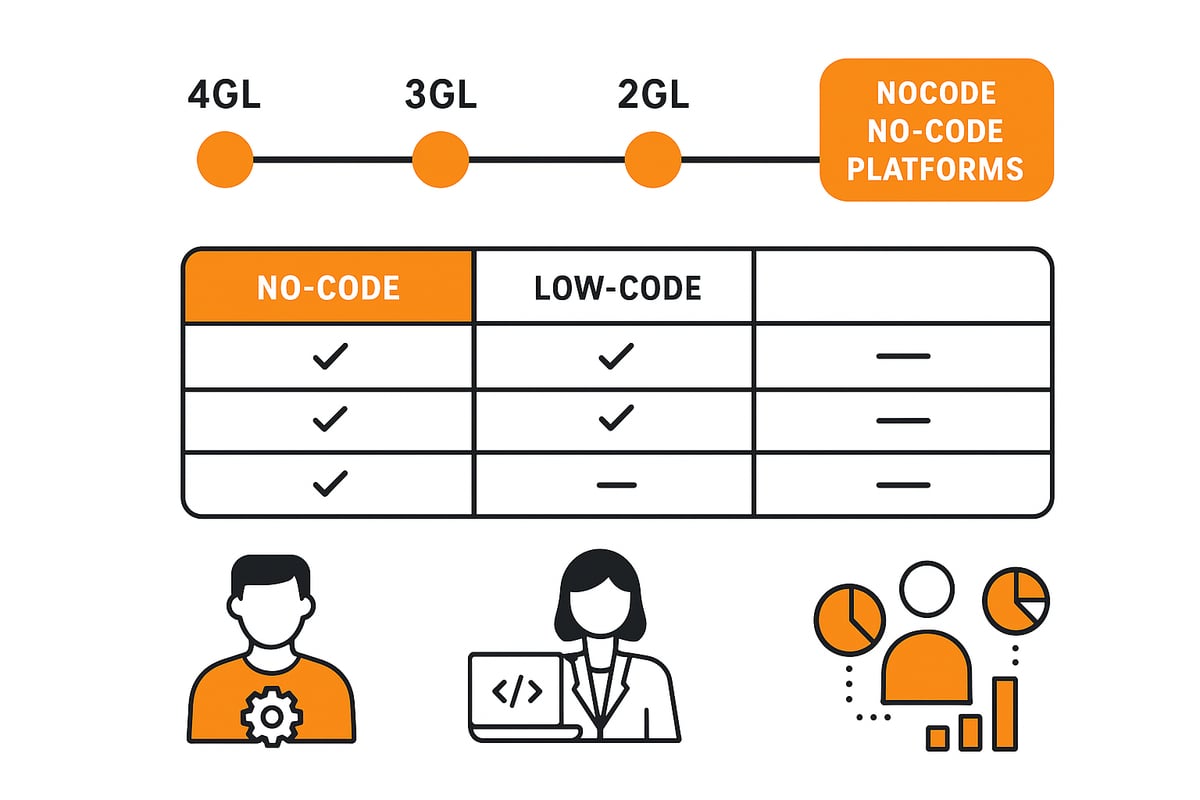
Terminology and distinction from traditional programming
No-code means that software development is possible without writing code. Instead, visual tools and drag-and-drop editors are used. Users create applications by assembling building blocks, designing interfaces, and defining business logic with clicks. The technical complexity remains in the background, allowing people without programming skills to build their own solutions.
In contrast to traditional methods where developers work with programming languages like JavaScript or Python, visual solutions focus on user-friendliness. The line to low-code is fluid: while no-code gets by entirely without program code, low-code allows additional customizations via scripts. You can find a detailed comparison under Low-code vs. no-code differences.
No-code is aimed primarily at so-called citizen developers — professionals from marketing, accounting, finance, HR, or sales who need digital solutions quickly. Business technologists and entire departments also benefit. According to Gartner, by 2025 about 70 percent of all new business applications will be developed with low-code and purely visual technologies.
The democratization of software development is a decisive advantage: every department can drive innovation itself. Examples include marketing teams building survey apps or HR teams digitizing onboarding processes. This significantly accelerates digital transformation within the company.
Historical development and technological foundations
The foundations of no-code date back to the 1980s and 1990s. At that time, the first 4GL programming languages and graphical development environments emerged, reducing programming effort. The real breakthrough came in the 2010s with cloud computing and modern user interfaces.
Today, there are specialized tools for almost every industry and requirement. Advanced drag-and-drop interfaces, prebuilt components, and intuitive designs make development faster and more accessible. Companies can use them to independently digitize processes, workflows, and data management solutions.
The impact is enormous, as this form of solution development increases the speed of software development and promotes innovation. Platform capabilities are growing steadily, and more and more companies are recognizing the benefits. Acceptance is at an all-time high — a trend shaping the future of digital value creation.
Core features of no-code platforms
No-code platforms are revolutionizing software development through intuitive tools that simplify complex processes. They offer numerous features that enable both beginners and experienced users to implement digital solutions. Below, we highlight the most important functional areas of modern no-code platforms.

Visual development and user-friendliness
These platforms rely on visual development to lower technical barriers. With drag-and-drop editors, layouts, logic, and data connections can be designed without programming knowledge. Users can access extensive libraries with prebuilt components such as forms, tables, and dashboards. The interfaces are intuitive and enable even complex applications to be built step by step. For example, workflow apps can be created easily via drag-and-drop. The no-code principle makes the creation of digital solutions accessible to everyone and significantly speeds up development projects.
Workflow automation and process digitization
A key feature of no-code platforms is the automation of business processes. Recurring tasks such as approvals, notifications, or data transfers can be mapped with a workflow designer. Business rules and logic can be integrated without programming. According to studies by IBM and McKinsey, companies increase their capacity for innovation by up to 33 percent through the use of these tools. How exactly you can automate workflows without programming is shown in our guide to workflow automation with no-code. This makes processes more efficient and reduces error rates.
Data management, analytics, and reporting
No-code platforms enable easy integration of a wide range of data sources, such as CRM, ERP, or cloud systems. Visual tools allow users to create custom dashboards and reports that provide a quick overview of key metrics. Analytics tools help make data-driven decisions. By integrating reporting functions and flexible visualizations, teams always maintain control over their data. The principle ensures maximum transparency throughout the process.
API integration and connection of external systems
Another strength of no-code platforms is the seamless integration of external software and services. With prebuilt connectors, a wide variety of systems such as payment providers, cloud storage, or email services can be connected without hassle. Support for APIs enables flexible networking and automation of processes across different applications. This makes it possible to quickly build smart system landscapes without extensive programming or long development cycles.
AI and machine learning features
More and more no-code platforms are integrating AI and machine learning features to enable predictive analytics, natural language processing, or data classification. Even users without expert knowledge can leverage intelligent automation and optimize decision-making processes. Thanks to prebuilt AI modules, smart tools can be implemented quickly, further increasing the innovative strength and competitiveness of companies. filehub, for example, enables the quick integration of AI for document classification and extraction.
No-code vs. low-code: differences, commonalities, and use cases
What actually distinguishes no-code from low-code, and where are the similarities? Both approaches fundamentally change software development, but they target different audiences and offer various possibilities. Here you’ll learn who each path is suitable for and how companies can benefit.
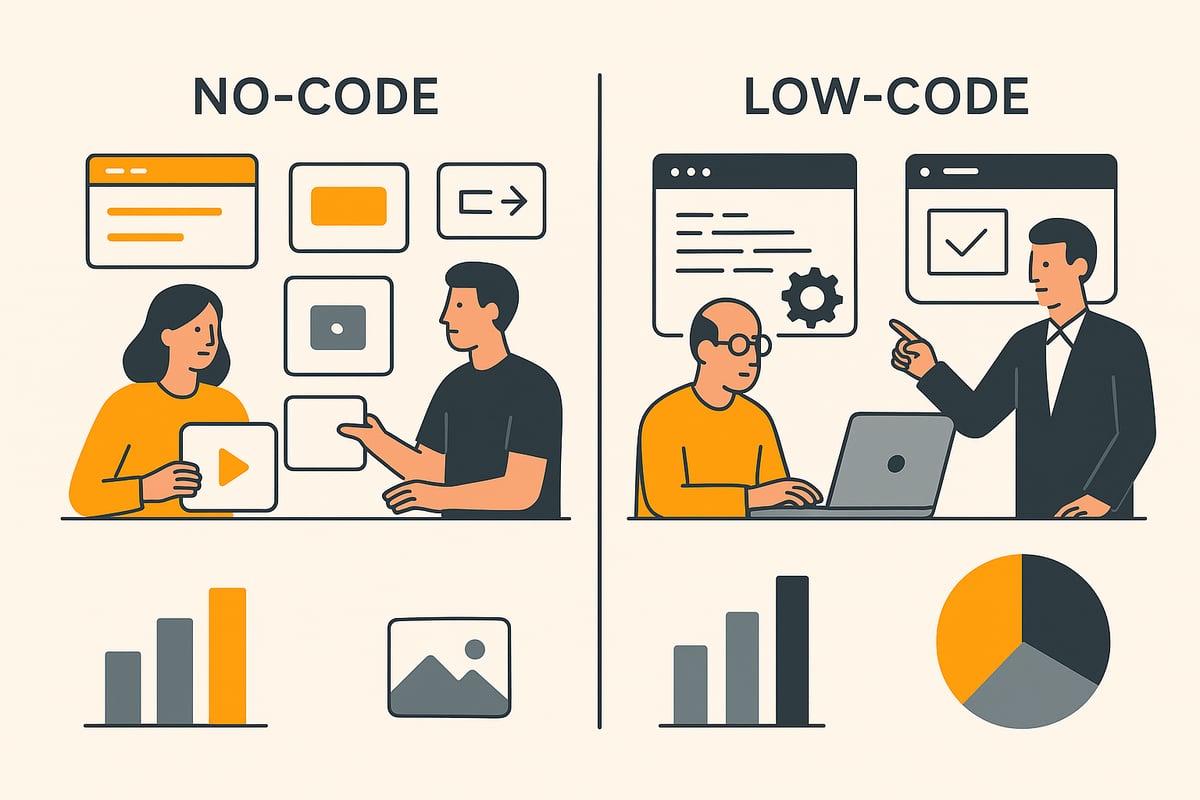
Target groups and application areas
No-code primarily targets business users who want to quickly build their own solutions without programming knowledge. Typical audiences are citizen developers, business technologists, and teams from marketing, accounting, HR, or sales. They use these tools to create simple to medium-complexity applications such as survey apps, document processes, onboarding solutions, or lead management tools.
Low-code is more geared toward developers or technically savvy users who have more complex requirements. This is where custom business applications, portals, or integration solutions are often created.
Comparison table:
|
Approach |
Target group |
Typical projects |
|---|---|---|
|
No-code |
Business users |
Forms, workflows, apps |
|
Low-code |
Developers, IT |
Custom solutions, portals |
No-code makes digitization accessible to everyone, while low-code offers more technical depth.
Flexibility and adaptability
There are clear differences in flexibility. No-code focuses on speed and simplicity. Adjustments are usually possible via visual settings, but individual extensions are limited. Here, it depends on the depth of implementation and the orientation of the platform provider.
Low-code allows deeper customization. Developers can access source code and add tailored functions. Companies should ask themselves: How complex is the application? Are there specific integration requirements? How much IT support is available?
Decision criteria:
-
Project complexity
-
Integration needs
-
Available IT resources
No-code is ideal when fast results and low technical hurdles are the priority. For demanding, business-critical processes, it’s worth taking a look at low-code.
Technological commonalities
Despite the differences, the two approaches have many technological overlaps. Both offer visual development environments, modular components, and automation options. Users can design layouts via drag-and-drop, build workflows, and connect data sources.
The main difference lies in the depth of customizability. While purely visual development prioritizes maximum user-friendliness, low-code allows additional intervention in the code. The required skill level also differs: no-code is designed for beginners; low-code requires technical understanding.
Both approaches enable faster digitization of business processes and promote collaboration between business units and IT.
Market trends and forecasts
The market for no-code and low-code is growing rapidly. According to Gartner, by 2025 around 70 percent of all new business applications will be developed with these technologies. Large enterprises and SMEs in particular are increasingly relying on these platforms to shorten innovation cycles.
The boundaries between purely visual development and low-code are increasingly blurring. Many platforms now combine both approaches to offer maximum flexibility. AI and automation are also making deeper inroads.
If you want to dive deeper into current figures and developments, the report Low-code and no-code: statistics and trends (2025) provides a comprehensive overview of market dynamics.
No-code remains a key driver of digital transformation and will open up new opportunities for companies in the coming years.
Step by step: the path to your own no-code solution in 2025
Want to get started and build your own solution? With the right strategy, it’s possible even without programming skills. Here you’ll find the proven roadmap for how to proceed step by step in 2025. Each section brings you closer to the finished application and shows you what matters.
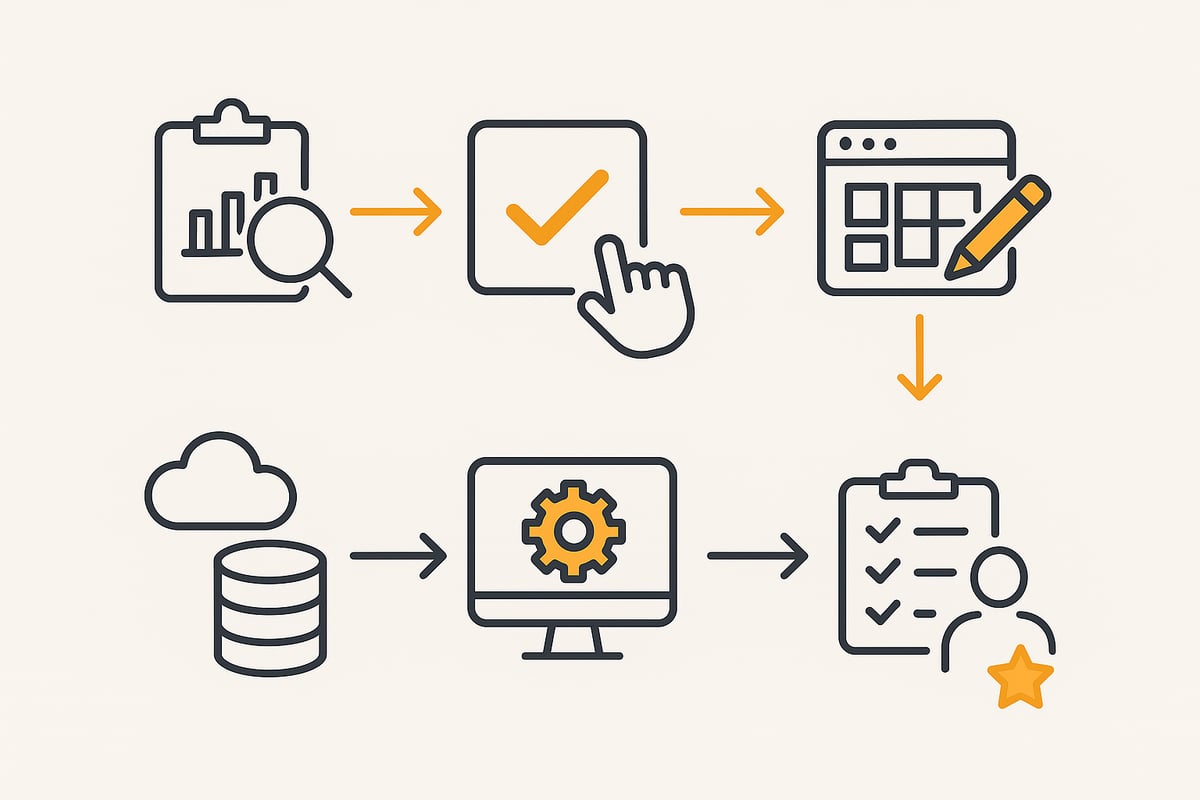
1. Requirements analysis and goal definition
It always starts with analysis. Think carefully about which business process or problem you want to digitize. Talk to all stakeholders — from the department to end users. This is the only way to ensure that the application actually delivers value.
Next, set clear goals and measurable success criteria. What should the solution be able to do? Which processes do you want to automate? The more detailed your requirements, the easier the implementation will be. Don’t be put off by technical details — no-code thrives on the fact that everyone can participate.
2. Choosing the right no-code platform
Now it’s time to choose the right platform. Consider which features you really need. Pay attention to user-friendliness, integration options, security, and costs. Comparing leading providers such as Airtable, Zapier, Microsoft Power Apps, or Make is worthwhile. Industry-specific solutions can also offer advantages.
Do you want an overview of different tools and their strengths? Then check out the article on app platforms and no-code tools to make an informed decision. The right platform is the foundation of your journey.
3. Planning and designing the application
Now comes the heart of it: designing your app. Sketch the user interface and think about how the workflows should run. Use drag-and-drop editors to place components such as forms, tables, or dashboards. Make sure to keep the user journey as simple as possible.
Define the data structure: What information is needed, and how is it related? With no-code, you can complete these steps visually and intuitively. This quickly produces a first, working prototype.
4. Integration and automation of processes
Now it gets exciting: connect your application to external systems such as email services, databases, or cloud services. Most visual platforms offer interfaces (APIs) or connectors to let you transfer data automatically.
Create workflows that handle routine tasks, such as automatically sending notifications. This saves time and reduces sources of error. Automation is one of the biggest advantages of no-code and makes many processes more efficient.
5. Testing, iterating, and optimizing
Before the solution goes live, you should test it thoroughly. Check whether all functions run without errors and whether users can navigate the app. Get feedback from the first users and observe how they work with the application.
Use analytics and reporting tools to identify weaknesses. Iterate: adjust the visually created solution, improve workflows, and optimize the user experience. This cycle ensures that your solution remains successful in the long term.
6. Rollout and scaling
After successful testing comes the rollout. Train the end users and ensure everyone knows how the app works. A good introduction reduces queries and fosters acceptance.
Actively support the introduction and offer assistance. Consider how you can extend the solution to additional processes or teams. No-code is excellent for getting started quickly, scaling, and flexibly addressing new requirements.
7. Best practices and common pitfalls to avoid
Documentation is mandatory even with visual development. Record how the app is structured and who has which permissions. This helps you keep an overview and meet compliance requirements.
Work more closely with IT where appropriate to ensure security and data protection. Avoid silos by integrating the application into existing processes where necessary. Regular reviews help identify errors early and further improve the solution.
Practical examples and use cases from the business world
No-code has established itself as a game changer for companies. More and more teams are using it to digitize processes and implement innovations faster. But what does practical application look like? Below you’ll find inspiring examples, benefits, and learnings from business practice.
Successful no-code implementations in various industries
No-code platforms are no longer a niche topic. Companies from a wide range of industries are benefiting today from the flexibility and speed that visual development enables.
In marketing, for example, survey or campaign apps are built without the need for developers. HR departments use it to digitize the entire onboarding process, automate vacation requests, and conduct employee surveys.
Sales also rely on visual solutions to quickly and independently implement lead management tools or quote processes. In production, quality control and maintenance management are digitized, reducing errors and making operations more efficient.
In the area of accounting and finance, companies use platforms like filehub to automate the processing of invoices, receipts, and payment documents — from import and AI-based data recognition to handover to ERP or DATEV systems. Thanks to the visual interface, these processes can be modeled quickly and individually, without programming. The result is automated, auditable document flows that ensure compliance and noticeably relieve teams.
In healthcare, teams use these solutions for patient management, appointment scheduling, and documentation. An impressive example: at IBM, United Foods was able to reduce costs and increase efficiency with workflow automation. As you can see, no-code is now indispensable in the modern workday.
Benefits for companies and teams
The introduction of no-code delivers numerous benefits that are immediately noticeable. Companies bring new solutions to market faster and respond flexibly to change. Dependence on IT decreases, developers are relieved, and departments can design digital processes independently.
Typical benefits at a glance:
-
Accelerated delivery: ideas are realized within days.
-
Fewer IT bottlenecks: teams act independently and save resources.
-
Cost efficiency: no expensive external development needed.
-
High adaptability: solutions grow with requirements.
-
Process automation: routine tasks are digitally controlled. Learn more in the article on automation of business processes.
With visual tools, it’s possible to increase innovation and efficiency. Companies benefit from direct, measurable results and can focus on their core business.
Challenges and lessons learned
Despite all the advantages, there are also challenges. Change management is essential because employees need to be trained for new digital processes. Governance and IT involvement are important to ensure security and compliance.
A common stumbling block: individual customization requests quickly hit platform limits. There is also the risk of shadow IT when applications are developed without central control.
Best practices therefore are: clear communication, close collaboration with IT, and regular reviews of the solutions used. This allows companies to harness the potential in a targeted way and avoid common mistakes. Companies that take these learnings into account establish no-code successfully and sustainably in their organization.
Security, data protection, and governance for no-code solutions
Security is always a central topic that companies should not underestimate. The ease of use and rapid development of applications also bring new challenges. Those who use no-code must be aware of the risks and protective measures.
Security aspects of no-code platforms
When integrating external services, users benefit from centralized platform security. Unlike custom-coded solutions, most components are standardized and pre-tested. This reduces typical sources of error and ensures stable applications.
However, there are also risks:
-
Data leaks due to improper permission settings
-
Unauthorized access due to insufficient authentication
-
Shadow IT if departments use tools independently
Many platforms rely on certified data centers and role-based access models. Nevertheless, responsibility for secure configuration remains with the company. According to no-code statistics and future forecasts, awareness of these aspects is steadily increasing.
Data protection and compliance (GDPR, industry standards)
No-code platforms must comply with all legal requirements. The GDPR is particularly mandatory for companies in the EU. This concerns the storage, processing, and transmission of personal data.
Important compliance aspects:
-
Data hosting in certified data centers (e.g., ISO, C5)
-
Encryption at rest and in transit
-
Transparent data processing and consents
Many platforms offer specific settings for data protection and audit logs. Nevertheless, an individual review of providers is recommended to reliably meet industry standards.
Governance and control
Governance is crucial to avoid sprawl and security gaps. Companies should define clear role and permission concepts on the platforms. Documentation and regular reviews are mandatory.
Key control mechanisms include:
-
Role-based access control for sensitive areas
-
Integration of no-code applications into existing IT security processes
-
Traceable changes through logging
Close collaboration between IT and business departments ensures that governance rules are followed and risks are minimized.
Best practices and recommendations
There are proven strategies for using visual solutions securely:
-
Foster collaboration between the business unit and IT security
-
Conduct regular audits of applications
-
Choose platforms with proven security and compliance
In addition, companies should train users and raise awareness of the risks of shadow IT. This way, no-code becomes a real success factor without neglecting security.
Challenges, criticism, and future trends in no-code development in 2025
The no-code movement has opened many doors but also comes with some hurdles. While companies benefit from quick results, typical limits and stumbling blocks appear in everyday use. Anyone who wants to successfully use no-code in 2025 should know these challenges and take a look at upcoming trends.
Typical challenges and limits
Many companies encounter similar challenges. Customization options are often limited for complex requirements. Especially when processes need to be highly individualized, platforms can reach their limits.
Other pitfalls include the risk of shadow IT when teams build their own solutions without IT involvement and a lack of standards in documentation. It also helps if users have a basic understanding of data structures and process logic to use the solutions efficiently.
Points of criticism and risks
Cloud applications are repeatedly criticized for security and compliance concerns. Especially for sensitive applications, control over data flows and access rights is crucial. Proprietary platforms pose the risk of vendor lock-in, making companies dependent on a single provider.
Another problem: not every solution is maintainable in the long term. There is a risk of creating sprawling app landscapes that are difficult to maintain. Proper governance is therefore indispensable.
Future developments and trends
The future of no-code is strongly shaped by innovation. The integration of AI and automation into platforms continues to increase. In the future, no-code, low-code, and traditional development methods will converge even more. According to What do no-coders want in 2025? Trends, challenges, and the role of AI, users primarily expect more flexibility, improved security, and stronger governance options.
Governance, compliance, and IT security are becoming increasingly important in this environment. Companies are increasingly relying on hybrid approaches to exploit all advantages and minimize risks.
Relevant statistics and market data
Market data clearly shows how visual solutions are growing. Gartner predicts that by 2025 around 70 percent of all new applications will be developed with no-code or low-code. Companies report up to 33 percent more innovative capacity through the use of these tools.
You can find an overview of current figures in the article 26 low-code trends for 2025: key statistics and insights. Forrester and McKinsey also confirm the increasing adoption and efficiency gains from no-code technologies.
You’ve now seen how easy and effective no-code platforms like filehub can change everyday work. From quickly automating tedious processes to securely integrating external systems — all without programming. If you’re ready to digitize your own workflows and leverage the full potential of modern file automation, then try it out for yourself.
Start your path to efficient, code-free development now.


