PaperOffice Document Management System – Beginner’s Guide 2025

In 2025, many companies face the major task of finally digitizing paper-based processes efficiently. The flood of information is growing, and requirements are increasing.
This is where the document management system paperoffice comes into play. It creates order, simplifies document management, and centralizes all important records.
Especially for beginners, this means more clarity, valuable time savings, and peace of mind regarding legal requirements.
In this guide, you’ll learn how to set up PaperOffice as a DMS, use it optimally, and avoid common beginner mistakes. Practical examples, integration options, and pro tips await you.
What is a document management system and why is it indispensable in 2025?
A document management system like paperoffice forms the digital backbone of modern companies. It ensures the centralized storage, organization, and management of all documents. Especially in 2025, as information flows become ever more complex, such a system is essential for efficient business processes.
Definition and core functions of a DMS
A document management system paperoffice takes on key tasks in digitization. It enables the digital filing, management, and archiving of documents. All company documents are stored centrally so that no one has to search for information for long.
The most important core functions include:
-
Automated tagging and intelligent search functions
-
Versioning and complete logging of all changes
-
Granular access control and permissions management for different users
With these features, a document management system paperoffice provides the basis for legally compliant and efficient processes.
Relevance and benefits of DMS in 2025
The volume of digital documents is steadily increasing due to hybrid work models and remote work. A document management system thus becomes the key to keeping track and complying with legal requirements such as GoBD or GDPR.
According to the Bitkom study on digitization 2025, companies can save up to 30 percent of time with digital document processes. At the same time, they reduce paper consumption and archiving costs. This makes the document management system paperoffice not only efficient but also sustainable.
Challenges without a DMS
Those who forgo a document management system paperoffice in 2025 risk noticeable disadvantages:
-
Loss of time due to manual document searches
-
Increased risk of data loss and security gaps
-
Complicated collaboration, especially for distributed teams
Without a structured digital filing system, companies quickly fall behind when it comes to productivity and data security.
Real-world examples
Many companies already benefit from a document management system like PaperOffice. Small businesses digitize their incoming invoices and save several hours of administrative work per month. Medium-sized companies use automated document control to reliably meet GDPR requirements.
Such practical examples show how a DMS simplifies daily work and provides legal certainty.
Overview: PaperOffice as a document management system
Digital transformation makes efficient document management a success factor today. The document management system paperoffice positions itself as a central solution for companies that want to establish paperless processes in 2025. PaperOffice is designed for various company sizes and adapts flexibly to existing IT landscapes. The software is compatible with Windows systems and enables seamless integration into existing infrastructures.
Thanks to its modern architecture, both small teams and larger organizations benefit from a central platform for all documents. The intuitive interface makes it easy to get started and enables quick onboarding without long training phases.
Introduction to PaperOffice
PaperOffice is one of the better-known solutions in the field of document management. The software is aimed at companies looking for a DMS solution that is both user-friendly and powerful.
Installation on Windows enables quick integration, whether you run a small business or a mid-sized company. The straightforward user interface is a particular advantage for beginners. The modular structure allows you to adapt PaperOffice to individual requirements and connect it with other tools.
Main features of PaperOffice
The document management system paperoffice impresses with a wide range of intelligent features. Particularly noteworthy is the automatic document recognition, which greatly simplifies the digital filing and tagging of documents. With OCR technology, contents become directly searchable.
Workflow management supports you in automating approvals and resubmissions. Deep email integration ensures that attachments are automatically archived in the appropriate context. Different user roles and a detailed permissions concept ensure that sensitive data remains protected. You can find a comprehensive overview of the features at PaperOffice DMS features and benefits.
Advantages of PaperOffice over other DMS
A major advantage of the PaperOffice document management system is its particularly user-friendly interface. This greatly facilitates getting started, especially for teams without IT expertise. Companies also benefit from flexible licensing models that scale with growth.
Security is a key focus of PaperOffice. End-to-end encryption protects against unauthorized access and meets the highest data protection requirements. This ensures your company is well prepared for current and future compliance requirements.
Statistics and market data
Figures prove the success: Over 9,000 companies already rely on the document management system paperoffice (as of 2024). User surveys show that search times for documents are reduced by an average of 70 percent.
In practice, this means less time spent searching for documents and more time for productive tasks. These measurable effects make PaperOffice a sought-after solution—especially for companies that want to increase efficiency and transparency.
Typical use cases
The PaperOffice DMS is used in many ways. Common use cases include the digital personnel file, efficient management of incoming invoices, and the administration of contracts with automatic deadline tracking.
Thanks to its integration capabilities, PaperOffice can be easily connected to accounting software or ERP systems. This creates a seamless flow of information and makes the digitization of your business processes a breeze.
Step-by-step: Set up and get started with PaperOffice
The successful introduction of a DMS starts with a clear structure. Those who use the software optimally benefit from efficiency, clarity, and security. Let’s go step by step so you can get the most out of your document management system PaperOffice.
System requirements and installation
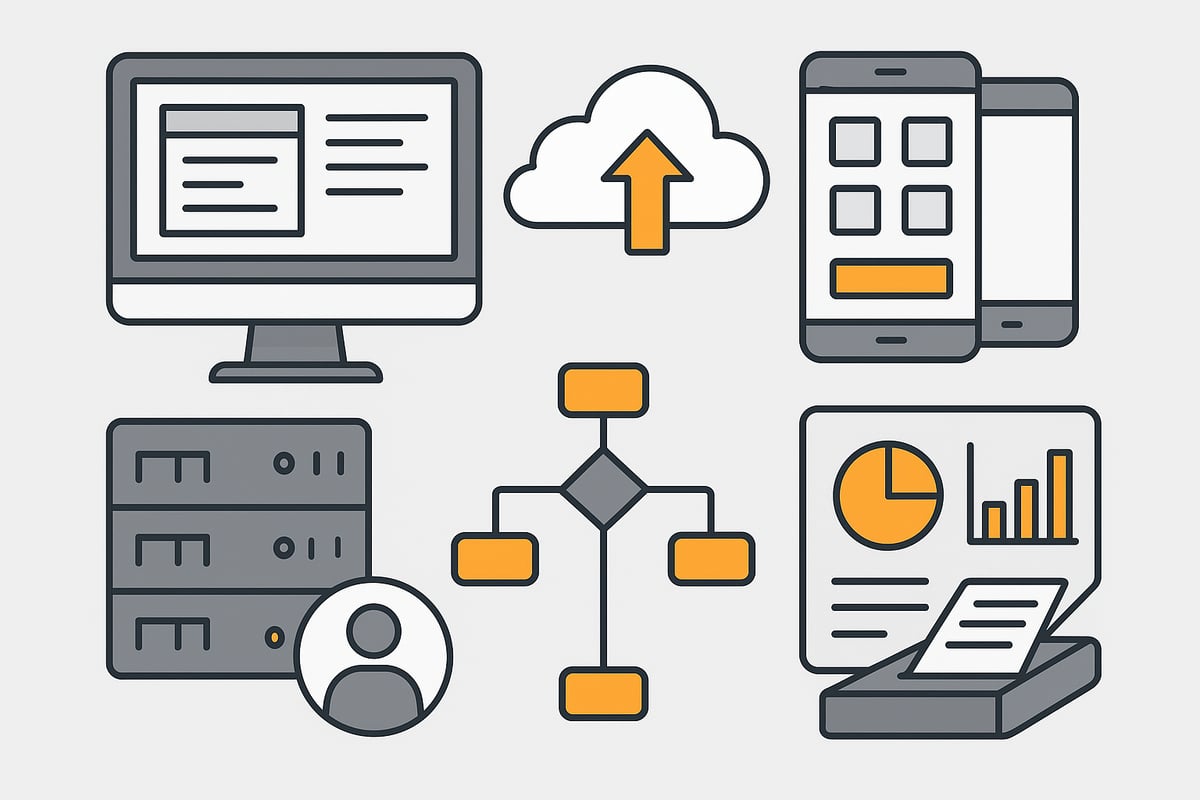
Before you start with the document management system paperoffice, check the system requirements. In 2025, the software runs on current Windows systems (Windows 10, 11) and requires at least:
|
Component |
Minimum |
Recommended |
|---|---|---|
|
RAM |
8 GB |
16 GB |
|
CPU |
4-core, 2 GHz |
8-core, 3 GHz |
|
Storage space |
50 GB free |
200 GB SSD |
|
Internet |
Broadband |
Fiber |
The download of the document management system paperoffice is done via the manufacturer’s website. After starting the installer, follow the wizard, choose the installation path and database type (local or server), and activate the license. A restart ensures optimal system integration.
Make sure all Windows updates are installed and check whether the required interfaces (e.g., for scanners) are available. This minimizes complications when setting up the document management system paperoffice.
User interface and basic functions
After the first start, the document management system paperoffice presents a clear user interface. The dashboard shows you the most important key figures, recently edited documents, and upcoming tasks.
The navigation bar leads to the core areas: document overview, workflows, search, settings. You create folder structures, set up user groups, and import existing files into the document management system paperoffice.
Distinguish between internal and external documents. Internal documents are internal to the company; external ones come from partners or customers. This way your filing in the DMS remains clear and traceable.
Digitize and import documents
The document management system paperoffice offers various ways to capture documents. Scan paper documents directly—many scanners are automatically recognized. Alternatively, import files from email inboxes, network drives, or local storage.
For mobile work, there are apps that let you upload receipts and photos directly to the DMS while on the go. Automatic import from watched folders ensures that new files are immediately stored centrally.
Use the drag-and-drop function to move multiple documents into the document management system paperoffice at once. This makes digitizing and archiving a breeze.
Tagging and search functions
Intelligent tagging in the document management system paperoffice saves time and increases findability. During import, the system analyzes content via OCR and suggests appropriate tags and metadata.
Set your own keywords or use predefined categories. Thanks to full-text search, you’ll find any document in the document management system paperoffice within seconds. Filters by time period, document type, or responsible person refine the results.
Example of a search query in the PaperOffice document management system:
Invoice AND Customer:Mustermann AND Year:2024
With just a few clicks, you have the information you’re looking for at your fingertips.
Set up workflows and approvals
The document management system paperoffice helps you automate processes. Create workflows, for example, for approving invoices or contracts. Define who is allowed to review and approve which documents.
Automated notifications inform team members about new tasks. Task lists and resubmissions help meet deadlines. Example of a simple workflow in the document management system paperoffice:
-
Document is imported
-
Automatic assignment to case handler
-
Review and approval
-
Archiving with timestamp
This way, routine processes in the document management system paperoffice run smoothly and transparently.
Tips to avoid mistakes when getting started
Mistakes often happen at the beginning. Avoid unstructured filing and ensure regular backups in the document management system paperoffice. Set user rights correctly so that only authorized persons gain access to sensitive data.
Training is essential: Instruct your team in the use of the document management system paperoffice and make use of support services. You can find further helpful insights in the article Introducing a DMS in companies, which provides practical tips and proven strategies.
Use community forums, tutorials, and webinars to make optimal use of the document management system paperoffice and avoid typical stumbling blocks right from the start.
Practical examples: Using PaperOffice in everyday work
Digital processes are crucial for efficient work today. With the DMS, you can tackle everyday challenges in document management in a targeted way. Whether invoice filing, contract management, or collaboration in the team—the software offers practical solutions for a wide range of requirements.

Digital filing of incoming invoices
With the document management system paperoffice, managing incoming invoices is a breeze. You can automatically recognize invoices and assign them directly to projects or cost centers. Integration into accounting processes ensures end-to-end transparency.
Typical steps:
-
Scan or import invoices
-
Automatic assignment via intelligent recognition
-
Control and approval in the workflow
This allows you to automate routine tasks and reduce the error rate. You can find more tips on process optimization in the article Automation of document processes.
Contract management and deadline monitoring
The document management system paperoffice helps you manage contracts digitally and never miss important deadlines again. Contracts are stored centrally and provided with reminder functions.
Benefits at a glance:
-
Digital contract filing with access history
-
Automatic deadline monitoring and resubmissions
-
Quick access to current contract versions
This is an enormous relief in everyday life, especially for medium-sized companies.
Personnel file and HR processes
With the document management system paperoffice, you can securely store sensitive employee documents. Access restrictions ensure that only authorized persons have insight.
Typical application examples:
-
Central filing of employment contracts, references, and applications
-
Automated archiving according to GDPR standards
-
Fast search and secure approval processes
This makes the entire HR process digital and traceable.
Collaboration in the team
Effective teamwork is particularly successful with the document management system paperoffice. Shared access to documents and the ability for parallel editing accelerate projects.
Important features:
-
Simultaneous work on documents
-
Versioning to track changes
-
Role-based permission assignment for transparency
The team remains well connected and productive even in the home office.
Mobile access and home office
The document management system paperoffice offers apps for iOS and Android, so you can access your documents anytime and anywhere. Data transmission is encrypted, ensuring security on the go as well.
Practical advantages:
-
Mobile access to all important documents
-
Editing and approving tasks on the go
-
Secure access from the home office, too
This makes you flexible and independent of the office workplace.
Statistics and experience
Many users report that they were able to reduce their search effort by 50 percent thanks to the document management system paperoffice. Paper costs also decrease significantly. Compared to traditional methods, companies save several hours of administrative work per month.
|
Advantage |
Before |
After with PaperOffice |
|---|---|---|
|
Search effort per day |
40 minutes |
20 minutes |
|
Paper costs per month |
200 € |
100 € |
|
Error rate in filing |
10 % |
2 % |
Such figures show how much the introduction of an efficient system pays off in everyday life.
Integration and expansion: Connecting PaperOffice with other systems
Digitization doesn’t stop at any business process. A document management system paperoffice only unfolds its full potential through seamless connection with other tools. This turns an isolated solution into a comprehensive ecosystem for efficient collaboration and automated workflows.
Integration options
A document management system paperoffice impresses with its versatile integration options. For example, you can connect it with ERP or CRM systems, accounting software, and email clients. Interfaces such as API, WebDAV, and direct Outlook integration are particularly in demand.
This allows documents to be automatically imported from emails, network drives, or other applications. You can find detailed scenarios and tips in the article on the integration of SharePoint and DMS. This keeps the system flexible and lets it grow with your company’s requirements.
Automation of processes
Automation is a key factor for efficiency. With the document management system paperoffice, you can control recurring tasks such as automatically forwarding invoices or assigning documents via workflow.
Typical examples:
-
Automatic document transfer between systems
-
Predefined approval processes
-
Automated reminders and task distribution
This saves time, reduces sources of error, and creates clear procedures.
External archiving and cloud connection
Whether private cloud or local server, the PaperOffice document management system supports flexible storage solutions. This lets you decide whether your data stays internal or is securely stored in the cloud.
The backup strategy is crucial: Regular backups protect against data loss. Cloud connectivity also enables location-independent access, which is essential for home office and mobile teams.
Extensions and add-ons
Want to get even more out of your document management system paperoffice? No problem! There are various extensions such as:
-
Advanced OCR packages for better text recognition
-
Modules for email archiving
-
Additional features for complex workflows
These add-ons can be integrated flexibly and provide exactly the functions your company needs.
Examples of successful integration
Many companies successfully connect the document management system paperoffice with solutions such as DATEV or SAP. Particularly popular is the automated processing of incoming invoices or integration into accounting processes.
The result: less manual work, more transparency, and a significant increase in productivity. This turns digitization into a real competitive advantage.
Security, data protection, and compliance with PaperOffice
Security and data protection are at the center of the document management system paperoffice. Especially in 2025, companies expect not only ease of use but also maximum compliance. PaperOffice offers a strong combination of encryption, access management, and legal traceability to optimally protect confidential data.
Data protection features and GDPR compliance
The document management system paperoffice relies on state-of-the-art encryption. All stored data is protected with AES 256-bit. Accesses and changes are logged completely so that it is always traceable who carried out which action.
These measures ensure that PaperOffice meets current GDPR requirements. Logging also supports internal and external auditability. Companies thus benefit from the highest level of legal certainty and transparency.
User and permissions management
Access rights can be precisely controlled in the document management system paperoffice. Different user groups receive individual read, edit, or administration rights. This granular assignment of rights prevents unauthorized access to sensitive documents.
Audit trails ensure that every change to a file remains traceable. In the event of a security incident or audit, you can respond quickly. The combination of a permissions concept and logging simplifies compliance with legal requirements.
Backup and recovery options
Regular backups are a matter of course for the document management system paperoffice. Automatic backups protect against data loss, for example due to technical defects or accidental deletion. In an emergency, recovery enables rapid system operation.
For more in-depth strategies, it’s worth getting familiar with security and backup in document management. This allows you to optimally adjust backup intervals and retention periods, ensuring data integrity at all times.
Legal requirements and certifications
PaperOffice meets GoBD and GDPR compliance according to the latest standards. Archiving ensures that documents can be kept in an audit-proof manner at any time. During tax audits, compliance with these requirements can be demonstrated quickly.
An overview table illustrates the most important compliance standards:
|
Standard |
Met by PaperOffice |
|---|---|
|
GoBD |
✔ |
|
GDPR |
✔ |
|
Audit trails |
✔ |
|
Encryption |
✔ |
This means the document management system paperoffice is well equipped for the challenges of 2025.
Recommendations for beginners
Those who are new to the document management system paperoffice should set up clear permission concepts from the outset. This maintains clarity and reduces the risk of security gaps.
It is also advisable to review security policies regularly and train all users. A structured start ensures long-term protection and smooth compliance in everyday work.
Common mistakes and best practices for getting started with PaperOffice
Starting with a document management system paperoffice brings many benefits, but also typical pitfalls. Those who know the mistakes and apply best practices benefit from smooth processes and faster acceptance within the team.
Avoid common beginner mistakes
Many beginners underestimate the importance of a structured filing system in the document management system paperoffice. Documents are often stored without a clear folder structure or tagging. This makes searching difficult and quickly leads to disorder. Another mistake: automation features such as workflows or reminders are not used. This leaves a lot of potential untapped.
Common mistakes at a glance:
-
Unstructured filing of documents
-
No or inconsistent tagging
-
Automation options are ignored
-
Missing access rights or permissions that are too open
A planned start with the document management system paperoffice prevents these mistakes from the outset.
Best practices for efficient work
With clear processes, the document management system paperoffice becomes an efficiency machine. Define the lifecycle of your documents and use the workflow functions for approvals or resubmissions. Automated notifications keep the team up to date. Regular training ensures that all employees know the most important functions.
Best practices at a glance:
-
Set up workflows for recurring tasks
-
Define the document lifecycle
-
Standardize tagging and folder structures
-
Actively use support and help resources
For a detailed comparison of features, licensing models, and costs, take a look at the PaperOffice DMS overview.
Tips for user adoption in the team
The introduction of a document management system paperoffice succeeds faster when all departments are involved. Communicate the benefits clearly and involve employees at an early stage. Change management helps to remove reservations and clarify questions. Measure success with metrics such as time savings or error rates to make progress visible.
Practical tips:
-
Offer early training for all user groups
-
Regularly communicate and celebrate successes
-
Actively gather and use feedback from the team
This increases motivation to use the document management system paperoffice consistently.
Real-world examples
Companies that use clear structures and automation in the document management system paperoffice report efficiency increases of up to 40 percent. Small and medium-sized enterprises in particular benefit from less search effort and more transparency. Use resources such as the official PaperOffice documentation, community forums, webinars, and tutorials to continuously expand your know-how and avoid common mistakes.
With these best practices and the right preparation, the document management system paperoffice becomes a success factor for your company.
You can see how important a smartly set-up document management approach is for a stress-free workday—less paper chaos, faster processes, secure data. With PaperOffice you can get started right away and discover the full potential of modern document management. It gets even easier when you use filehub: It lets you automate many tasks, connect different tools, and ensure your workflows run smoothly—without any programming knowledge. See for yourself how simple and efficient digitization can be: Try filehub.one for free now


