Prestashop – Step by Step

2025 will be a turning point for e-commerce. More and more companies recognize how crucial a flexible and high-performance platform like prestashop is for their digital success. Small and medium-sized retailers, in particular, benefit from the new possibilities and scalability of this system.
With a professionally set up prestashop shop, you can take your online business to the next level. In this guide, you’ll get step-by-step instructions to launch, optimize, and scale your shop successfully.
Look forward to practical tips on installation, design, product management, payment integration, marketing, and growth. Use 2025 to get off to a flying start in e-commerce with prestashop.
Prestashop 2025: Overview and updates
Prestashop has been a mainstay in e-commerce for years. In 2025, the system receives numerous updates that make it even more attractive, especially for small and medium-sized businesses. Anyone focusing on innovation and scalability should get an overview now.
What is Prestashop?
Prestashop is an open-source e-commerce platform founded in 2007 in France. Today, more than 300,000 shops worldwide use the system, underscoring its enormous reach.
Thanks to its open-source nature, the system offers maximum flexibility and adaptability. Both beginners and experienced professionals benefit from the large community and the wide range of extensions. Its ease of use makes getting started simple.
Key innovations and trends for 2025
In 2025, prestashop is doubling down on innovation: the new version brings a modernized user interface and faster load times. Automated processes deliver greater efficiency in day-to-day operations.
AI-powered tools are particularly in focus. They help analyze customer data, deliver personalized product recommendations, and optimize processes. Automation makes routine tasks faster and more secure. That leaves more time for what matters most: growing your own shop.
The backend has also been overhauled to make administration even more intuitive. New plugins and integrations enable easy connectivity to external systems. This positions prestashop as a future-proof solution for online retail.
Market statistics and growth
Prestashop is among the most widely used shop systems in Europe. According to PrestaShop market share 2025, the platform continues to grow, especially in German-speaking markets.
The latest figures show that, in terms of user numbers, the system competes with Shopify, WooCommerce, and Magento. Its popularity stems from flexibility and low barriers to entry. Especially for small and medium-sized businesses, the system is a real alternative.
Who is Prestashop for?
Prestashop is aimed at startups, SMEs, and established retailers who value customizability and scalability. Typical use cases include selling physical products, digital goods, or services.
Many success stories show how companies with a manageable budget and little prior knowledge were able to build a professional online shop. Growing companies also benefit from modular expandability.
Requirements for getting started
To get started with the software, you need solid hosting, your own domain, and an SSL certificate for security. Make sure you have a current PHP version and sufficient server resources.
For budget planning, you should also set aside time and resources for customizations and extensions, in addition to hosting costs. This lays the foundation for sustainable success in e-commerce.
Step 1: Installation and basic configuration
Getting started with prestashop is easier than many think. Even when choosing hosting and domain, you lay the foundation for a high-performance and secure online shop. Proper preparation saves time, nerves, and money later.
Hosting and domain selection
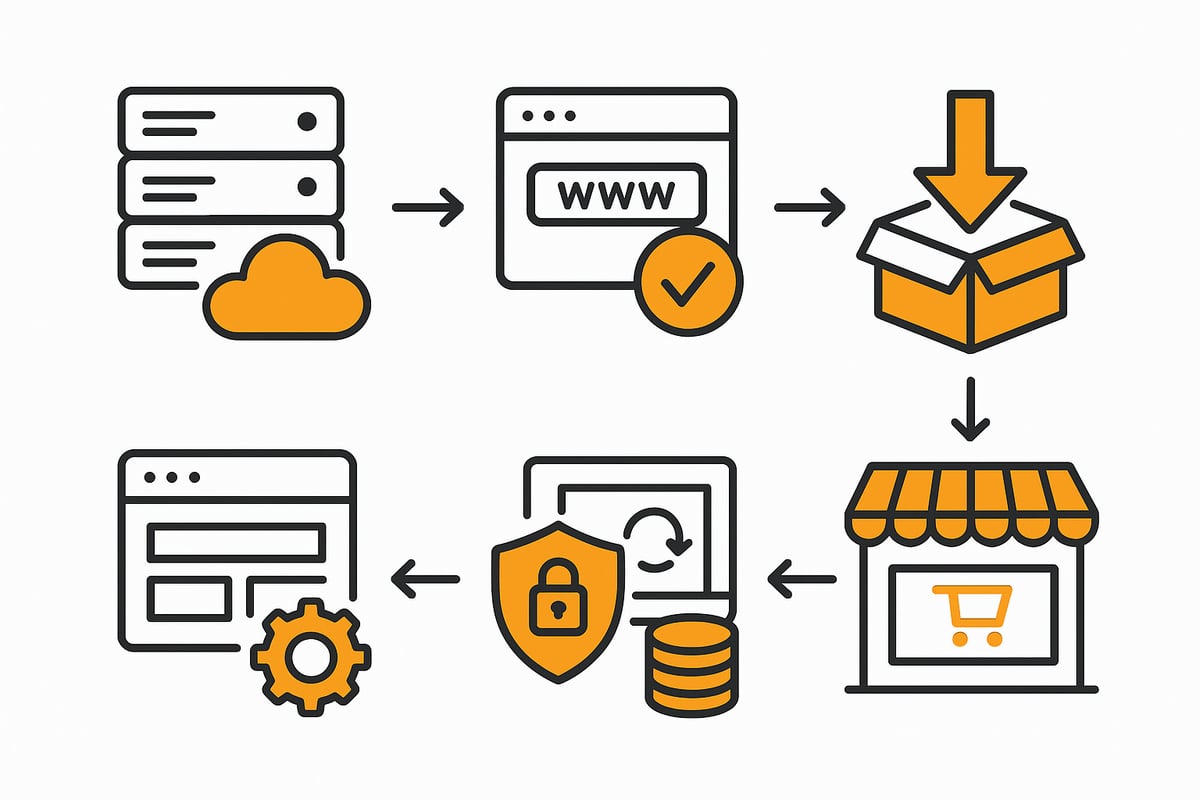
Before you install prestashop, you need stable hosting and a suitable domain. When choosing hosting, look for fast load times, reliable support, and fair prices. Many providers offer special prestashop packages that are optimally tuned.
When registering the domain, a short, memorable name is recommended. Don’t forget the SSL certificate for secure connections, which many hosts include. SSL protection is mandatory for any reputable online shop.
-
Choose performance-oriented hosting
-
Keep the domain short and distinctive
-
Integrate the SSL certificate right away
With these steps, you create the basis for a professional presence.
Download and installation of Prestashop
The software can be downloaded for free on the official website. After downloading, upload the files to your web space via FTP. Then start the setup in your browser and follow the installation wizard step by step.
Be sure to check the system requirements. Common sources of errors include incorrect PHP versions or missing write permissions. The software checks these requirements during installation and provides hints about problems.
With just a few clicks, your shop is ready for the first settings.
Initial settings and backend setup
After installation, prestashop takes you to the backend. Here you set the language, time zone, and tax rates. The clear navigation helps you find all important areas quickly.
Create user management to assign roles and permissions. This protects sensitive data and makes teamwork easier.
Thanks to the intuitive interface, you’ll find your way around quickly and can get started right away.
Security and GDPR compliance
Security is essential for your prestashop shop. Ensure regular backups, keep the system up to date at all times, and restrict access to what’s necessary. For GDPR compliance, you need a cookie banner, a detailed privacy policy, and a data processing agreement.
Backups in particular are often underestimated. Tips for optimal data protection can be found in the article Backup strategies for shop systems. These measures protect not only your data but also your customers’ trust.
Performance optimization from the start
Fast load times are crucial for every shop. Use caching mechanisms, optimize images, and configure the server efficiently. Even small tweaks can noticeably improve performance.
Helpful plugins can improve load times even further. Regularly monitor your shop’s speed to ensure an optimal user experience at all times.
Example: Successful shop installation
Many shop owners report that installation requires less time and money compared to other systems. In practice, a functional shop is often ready for use after just a few hours.
Compared directly with other platforms, prestashop scores with quick setup and flexible customization. This allows you to focus fully on your business and avoid wasting time on technical hurdles.
Step 2: Design, themes, and usability
A compelling design is your shop’s calling card and determines how users perceive your brand. The right combination of theme, usability, and technology ensures that visitors become customers. Let’s go through the most important aspects step by step.

Selecting and customizing Prestashop themes
When choosing a theme for prestashop, you’re spoiled for choice: free themes provide solid foundations, while premium themes stand out with exclusive features and support. Look for responsiveness, regular updates, and easy customization. Check whether the theme fits your target group and guarantees fast page loads.
A comparison like this E-commerce platform comparison 2025 shows how the system stacks up against others in terms of design flexibility. Choose a theme that matches your branding and is optimized for all devices.
Theme installation and customization
Installing a theme is done in a few steps: upload the theme in the backend, activate it, and then adjust colors, logos, and fonts. Many themes offer drag-and-drop editors that let you design the layout flexibly. Always test changes in preview mode before going live.
Use the built-in customization options to make your shop unique. A consistent design creates recognition and trust among your customers.
Usability and conversion optimization
Usability is paramount. Clear navigation, clean product presentation, and a streamlined checkout process increase the conversion rate. Over 60 percent of users shop on mobile, so mobile optimization is a must. Use heatmaps and A/B tests to identify weak points in the user experience.
Invest in an intuitive structure, because a simple purchasing process motivates users to complete their orders. This sustainably increases your revenue.
Extensions for better usability
With the right modules from the prestashop Addon Marketplace, you can improve usability in a targeted way. Add search functions, filtering options, or customer reviews to make your shop even more attractive. Ensure that extensions remain compatible and don’t cause performance losses.
Rely on proven add-ons recommended by the community. This keeps your prestashop shop user-friendly and flexibly expandable.
Accessibility and legal requirements
Accessibility is not just an obligation but an opportunity: with WCAG-compliant themes, you enable all users to access your shop easily. Regularly check whether your shop meets legal requirements such as imprint, terms and conditions, and right of withdrawal policy.
Accessible design increases reach and strengthens trust in your brand. Legal certainty protects you from costly warnings.
Practical example: before-and-after optimization
A retailer optimized their prestashop shop by switching to a modern theme. Load times dropped, the design looked fresher, and the conversion rate measurably increased. The mobile presentation, in particular, attracted new customer groups.
These before-and-after analyses show how much potential targeted design adjustments hold. A professional look pays off in the long run.
Step 3: Products, categories, and inventory management
A well-structured product catalog is the foundation of a successful shop. For customers to quickly find what they’re looking for, you need clear processes and efficient management. In this step, I’ll show you how to create products, structure categories, keep inventory under control, and perfect your presentation.
Product creation and management
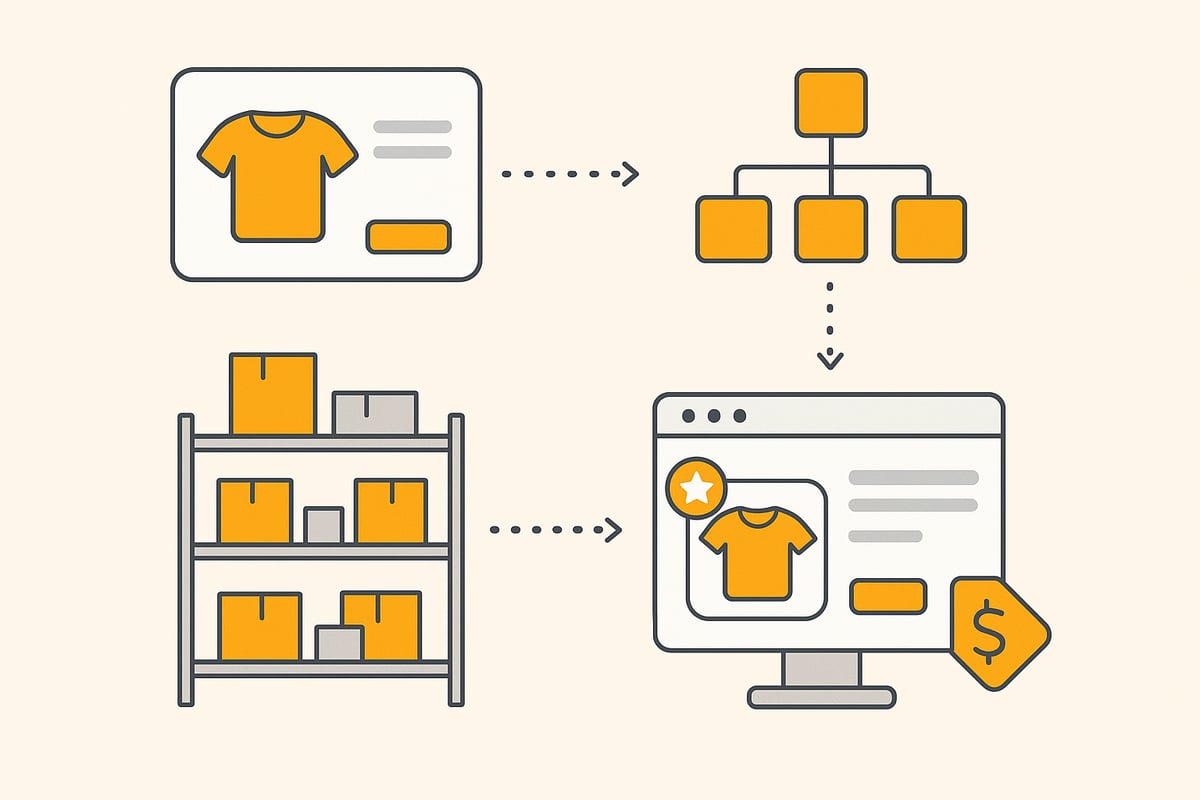
Creating products in prestashop is intuitive and flexible. In the backend, start with a new product, enter the title, description, and compelling images. Variants such as sizes or colors can be added directly.
For larger assortments, prestashop offers the option to bulk import products via CSV. This saves time and minimizes errors. Management is centralized—changes to prices or descriptions are implemented quickly.
-
Fill out product information clearly and completely
-
Use high-quality product images
-
Group variants logically
With these steps, you ensure your shop looks professional from the start.
Structuring categories and navigation
The right category structure is crucial for clarity and SEO. In the software, you create main and subcategories. Each category should be clearly named and assigned to a logical navigation tree.
SEO-friendly URLs and breadcrumbs help both search engines and users. Make sure the navigation isn’t too nested. Three levels are often enough.
-
Main categories by product types or target groups
-
Subcategories for specific features
-
Clear, descriptive URLs
This makes your shop easy to grasp for visitors and search engines alike.
Managing inventory and delivery times
Efficient inventory management prevents supply bottlenecks and overselling. In prestashop, you can monitor stock levels for each product. Automatic alerts notify you when an item is running low. Delivery times are defined individually per product.
For shops with many products, integrating automation solutions is worthwhile, for example to synchronize with ERP systems. You’ll find more tips in the post on Workflow automation for online shops.
-
Activate automated stock monitoring
-
Communicate delivery times clearly
-
Plan reorders in good time
With these tools, your prestashop shop remains ready to deliver at all times.
Pricing and discounts
Pricing is flexible: you can easily set tiered pricing, special promotions, and coupons. In the backend, create pricing rules to control discounts by time or quantity.
Coupon codes motivate purchases. Be sure to present discounts transparently and review them regularly.
-
Tiered pricing for bulk orders
-
Time-limited promotions
-
Coupons as a marketing instrument
With well-thought-out pricing rules, you increase your shop’s revenue.
Legal requirements for product information
German shops are subject to strict information obligations. In prestashop, you store mandatory details such as base price, delivery time, and VAT directly in the product data sheet. The platform supports you with the appropriate fields and settings.
Ensure all information is correct and up to date. Regularly review legal requirements to avoid warnings.
-
Base price for products sold by quantity
-
Delivery time in business days
-
Show VAT transparently
This keeps your shop legally compliant and trustworthy.
Examples of successful product presentations
A compelling product presentation increases conversions. Successful prestashop shops rely on high-quality images, clear information, and strong calls to action.
|
Element |
Effect |
Recommendation |
|---|---|---|
|
Large product image |
Attention |
Show multiple views |
|
Short description |
Overview |
Use bullet points |
|
Customer reviews |
Trust |
Integrate a review module |
Combine these elements to showcase your products optimally in the shop.
Step 4: Payment methods, shipping, and legal security
When building a successful prestashop shop, integrating secure payment methods, efficient shipping options, and complying with legal requirements is crucial. Even small mistakes in these areas can cost customer trust and endanger revenue. With the right settings and tools, you ensure smooth and legally compliant processing.
Integrating payment methods
The system offers a wide range of payment methods that can be integrated flexibly. The most popular include:
-
PayPal
-
Credit card (e.g., Stripe)
-
Klarna
-
Sofortüberweisung
-
Apple Pay
Installation is usually done via modules that you can find directly in the prestashop backend. After activation, you can configure the desired payment methods individually and tailor them to your business model. A clear payment portfolio increases the conversion rate and builds customer trust.
Setting up shipping methods
With prestashop, you can configure shipping methods flexibly by country, region, or weight. For domestic and international orders, it’s advisable to set up multiple shipping options:
-
Standard shipping
-
Express shipping
-
Local pickup
You define shipping cost rules and zones directly in the backend. The right configuration ensures transparent delivery conditions and prevents later misunderstandings. A clearly structured shipping process is a key success factor for any prestashop shop.
Taxes and invoicing
Tax management is comprehensive and supports different tax classes as well as country-specific requirements. Automated invoicing saves time and minimizes sources of error. For bookkeeping automation, we recommend the article Accounting automation in e-commerce, which provides valuable tips specifically for online shops. By correctly setting VAT rates and invoice formats, you meet tax requirements and simplify bookkeeping later on.
Legal safeguards for the shop
To be legally protected, the following documents and notices must be placed prominently in the shop:
-
Imprint
-
Privacy policy
-
Terms and conditions (T&Cs)
-
Right of withdrawal policy
In addition, quality seals such as Trusted Shops can strengthen customer trust. These measures are mandatory and protect you from warning letters. Regularly check the currency of your legal texts and adjust them when laws change.
Fraud prevention and payment security
Security is paramount in e-commerce. With prestashop, you rely on various protection mechanisms:
-
Two-factor authentication for admin access
-
Encrypted payment processing
-
Monitoring of suspicious activities
You should also schedule regular backups and updates to avoid security gaps. A secure prestashop shop protects both your customers and your business from financial and reputational damage.
Practical example: integrating a payment provider
Integrating PayPal and Klarna is straightforward. After installing the respective modules, you connect your shop to the provider accounts and define individual payment conditions. This way, your customers benefit from fast, secure payments, and you benefit from efficient processing. Thanks to flexible expansion options, prestashop remains powerful and reliable even as order volumes grow.
Step 5: Marketing, SEO, and scaling
A successful online shop needs more than just a good product. The right strategy for marketing, SEO, and scaling is essential to truly take off with prestashop in 2025. In this section, you’ll find concrete approaches to take your shop to the next level.
Search engine optimization for Prestashop
SEO is the foundation for sustainable success. With the system, you can adjust meta tags, structured data, and sitemaps directly in the backend. Use specialized SEO modules to increase the visibility of your products. Pay attention to fast load times, optimized product descriptions, and internal linking. Regularly check whether your most important pages are indexed and optimize categories in a targeted manner.
Content marketing and blog integration
Content marketing drives traffic and builds trust. With blog modules, a blog can be integrated directly into prestashop. Publish guides, how-tos, or product comparisons regularly to reach your target audience. Successful shops rely on unique content and seasonal campaigns. Use storytelling to emotionally charge your brand and turn visitors into returning customers.
Newsletters and customer loyalty
Email marketing is one of the most effective methods to stay in touch with customers. Integrate tools like Mailchimp or Sendinblue into your prestashop shop. Send automated newsletters with offers, product updates, or coupons. Use loyalty programs such as reward points or exclusive discounts. This increases repeat purchases and strengthens long-term customer loyalty.
Social media and marketplace integrations
With the right social media strategy, you reach your target audience where they are active. Connect your prestashop shop with Facebook, Instagram, or Google Shopping. Use the interfaces to Amazon to tap into new markets. A multichannel strategy ensures your products are present everywhere and lets you react flexibly to trends.
Analytics and optimization
Data is the key to growth. Tools like Google Analytics, Matomo, or the integrated statistics help you monitor key metrics such as conversion rate, cart abandonment, or traffic sources. Automated document management can further optimize processes in the shop, as explained in the post Document management for online shops. Analyze your numbers regularly and adjust your strategy.
Shop scaling and internationalization
Growth requires clear structures. With prestashop, you can equip your shop with multiple languages and currencies. Consider legal specifics abroad and adjust shipping options and tax rates. Successful expansion starts with solid preparation and choosing suitable markets. This makes you competitive internationally and allows you to tap into new target groups.
Current marketing trends for 2025
In 2025, personalization, AI-based recommendations, and voice commerce shape e-commerce. With prestashop, you can use many of these trends to increase conversions. According to E-commerce trends 2025, data-driven decisions and automation continue to gain importance. Rely on innovative tools to future-proof your shop and stay on the cutting edge.
Common mistakes and best practices
Many operators underestimate the complexity of the system at the start. Common mistakes occur as early as installation, such as unsuitable hosting or missing SSL certificates. Incorrect PHP versions and poor preparation when choosing a domain also lead to problems.
The most frequent sources of errors include:
-
Incomplete or faulty theme installations
-
Incompatible or outdated modules
-
Insufficient backups and missing updates
-
Neglected security settings
-
Missing adjustments to legal requirements
A look at the CMS market share worldwide 2025 shows that prestashop plays a significant role. This increases the number of support requests, especially among beginners.
Top support requests (according to the community):
|
Problem area |
Share of requests |
|---|---|
|
Modules & updates |
35% |
|
Design & theme issues |
25% |
|
Payment integration |
15% |
|
SEO & performance |
15% |
|
Legal requirements |
10% |
Best practices for stable operations:
-
Perform regular backups and updates
-
Use only vetted modules and themes
-
Consistently implement security (passwords, 2FA)
-
Maintain documentation and changelogs
-
Leverage community resources early
For troubleshooting, it’s worth exchanging ideas in the official forum or Facebook groups. Many solutions come directly from the prestashop community itself. If you rely on clear structures and regular maintenance from the start, you lay the foundation for sustainable success and growth.
You now have a clear roadmap for building your Prestashop shop securely and future-proof in 2025—from installation to scaling. But especially when automating documents and processes, the right tools save you a huge amount of time and nerves. filehub helps you automate recurring tasks such as fetching invoices or document management—GDPR-compliant, without programming skills, and developed in Germany. If you want to take your workflow to the next level, you can try filehub.one for free now and experience for yourself how much more efficient your workday can become.


